
We Keep Your Business Running
Veeam helps you recover your data faster: any data, anywhere you need it, recovered safely and reliably. That’s radical resilience.


We Set the Bar High
When it comes to security, Veeam has achieved some of the highest security standards in the industry.
Data Security
Don’t Become a Ransomware Headline
Secure backup is your best line of defense
Flexible recovery options are key to fast recovery from any cyber‑attack. Access to clean, reliable backups gets you back to business without paying the ransom.
Data recovery
Achieve MoreWith Veeam
With data that’s always available and work that runs smoothly.
-
329%3-year ROI
Achieve rapid ROI
-
$1.1mAverage Cost Savings
Optimize your operations
-
5xFaster Recovery
Get back to business
Veeam Protects the World’s Biggest Brands
450K+ customers around the world












Partner With the #1 Leader
Don’t trust your data strategy with anyone other than the #1 global market leader in data protection and ransomware recovery.
80%
Fortune 500 companies count on Veeam
72%
Global 2000 are protected by Veeam
75
Industry leading Net Promoter Score


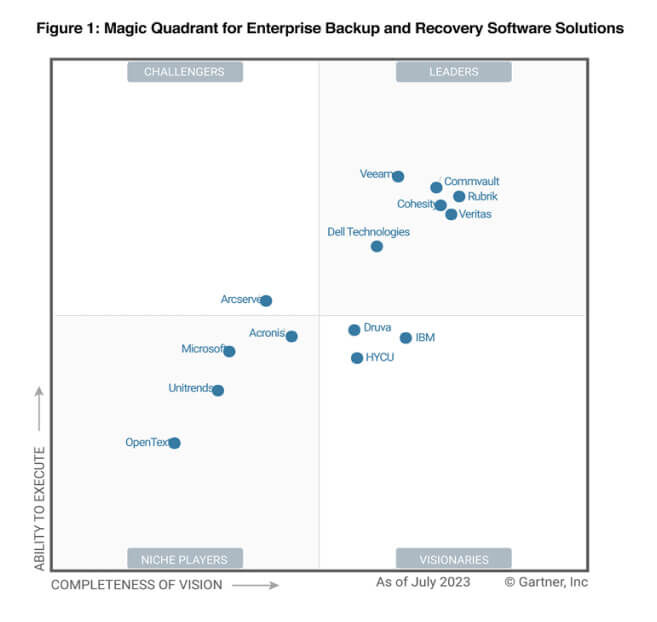
Leader in Gartner® for Seven Years in a Row