NATS Server Configuration Advice for Use With Veeam Backup for Microsoft 365
| KB ID: | 4675 |
| Product: | Veeam Backup for Microsoft 365 | 8 |
| Published: | 2024-11-07 |
| Last Modified: | 2024-11-08 |

Get weekly article updates

Purpose
This article provides advice for optimizing NATS Server configuration when used in conjunction with Veeam Backup for Microsoft 365.
Solution
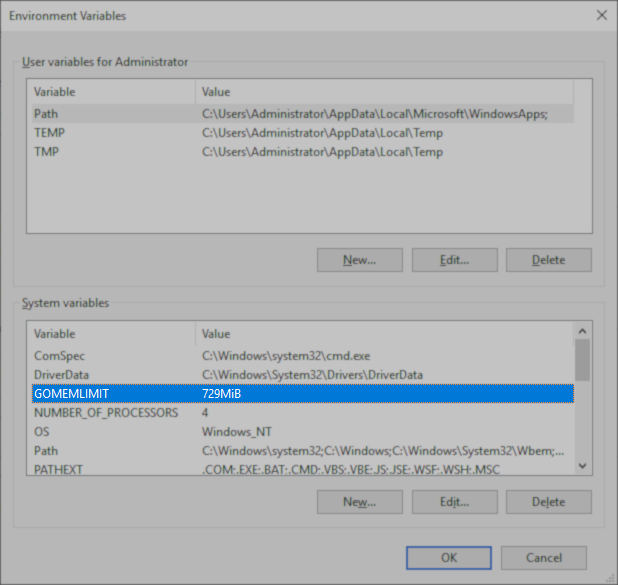
When Veeam Backup for Microsoft 365 is deployed using the included NATS Server, the system variable 'GOMEMLIMIT' is set to 30% of the total system memory available at the time of installation.
Customers who choose to use an existing NATS Server are advised to closely monitor memory usage and consider instituting a similar memory limit to prevent Veeam Backup for Microsoft 365 from causing NATS Server to consume excessive memory.
More Information
Additional NATS Server Configuration Considerations
- Since the GOMEMLIMIT value is a fixed value, any changes to the amount of system memory should be followed by an adjustment to the GOMEMLIMIT value. For the NATS Server deployed by the Veeam Backup for Microsoft 365 installer, this value is stored as a environmental variable"C:\Windows\system32\rundll32.exe" sysdm.cpl,EditEnvironmentVariables and should consistently be set to 30% of the total system memory.
Note: For deployments on virtual machines with dynamic memory allocation (e.g., Hyper-V), the GOMEMLIMIT value may be set considerably lower than expected if the allocated memory was small during the initial deployment of Veeam Backup for Microsoft 365.
If this KB article did not resolve your issue or you need further assistance with Veeam software, please create a Veeam Support Case.
To submit feedback regarding this article, please click this link: Send Article Feedback
To report a typo on this page, highlight the typo with your mouse and press CTRL + Enter.
