- Veeam Support Knowledge Base
- How to Use Windows Management Instrumentation (WMI) Tester [WBEMTest] to Test WMI Connectivity
How to Use Windows Management Instrumentation (WMI) Tester [WBEMTest] to Test WMI Connectivity

Purpose
Solution
Opening Windows Management Instrumentation (WMI) Tester
- Open a Run prompt.
Press Win+R, or right-click Start and select Run. - Run the command:
wbemtest
Connecting to a Network Node and Namespace
- Click Connect... in the upper right corner of the application.
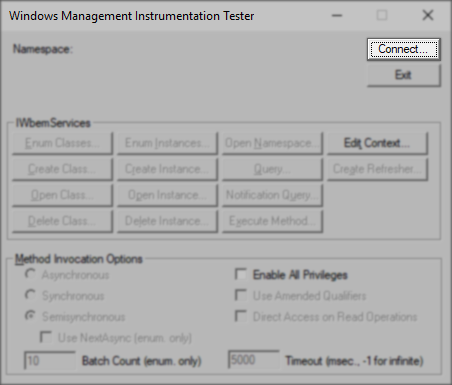
- Specify the namespace to connect to in the Namespace field.
- When testing WMI to a Windows machine, use:
root\cimv2 - When testing WMI to a Hyper-V host, use:
root\virtualization\v2 - When testing the connection to a remote server, add that remote machine's hostname before the namespace and enter credentials. For example:
\\<hostname>\root\virtualization\v2or\\<hostname>\root\cimv2
- When testing WMI to a Windows machine, use:
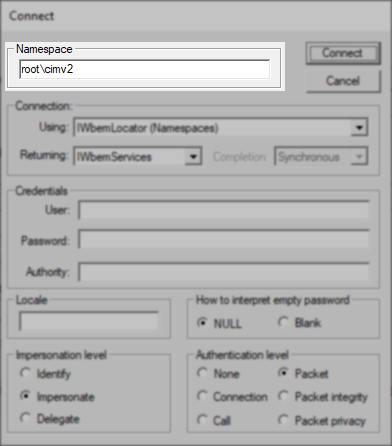
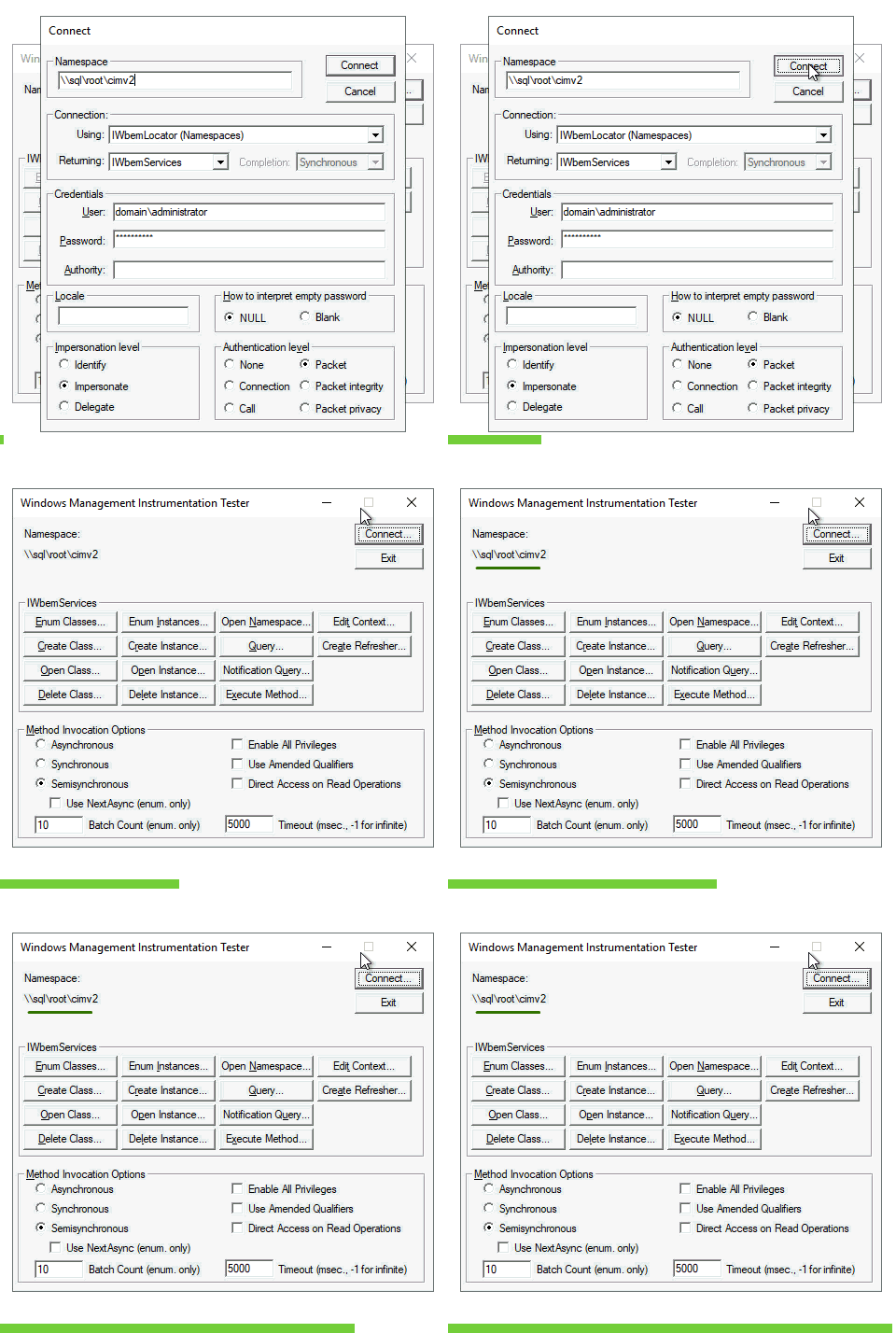
Connect to Local WMI
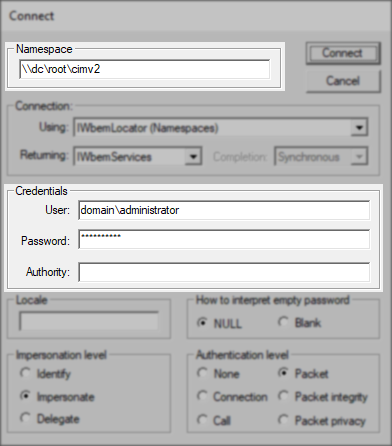
Connect to Remote WMI
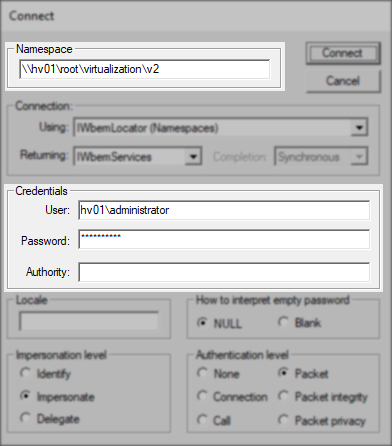
Connect to Remote Hyper-V
- After entering the Namespace and credentials (if applicable), click the Connect button.
- If the connection was made successfully, no pop-up error will occur, and the namespace specified will be shown.
- If there was a connection issue, a pop-up will appear with details.
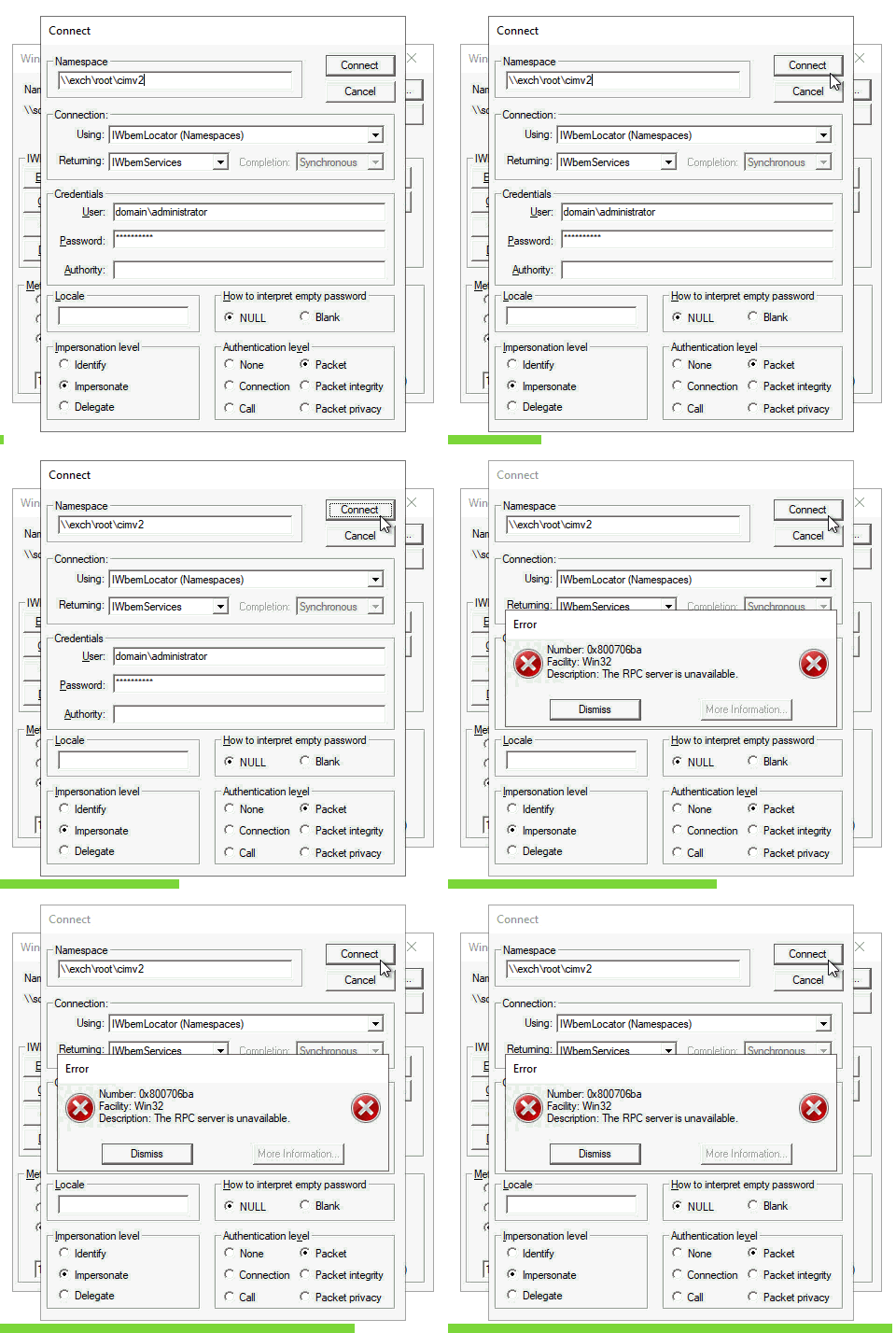
When an error is displayed, a Facility will be indicated. The Facility can help identify the initial point of investigation.
For example, a Facility entry of Win32 along with The RPC server is unavailable means that no connection could be made to the machine specified on the connection page. Possible causes:
- The hostname specified cannot be resolved by DNS.
- The hostname provided is invalid.
- There is a firewall blocking RPC traffic.
A Facility entry of WMI means a connection could be made via WMI, but a WMI-level error occurred. For example, a Facility entry of WMI along with Invalid Namespace could mean that either the namespace was entered incorrectly or the namespace specified does not exist.
If a connection failure is reported by WBEMTest, the failure indicates a problem with the operating system or network configuration of the machine being tested, and not with Veeam software. WMI is a Microsoft Windows component; the repair of WMI service, WMI repository, DCOM, firewall, and permission issues is handled by the Windows administrator of the affected machine.
If the cause of the WMI failure cannot be identified using the Microsoft documentation listed below, Microsoft Support should be engaged to resolve the underlying operating system issue.
If this KB article did not resolve your issue or you need further assistance with Veeam software, please create a Veeam Support Case.
To submit feedback regarding this article, please click this link: Send Article Feedback
To report a typo on this page, highlight the typo with your mouse and press CTRL + Enter.
Spelling error in text

Thank you!
Your feedback has been received and will be reviewed.
Oops! Something went wrong.
Please, try again later.
You have selected too large block!
Please try select less.
KB Feedback/Suggestion
This form is only for KB Feedback/Suggestions, if you need help with the software open a support case
Thank you!
Your feedback has been received and will be reviewed.

Oops! Something went wrong.
Please, try again later.