- Veeam Support Knowledge Base
- Replication job to VMware Virtual Volumes (VVols) fails with VDDK error: 7 (A file access error occurred on the host or guest operating system)
Replication job to VMware Virtual Volumes (VVols) fails with VDDK error: 7 (A file access error occurred on the host or guest operating system)
| KB ID: | 2022 |
| Product: | Veeam Backup & Replication | 8.0 | 9.0 | 9.5 | 10 | 11 | 12 | 12.1 | 12.2 | 12.3 | 12.3.1 | 12.3.2 | 13 | 13.1 |
| Published: | 2017-01-12 |
| Last Modified: | 2024-07-25 |

Cheers for trusting us with the spot in your mailbox!
Now you’re less likely to miss what’s been brewing in our knowledge base with this weekly digest

Oops! Something went wrong.
Please, try again later.
Challenge
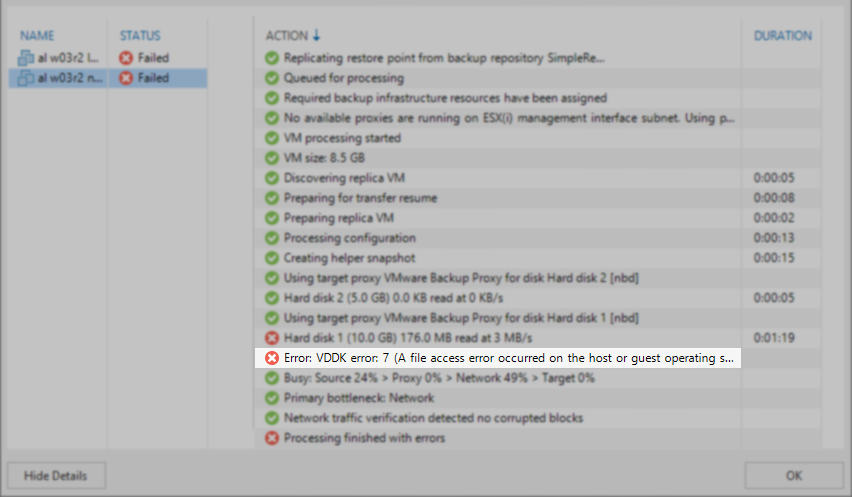
A Replication job targeting a VVOL fails with the error:
Error: VDDK error: 7 (A file access error occurred on the host or guest operating system). Value: 0x0000000000000007
Cause
Solution
More Information
[1] https://www.veeam.com/veeam_backup_11_a_release_notes_rn.pdf p23
[2] https://www.veeam.com/veeam_backup_12_release_notes_rn.pdf p24
[3] https://www.veeam.com/veeam_backup_12_1_release_notes_rn.pdf p25
VMware VDDK Release Notes:
Avoid creating snapshots for restore on VVol datastores. Due to Virtual Volume (VVol) implementation in the vSphere 6.0 release, VMware recommends against creating a snapshot (then reverting and deleting it) when restoring files on a VVol datastore. This is because writing to a non-leaf disk (such as a snapshot backing file) is considered a layering violation and throws an error on many VVol storage devices. Writing to the leaf disk of the snapshot is not a layering violation. The restore snapshot remains mandatory for SAN transport, which is not supported on VVol datastores anyway.
If this KB article did not resolve your issue or you need further assistance with Veeam software, please create a Veeam Support Case.
To submit feedback regarding this article, please click this link: Send Article Feedback
To report a typo on this page, highlight the typo with your mouse and press CTRL + Enter.
