- Veeam Support Knowledge Base
- Health Service dropped data
Health Service dropped data
| KB ID: | 1765 |
| Product: | Veeam Management Pack | 6.0 | 6.5 | 7.0 | 8.0 | 9.0 | 9a | 13 |
| Published: | 2013-06-04 |
| Last Modified: | 2025-03-13 |

Get weekly article updates
Cheers for trusting us with the spot in your mailbox!
Now you’re less likely to miss what’s been brewing in our knowledge base with this weekly digest

Oops! Something went wrong.
Please, try again later.
Challenge
The following alerts can be seen in SCOM:
-
Veeam Collector: Health Service dropped data
-
Veeam Collector: Health Service workflows failed
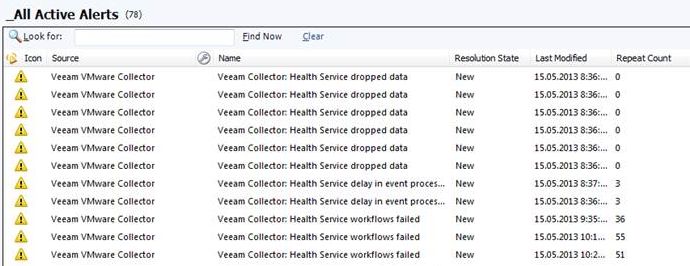
The settings of SCOM agent are correct (please see KB1026), and clearing OpsMgr cache may help for a short amount of time.
The OperationsManager log on Veeam Collector machine shows events: 4506, 1103 and 21405.
Cause
The issue is caused by unsupported decimal symbol setting under Veeam Collector service account.
Solution
Steps to resolve the issue are:
- Log in to Veeam Collector server under Veeam Collector service account
- Open Control Panel -> Region and Language -> Additional Settings
- Change Decimal symbol to "." (dot)
- Restart Veeam VMware Collector Service service
- Clear OpsMgr cache (please see KB1043)
If this KB article did not resolve your issue or you need further assistance with Veeam software, please create a Veeam Support Case.
To submit feedback regarding this article, please click this link: Send Article Feedback
To report a typo on this page, highlight the typo with your mouse and press CTRL + Enter.
