"License sections have incompatible Package types" When Installing License in Veeam Backup & Replication
| KB ID: | 4312 |
| Product: | Veeam Backup & Replication | 10 | 11 | 12 | 12.1 | 12.2 | 12.3 | 12.3.1 | 12.3.2 | 13 | 13.1 |
| Published: | 2022-05-20 |
| Last Modified: | 2025-03-28 |


Challenge
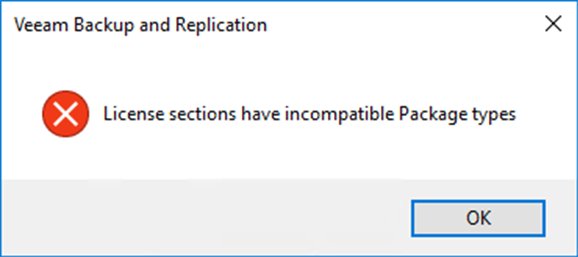
When attempting to install a Veeam Universal License in Veeam Backup & Replication the following error occurs:
License sections have incompatible Package types
Cause
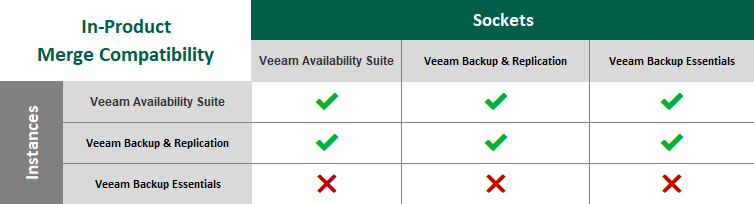
Starting with Veeam Backup & Replication 10, a feature was added to allow users to install a socket-based license and an instance-based license at the same time. This built-in merge function may fail if the two licenses are of incompatible package types.
This issue is most often seen when:
- Migrating from Socket to VUL (Veeam Universal Licensing)
- Purchasing additional licenses under a different package name.
Solution
Resolution will depend on the scenario:
- Adding an additional license to increase capacity: Please get in touch with your Reseller or Veeam Sales Reps, for assistance with having the license package type corrected.
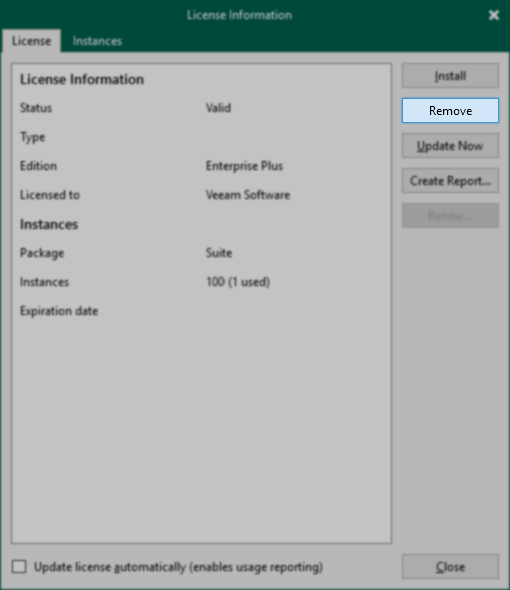
- Replace the existing license: The currently installed license must first be removed before the new license can be installed.
If this KB article did not resolve your issue or you need further assistance with Veeam software, please create a Veeam Support Case.
To submit feedback regarding this article, please click this link: Send Article Feedback
To report a typo on this page, highlight the typo with your mouse and press CTRL + Enter.
