
Microsoft 365 & Entra ID
Veeam Data Cloud Solutions for Microsoft SaaS
Data Resilience for Collaboration and Identity
- Complete data and identity resilience with disaster recovery
- All-inclusive SaaS data resilience platform with unlimited storage
- Ensure business continuity, security, and compliance

Benefits
Protection for What Matters – Your Data
Complete Data & Identity Resilience Platform
Agile Data Resilience
Gain instant control and visibility over your Microsoft 365 and Entra ID data, ensuring you can restore exactly what you need, when you need it.
Lightning-Fast Disaster Recovery
Bounce back confidently from any major issue with speed and scale, through Veeam’s advanced search, compare, and lightning-fast bulk restore capabilities.
Identity Threat Recovery
Complete user identity and access recovery ensures that you can keep operations running when facing identity-based cyber-attacks.
Why Back Up
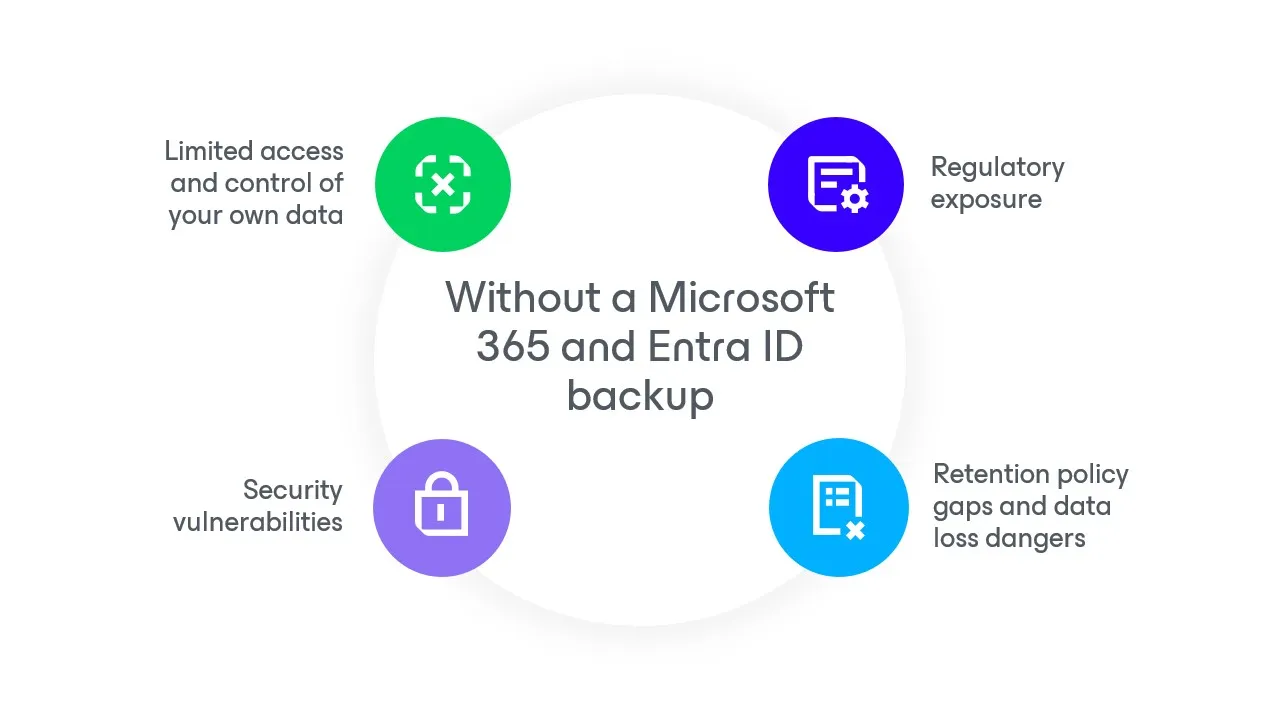
Microsoft 365 and Entra ID Data is Your Responsibility
Identity is the new threat landscape with 600M attacks happening every day. Safeguarding SaaS data depends on having strong identity protection, since identity serves as the gateway to multiple critical workloads across your organization. Ensuring identity security helps prevent unauthorized access to your most critical data.
Protecting your data goes beyond cybersecurity. Businesses also grapple with complex compliance requirements, recycle bin limits, accidental deletions, and policy misconfigurations. To keep your operational heartbeat strong, you need a unified solution tailored to meet the data resilience demands of the modern enterprise.
Capabilities
Data Resilience and Disaster Recovery for Microsoft 365 & Entra ID
BACKUP SERVICE
Data Resilience Made Simple
Log in via a web browser and seamlessly create your first backup job with the convenience of an as-a-service offering.
BACKUP SOFTWARE
Secured & Deployed for You
A secure backup service managed for you, offloading maintenance, updates, and security fixes to the experts.
BACKUP SOFTWARE
Data Sovereignty
Store all your Microsoft 365 & Entra ID data in the cloud region of your choice with built-in redundancy.
BACKUP SERVICE
Accelerated Identity Change Detection
Quickly identify inconsistencies by comparing your Entra ID tenant with your backup data for quick restoration.
BACKUP SERVICE
Advanced Search
Save time and effort with powerful eDiscovery, swiftly locating the exact data set you need within your Microsoft 365 backup.
BACKUP SOFTWARE
Unlimited Storage Included
No need to worry about and separately manage storage costs – it’s built-in!
BACKUP SERVICE
Identity Forensics & Analysis
Bolster forensic investigations with a point-in-time copy of your IAM (identity & access management) data.
BACKUP SERVICE
Operational and Disaster Recovery
Leverage customizable backup schedules with granular, file-level, and attribute recoveries, combined with fast recovery of large datasets.
BACKUP SOFTWARE
Enhanced Security
Backed by global security certifications, 256-bit encryption, MFA, and advanced role-based access control to create roles and permissions.
HOW IT WORKS
Experience Veeam Data Cloud Solutions for Microsoft SaaS in Action
PRICING
Protect Entra ID and Microsoft 365 Together
Delivering the most comprehensive protection for Microsoft 365 and Entra ID data. Plans below are priced per Microsoft 365 user, and all Microsoft 365 users must be protected.
It is common to have more Entra ID users than Microsoft 365. Any additional Entra ID users are FREE within the 3X Fair Use Policy. Veeam only counts Entra ID enabled member users, not all Entra ID users.
For example: 10k Microsoft 365 users covers up to 30K Entra ID enabled member users.
Compare plans
per user / month billed annually
per user / month billed annually
per user / month billed annually
Data Resilience for Microsoft 365
Everything in Foundation, plus Entra ID Data Resilience
Everything in Advanced,plus Microsoft 365 Disaster Recovery
Protect More Workloads for Less
Looking for standalone SaaS backup solutions?
Check out Veeam Data Cloud for Microsoft Entra ID or Veeam Data Cloud for M365
Resources
Microsoft SaaS Data Resilience Insights

Cyber Resilience for Microsoft SaaS
Learn how organizations can safeguard their critical assets, reduce complexity, and optimize costs by leveraging Veeam Data Cloud’s integrations with Microsoft.
Cover Your SaaS: Unveiling Veeam’s Unified Cloud Platform
Discover the newly enhanced Veeam Data Cloud Platform, our unified cloud solution designed to provide your organization with the data resilience it requires.
7 Critical Reasons for Microsoft 365 Backup
A five-minute, easy-to-read special report on reasons to protect your Microsoft 365 data
8 Benefits of a Microsoft 365 Backup Service
Explore the key advantages of leveraging a Microsoft 365 backup service.
FAQs
What is Veeam Data Cloud for Microsoft 365 + Entra ID?
Is Veeam Data Cloud for Microsoft 365 + Entra ID secure?
Veeam takes a zero-trust approach to ensuring the security of your data, including—but not limited to—encrypting data in transit and at rest, always using multi-factor authentication, and having strict security controls for users and administrators.
Veeam Data Cloud for Microsoft 365 + Entra ID includes service-level immutability capabilities on the primary backup, at no additional cost to the customer, based on how the data is protected. The backup data lives in a virtually air-gapped location, isolated and decoupled from Microsoft 365, Microsoft Enta ID, and/or customer infrastructure.
Customers also benefit from the inherent data security provided by Microsoft Azure at the storage level. Once the data is backed up, it cannot be altered, tampered with, or deleted by users, including administrators or attackers.
Veeam Data Cloud uses local redundant storage (LRS), where three copies of customer data are stored in three separate disks within the primary Azure region.
What is a Microsoft Entra ID user?
What are the different types of Entra ID users?
In Entra ID, users can be categorized into different types based on their roles and permissions. Here are some common types of users within Entra ID:
- External users: These are users from outside the organization who have been invited to collaborate within the Entra ID tenant. They can be guests with limited access based on permissions granted.
- Member Users: Standard users within the organization who have access to applications and resources based on their assigned roles.
- Service Accounts: Non-human accounts used by applications or services to authenticate and interact with resources, often with specific permissions assigned.
What counts as an Entra ID user at Veeam?
With both Veeam Data Cloud for Microsoft Entra ID and Veeam Backup for Microsoft Entra ID, only enabled users count toward the required number of licenses. Guest users and non-enabled users do not contribute to the licensing requirements for Veeam solutions.
What is an enabled member Entra ID user?
An Entra ID-enabled user refers to an individual account within Microsoft's Entra Identity platform that has been activated and is authorized to access resources and services within an organization.
Enabled users can authenticate and gain access to applications, data, and other resources that the organization provides. Their accounts may include various attributes such as usernames, email addresses, and assigned roles, which determine their level of access and permissions.
How to find the total number of enabled member Entra ID users within your organization:
An admin can find the total number of enabled Entra ID users in their organization by logging into the Entra ID Admin console with admin credentials. Once there, they can click on "Users" to access the user list and apply filters to display only enabled users by selecting the "Status" filter. The total number of enabled users will then be shown at the top of the user list.
What counts as a user with the Veeam Data Cloud Premium Bundle?
With the Veeam Data Cloud Premium bundle, only the total number of Microsoft 365 users is counted towards licensing. Additionally, all enabled Entra ID users are supported for free up to 3x the total number of M365 users, per the Fair Use Policy.
What can I back up with Veeam Data Cloud for Microsoft 365 + Entra ID?
Where is my data stored with Veeam Data Cloud for Microsoft 365 + Entra ID?
Veeam Data Cloud utilizes Azure Storage to safeguard your critical Microsoft 365 and Entra ID backup data. Your data residency, regulatory compliance requirements, and performance optimization needs often dictate where your organization’s data can be stored. With Veeam, you can use any of the 60+ Azure data center regions available in 140+ countries globally, ensuring that you can meet your specific data location requirements. Microsoft's Datacenter map allows you to explore available locations filtered by regional, industry, and global compliance, disaster recovery options, sustainability features, and availability zones.
If you’re an EU customer, you can choose a datacenter location within Microsoft’s EU Data Boundary, ensuring that data stays within Europe and maintains European regulatory standards for data integrity, security, and privacy.
In addition to location choice, Azure Storage offers world-class resiliency and service-level immutability. Veeam Data Cloud provides locally redundant storage (LRS), which is replicated three times within a single data center in the primary region and cannot be altered or deleted.
By utilizing the Veeam Data Cloud Premium Bundle, you can reduce the risk of data loss by meeting the industry standard 3-2-1 rule of data protection best practices with redundant copies of data stored on two separate media and one in a separate location.
Does Veeam Data Cloud support backing up multiple tenants within Enta ID?
What happens to my data if I cancel my Veeam Data Cloud subscription?
Data portability is a core tenet of Veeam's promise to customers. Your data is your data, and you are free to take it with you should your data protection needs change in the future.
If you choose to exit the service, Veeam retains your data for 30 days and can transfer it upon request. The costs for obtaining backup data from Veeam are Azure-based, specific to transferring your backup data from Veeam's Azure subscription to your own Azure subscription.
Veeam Data Cloud for Microsoft 365 stores backups using a format readable by our free self-managed solution, Veeam Backup for Microsoft 365 Community Edition. This ensures that you retain access to full search and recover capabilities of your historical backup data with no additional license fees or associated costs from Veeam.
Is unlimited storage included for every user?
Radical Resilience is Our Difference
hybrid cloud and the confidence you need for long-term success.


