- Veeam Support Knowledge Base
- “Invalid Credentials” Error Adding a Hyper-V Host Using a Local Account
“Invalid Credentials” Error Adding a Hyper-V Host Using a Local Account
| KB ID: | 1914 |
| Product: | Veeam Backup & Replication | 13 | 13.1 |
| Published: | 2014-08-07 |
| Last Modified: | 2026-01-12 |

Cheers for trusting us with the spot in your mailbox!
Now you’re less likely to miss what’s been brewing in our knowledge base with this weekly digest

Oops! Something went wrong.
Please, try again later.
This article relates to an error that only occurs when Veeam Backup & Replication is deployed on a Windows machine.
With the Veeam Software Appliance, to add a Hyper-V host using credentials, it requires that both the appliance and the Windows machine are added to the same domain to enable Kerberos authentication. Alternatively, the new Veeam Deployment Kit can be used to eliminate the need to provide remote credentials, instead allowing for certificate-based authentication.
Attempting to add a Hyper-V host to the Veeam Software Appliance using local credentials will cause it to throw the error:
Cannot find the specified domain. Ensure Kerberos credentials are
specified in FQDN\USER or USER@FQDN format. Local user
accounts are not supported. Samba failed with error:
NT_STATUS_NO_SUCH_DOMAIN [stdout: session setup failed:
NT_STATUS_NO_SUCH_DOMAIN. stderr: Kinit for
administrator@{hostname} to access {hostname} failed: Cannot find KDC
for requested realm. ]
Challenge
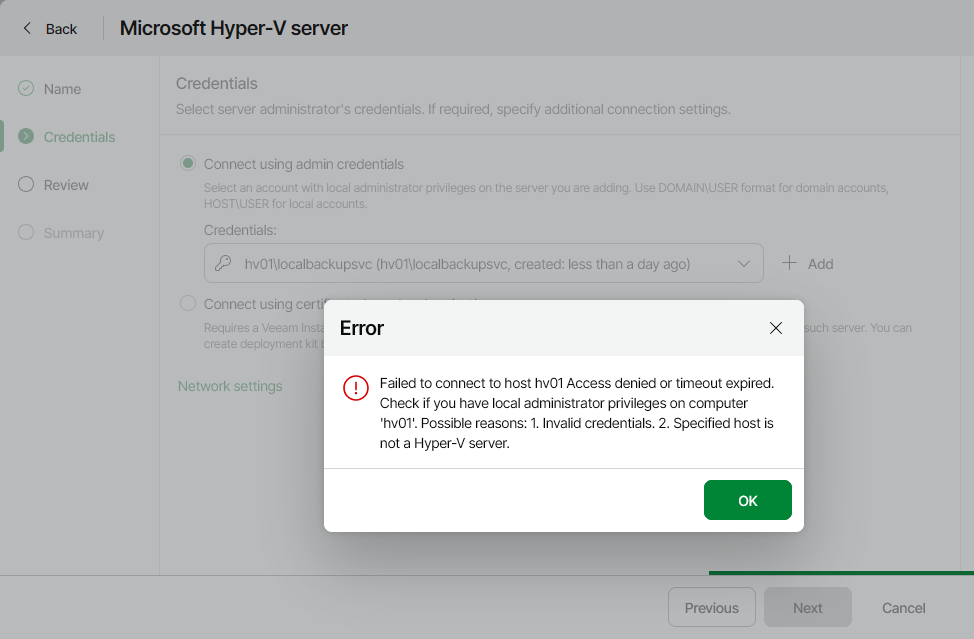
Failed to connect to host

Access denied or timeout expired.
Check if you have local administrator privileges on computer

Possible reasons:
1. Invalid credentials.
2. Specified host is not a Hyper-V server.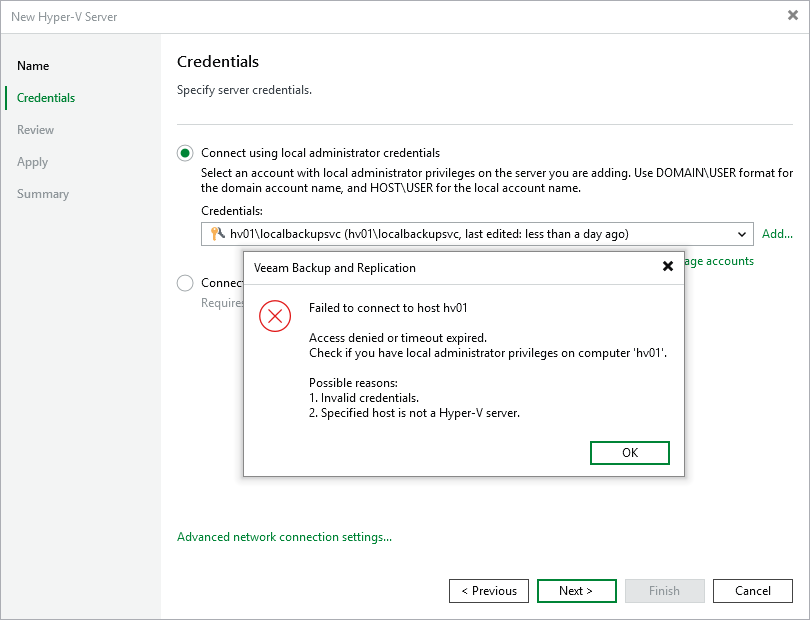
Cause
Solution
When adding a Hyper-V server to Veeam Backup & Replication, the account assigned must comply with UAC remote restrictions. Specifically, the account must be either of the following:
- A domain account that is a member of the Local Administrators group.
- The built-in account named Administrator.
Note: The built-in Administrator account may fail if the "User Account Control: Admin Approval Mode for the Built-in Administrator account" policy is enabled on the Hyper-V host.
Please ensure that the username is formatted using HOSTNAME\USER for local accounts or DOMAIN\USER for domain accounts.
Alternate Option
As an alternative to adding a Hyper-V server to Veeam Backup & Replication using credentials-based authentication, the new Veeam Deployment Kit can be installed on the Hyper-V host(s) before adding it to Veeam Backup & Replication. This will allow you to select the "Connect using certificate-based authentication" option, eliminating the need to provide credentials to Veeam Backup & Replication to establish a connection to the remote machine.
Use Case Examples when Using Credentials-based Authentication
- If the Hyper-V server being added to Veeam Backup & Replication is joined to a domain (as recommended by Microsoft), a domain account that is a member of the local Administrators group on the Hyper-V server should be used to add the server to Veeam Backup & Replication.
- If the Hyper-V server being added to Veeam Backup & Replication is not joined to a domain, or there is a need to avoid using a domain account, the built-in account named Administrator must be used to add the server to Veeam Backup & Replication. Other local accounts will be restricted by UAC, even if they are members of the Administrators group.
Note: If the local built-in Administrator account has been renamed, it can still be used as the unique SID that bypasses Remote UAC Restrictions remains valid.
More Information
If none of the provided account options are viable, it is possible to disable UAC remote restrictions. This will allow local accounts other than the Administrator to be used for remote access. This option should be considered a last resort as it involves disabling a major Microsoft Windows OS security feature that may leave the Hyper-V server vulnerable.
We highly recommend simply using the Veeam Deployment Kit instead of disabling UAC remote restrictions.
If this KB article did not resolve your issue or you need further assistance with Veeam software, please create a Veeam Support Case.
To submit feedback regarding this article, please click this link: Send Article Feedback
To report a typo on this page, highlight the typo with your mouse and press CTRL + Enter.
Spelling error in text

Thank you!
Your feedback has been received and will be reviewed.
Oops! Something went wrong.
Please, try again later.
You have selected too large block!
Please try select less.
KB Feedback/Suggestion
This form is only for KB Feedback/Suggestions, if you need help with the software open a support case
Thank you!
Your feedback has been received and will be reviewed.
Oops! Something went wrong.
Please, try again later.