Cannot find EFI boot manager entry for EFI System Partition
| KB ID: | 4752 |
| Product: |
Veeam Backup & Replication | 12.3.2 Veeam Agent for Linux | 6.3.2 |
| Published: | 2025-07-22 |
| Last Modified: | 2025-10-08 |


Challenge
Backup
During the backup of some Linux-based machines, the following error occurs:
Cannot find EFI boot manager entry for EFI System Partition GUID
Restore
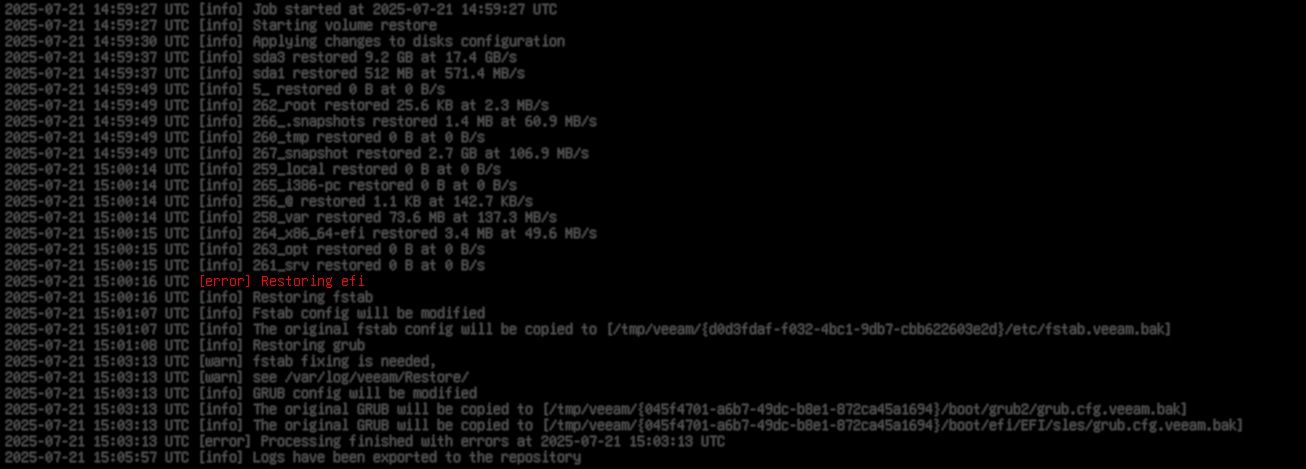
During a Bare Metal Restore (BMR) from a restore point created by a backup that displayed that error, the following error will occur:
[error] Restoring EFI
After the BMR completes, the system will fail to boot because GRUB cannot locate the EFI boot manager.
Cause
Solution
Error During Backup
There are two options to resolve this issue:
Post-Restore Boot Failure
To resolve this issue, after the BMR is completed, a new EFI boot record must be manually created.
- After performing the BMR and before rebooting, select Exit to Shell from the recovery environment.
Note: If the system has already been restarted after a BMR was performed, boot from the Veeam Recovery Media ISO again, and after the recovery media boots, select the Exit to Shell option. - Determine the path to the required file from the root of the efi_partition device.
Typically, this path will be something like:/EFI/<YOUR_DISTR_NAME>/xxx.efi.- Mount efi partition.
- List the files in the EFI directory.
ls /<mount_point_for_efi_part>/EFI/<YOUR_DISTR_NAME>/
- If the folder contains a
shimx64.efiorshim.efifile, use that file's path in the next step. - If the folder does not contain a
shim64.efiorshim.efifile, and instead contains only agrubx64.efiorgrub.efifile, use that file's path in the next step.
- If the folder contains a
- Create a new EFI Boot Manager entry specifying the disk, partition number, and file path.
Note: The/EFI/folder may be capitalized, as the issue is that the.efifile itself must be in lowercase.
For example:
--disk /dev/sd?The disk on which the EFI partition is located.--part ?The number of the efi partition on the disk.--loader /EFI/path/to/file.efiThe efi file path from Step 2.--label "Label"What the entry should be named in the EFI Boot Manager
- Reboot the system.
More Information
If this KB article did not resolve your issue or you need further assistance with Veeam software, please create a Veeam Support Case.
To submit feedback regarding this article, please click this link: Send Article Feedback
To report a typo on this page, highlight the typo with your mouse and press CTRL + Enter.
Spelling error in text

KB Feedback/Suggestion
This form is only for KB Feedback/Suggestions, if you need help with the software open a support case