- Veeam Support Knowledge Base
- How to Clone a Job and Map Existing Backups to Clone
How to Clone a Job and Map Existing Backups to Clone
| KB ID: | 2015 |
| Product: | Veeam Backup & Replication | 12 | 12.1 | 12.2 | 12.3 | 12.3.1 | 12.3.2 | 13 | 13.1 |
| Published: | 2015-03-13 |
| Last Modified: | 2024-08-16 |

Cheers for trusting us with the spot in your mailbox!
Now you’re less likely to miss what’s been brewing in our knowledge base with this weekly digest

Oops! Something went wrong.
Please, try again later.
Consider the following:
- Starting in Veeam Backup & Replication 12.1 (build 12.1.0.2131), the job cloning functionality is available for all types of licenses.
- Prior to Veeam Backup & Replication 12.1 (build 12.1.0.2131), the job cloning functionality required an Enterprise or Enterprise Plus edition when using a legacy socket-based license.
Purpose
Cause
This method is often used to isolate an issue or to work around a problem within the database related to the original job.
Note: A backup set can only be mapped to one job at a time.
Solution
To clone a job and map the existing files to the new clone job, follow the steps below:
Part 1: Clone the Job
- Right-click the job to be cloned.
- From the context menu, select Clone.
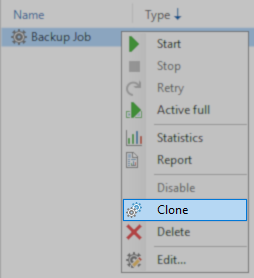
- (Optional) Rename the original job and rename the clone to have the old job's name.
Part 2: Map the backups from the original job to the cloned job.
- Edit the clone job.
- On the Storage tab, click Map backup.
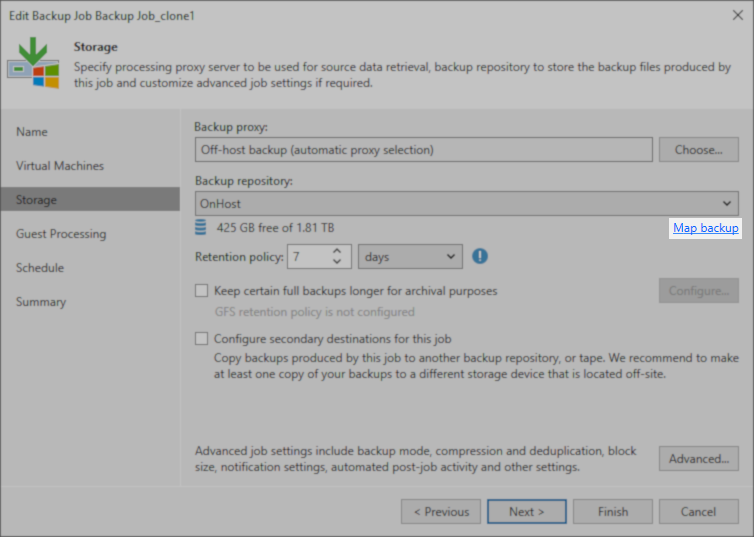
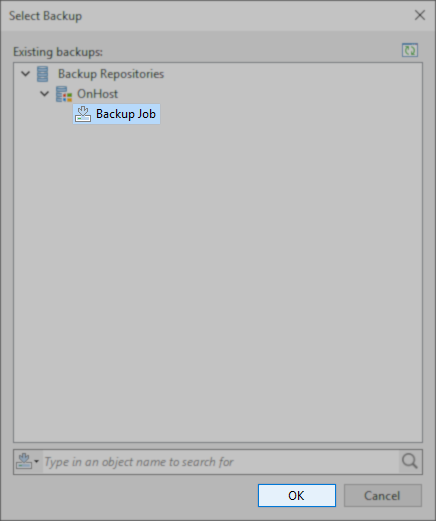
- Select the appropriate set of backups.
- Select yes when prompted with a notification stating:
Selected backup is already in use by the following job: ‘<old job name’.
Do you want to map it to this job instead?
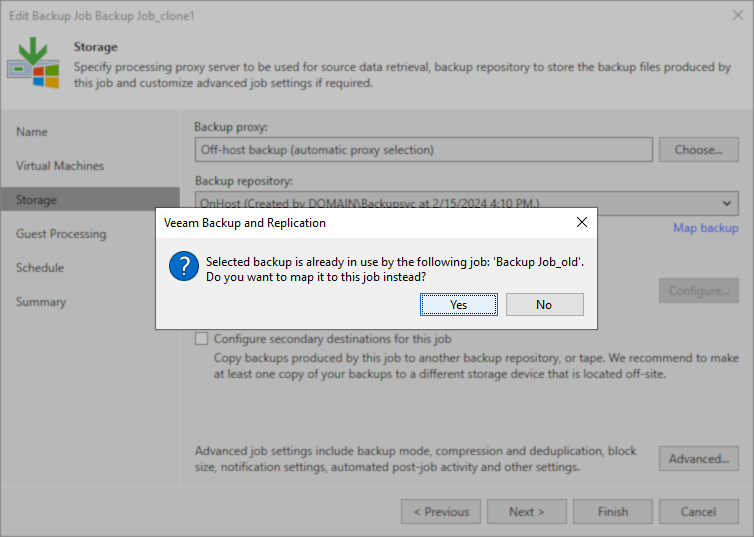
- Click Finish to commit changes to the job.
If this KB article did not resolve your issue or you need further assistance with Veeam software, please create a Veeam Support Case.
To submit feedback regarding this article, please click this link: Send Article Feedback
To report a typo on this page, highlight the typo with your mouse and press CTRL + Enter.
Spelling error in text

Thank you!
Your feedback has been received and will be reviewed.
Oops! Something went wrong.
Please, try again later.
You have selected too large block!
Please try select less.
KB Feedback/Suggestion
This form is only for KB Feedback/Suggestions, if you need help with the software open a support case
Thank you!
Your feedback has been received and will be reviewed.
Oops! Something went wrong.
Please, try again later.