- Veeam Support Knowledge Base
- How to Move Replica Metadata
How to Move Replica Metadata
| KB ID: | 2165 |
| Product: | Veeam Backup & Replication | 12 | 12.1 | 12.2 | 12.3 | 12.3.1 | 12.3.2 | 13 | 13.1 |
| Published: | 2016-09-27 |
| Last Modified: | 2024-09-18 |

Cheers for trusting us with the spot in your mailbox!
Now you’re less likely to miss what’s been brewing in our knowledge base with this weekly digest

Oops! Something went wrong.
Please, try again later.
Purpose
Solution
All screenshots below are only examples. Job names, repository names, and storage locations are different for every environment.
The process below assumes the new repository where replica metadata will be stored has already been added.
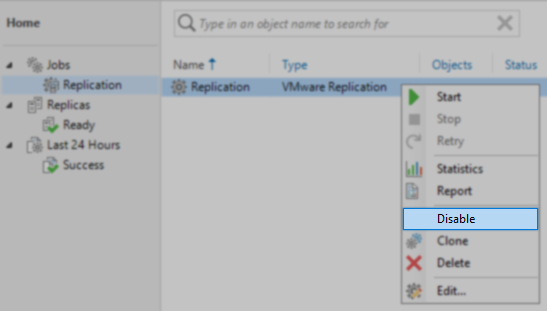
- Disable the Replication Job by right-clicking on it and selecting Disable from the context menu.
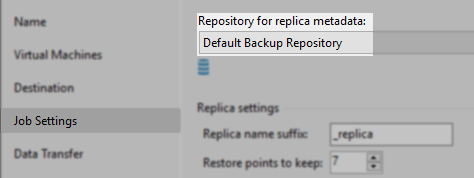
- Edit the replication job and identify which repository the replication job currently uses.
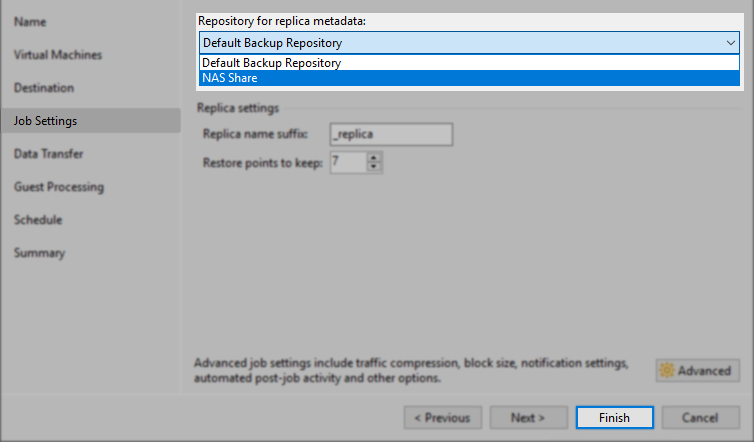
- Set the new repository that will be used for replica metadata, and click Finish.
- Identify the actual storage locations that the original and new repository represent by checking the [ Backup Infrastructure > Backup Repositories ] section.

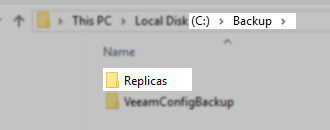
- Navigate to the storage location of the original repository. There will be a folder named "Replicas" within the root of the repository path.
- Within the 'Replicas' folder, identify the folders used for the VMs in the replication job.
The metadata folders have the following nomenclature:- vSphere: <jobname>_<uuid>_<Replica_VM_MOREF>
Note: If the Job Name was changed after it was created, the replica metadata folder might still have the old job name. - Hyper-V: <replica_name> [<replica_VM_GUID>]
To identify the Replica VM's MOREF\GUID, use the following PowerShell script:
- vSphere: <jobname>_<uuid>_<Replica_VM_MOREF>
Get-VBRReplica | ForEach{$_.GetBackupReplicas() | select TargetVmName,TargetVmRef}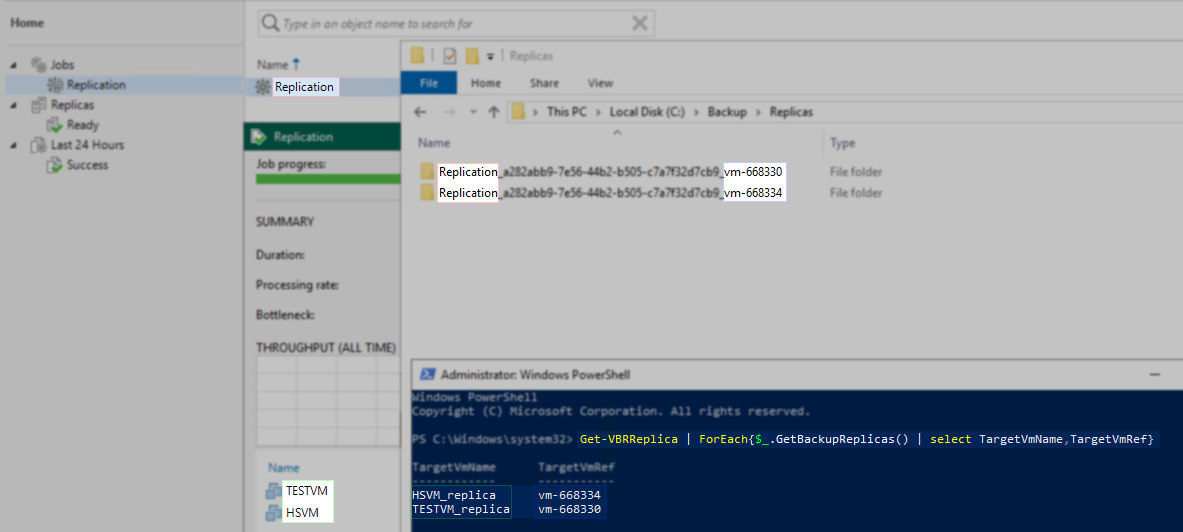
- Copy the identified replica metadata folders to the 'Replicas' folder in the new repositories path.
Note: If a 'Replicas' folder does not exist in the root path of the new repository, it must be created manually.
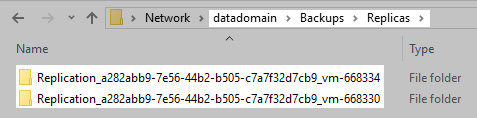
- After the metadata folders have been moved to the new repository, enable the Replication job.
More Information
If the intent is to shift all replication jobs from using one repository to another, the process can be simplified to:
- Disable all replication jobs going to the same repository.
- Edit all replication jobs and configure them to use the new repository.
- Copy the 'Replicas' folder from the root of the original repository path to the root of the new repository path.
- Enable the replication jobs that were disabled in Step 1.
If this KB article did not resolve your issue or you need further assistance with Veeam software, please create a Veeam Support Case.
To submit feedback regarding this article, please click this link: Send Article Feedback
To report a typo on this page, highlight the typo with your mouse and press CTRL + Enter.
Spelling error in text

Thank you!
Your feedback has been received and will be reviewed.
Oops! Something went wrong.
Please, try again later.
You have selected too large block!
Please try select less.
KB Feedback/Suggestion
This form is only for KB Feedback/Suggestions, if you need help with the software open a support case
Thank you!
Your feedback has been received and will be reviewed.
Oops! Something went wrong.
Please, try again later.