- Veeam Support Knowledge Base
- Unable to Delete Credentials
Unable to Delete Credentials
| KB ID: | 2176 |
| Product: | Veeam Backup & Replication | 11 | 12 | 12.1 | 12.2 | 12.3 | 12.3.1 | 12.3.2 | 13 | 13.1 |
| Published: | 2016-10-11 |
| Last Modified: | 2023-11-02 |

Cheers for trusting us with the spot in your mailbox!
Now you’re less likely to miss what’s been brewing in our knowledge base with this weekly digest

Oops! Something went wrong.
Please, try again later.
Challenge
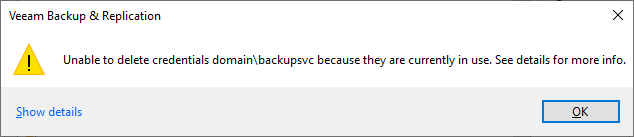
When attempting to delete credentials from the credentials manager, a message box states:
Unable to delete credentials <user> because they are currently in use. See details for more info.
Cause
Solution
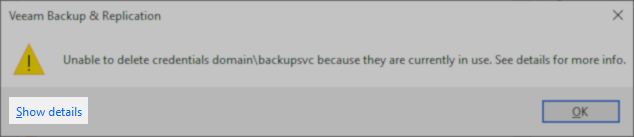
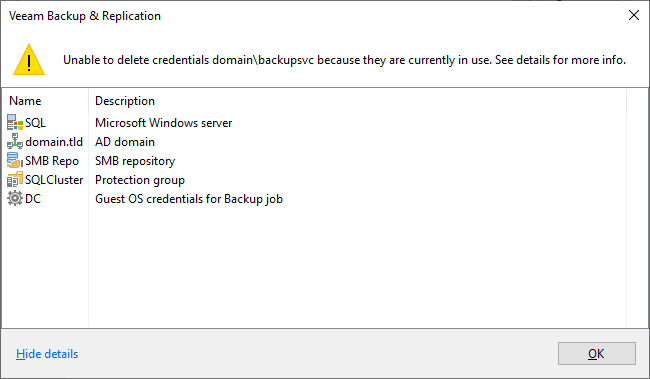
To remove the credential, you must review the list of places where the credential is in use, and update the credential used by the specified item to a different credential.
Description Examples
Below is a list of descriptions that may be shown and a link to documentation that demonstrates where that is configured in the software.
- Guest OS credentials for (Backup|Replication) job
- Repository
- SMB Repository
- Deduplication Storage Appliance (StoreOnce and DataDomain)
- Linux Host
- Microsoft Windows server
- Microsoft Hyper-V server
- AD domain (Active Director-type Protection Group)
- Protection Group (Individaul Computer-type Protection Group)
- Storage Systems
If this KB article did not resolve your issue or you need further assistance with Veeam software, please create a Veeam Support Case.
To submit feedback regarding this article, please click this link: Send Article Feedback
To report a typo on this page, highlight the typo with your mouse and press CTRL + Enter.
