Upgrade to Veeam Backup for Microsoft 365 6.0 Fails Due to Invalid Rest Service Certificate
| KB ID: | 4295 |
| Product: | Veeam Backup for Microsoft 365 | 6.0 |
| Published: | 2022-03-24 |
| Last Modified: | 2022-03-24 |

Get weekly article updates

Challenge
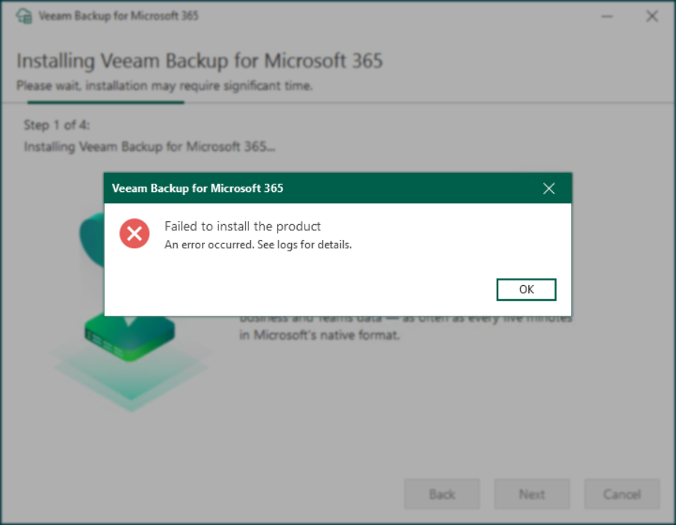
Attempting to upgrade an existing Veeam Backup for Microsoft 365 installation to version 6.0 fails with the error:
Article Applicability
This article is relevant when the following error is found in the C:\ProgramData\Veeam\Backup365\Logs\Setup\Veeam.Backup365.log file:
[...]    4 (2708) Error: Cannot find the certificate in the store.
[...]    4 (2708) Type: System.Exception
Solution
This issue will be resolved in future releases of Veeam Backup for Microsoft 365.
Workaround
- Disable the REST service within the settings.
- Open Services (services.msc) and stop all Veeam Backup for Microsoft 365 services
- Veeam Backup for Microsoft Office 365 Service
- Veeam Backup Proxy for Microsoft Office 365 Service
- Upgrade to Veeam Backup for Microsoft 365 6.0
- Start the Services that were stopped in Step 2.
- Enable the REST service within the settings.
If this KB article did not resolve your issue or you need further assistance with Veeam software, please create a Veeam Support Case.
To submit feedback regarding this article, please click this link: Send Article Feedback
To report a typo on this page, highlight the typo with your mouse and press CTRL + Enter.
