Connection over network is blocked by network throttling rules
| KB ID: | 4407 |
| Product: |
Veeam Backup & Replication | 9.5 | 10 | 11 | 12 | 12.1 | 12.2 | 12.3 | 12.3.1 | 12.3.2 | 13 | 13.1 Veeam Agent for Microsoft Windows | 4.0 | 5.0 | 6.0 | 6.1 | 6.2 | 6.3 | 6.3.1 | 6.3.2 | 6.3.3 | 13 | 13.1 |
| Published: | 2023-02-01 |
| Last Modified: | 2023-02-07 |


Challenge
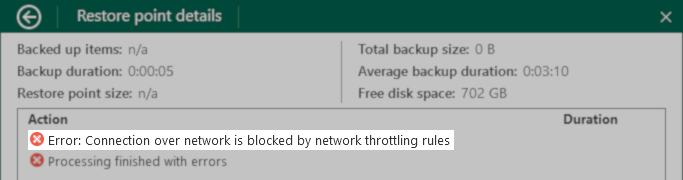
A Veeam Agent Backup job fails with the error:
Error: Connection over network is blocked by network throttling rules

Cause
Solution
To resolve this issue, you will need to identify which network restrictions are in place and then either disable the restriction or change the state of the machine so that the backup is not interrupted by the restriction.
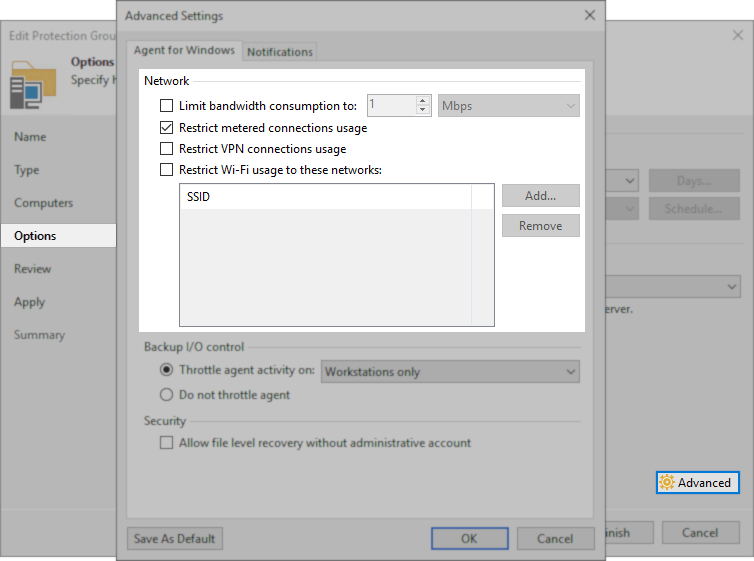
- For Veeam Agent Backup jobs operated by Veeam Backup & Replication the network restriction settings are within the Protection Group settings.
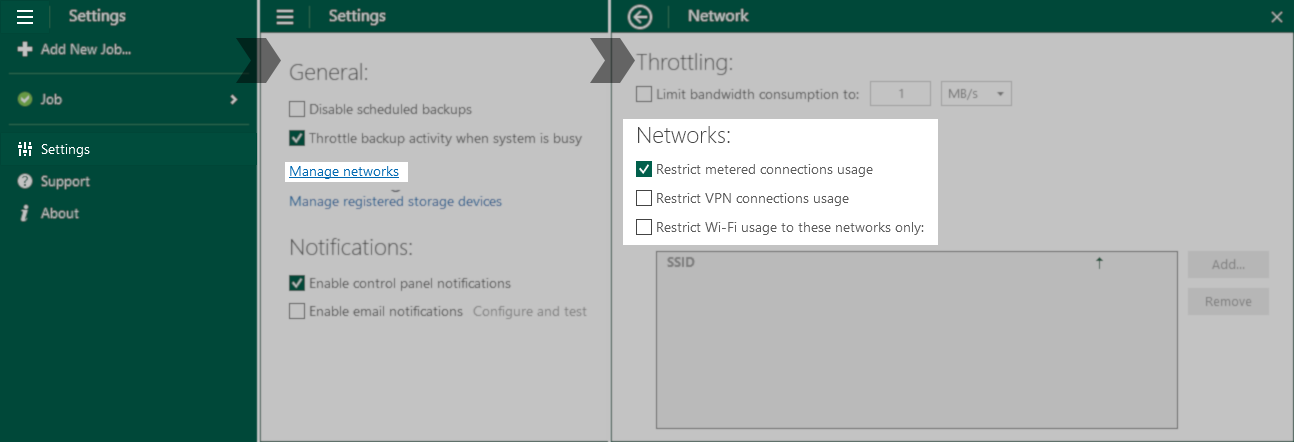
- For Veeam Agent for Microsoft Windows standalone deployments, the network restiction settings are in the Settings menu under "Manage Networks."
Case Example
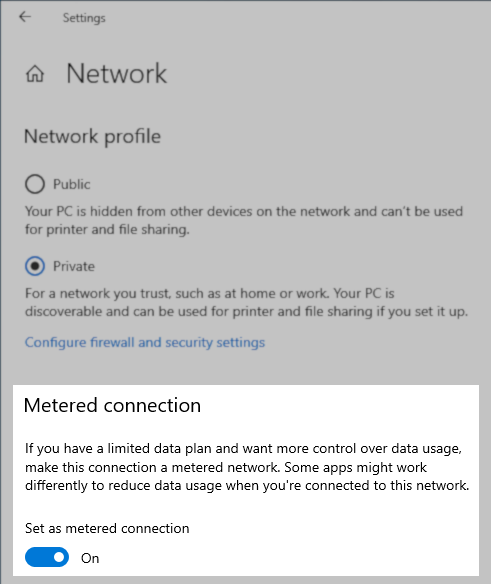
The most common issue seen by Veeam Support occurs when the remote machine's network connection has been marked as a metered connection and causes the "Restrict metered connections usage" rule (which is enabled by default) to prevent the job from running. In such a situation, a decision must be made to either:
If this KB article did not resolve your issue or you need further assistance with Veeam software, please create a Veeam Support Case.
To submit feedback regarding this article, please click this link: Send Article Feedback
To report a typo on this page, highlight the typo with your mouse and press CTRL + Enter.
Spelling error in text

KB Feedback/Suggestion
This form is only for KB Feedback/Suggestions, if you need help with the software open a support case