Case Administrator Creation Fails with: "It is not allowed to add a Case Administrator role to License Administrators, only to additional users"
| KB ID: | 4411 |
| Published: | 2023-02-10 |
| Last Modified: | 2024-07-02 |


Challenge
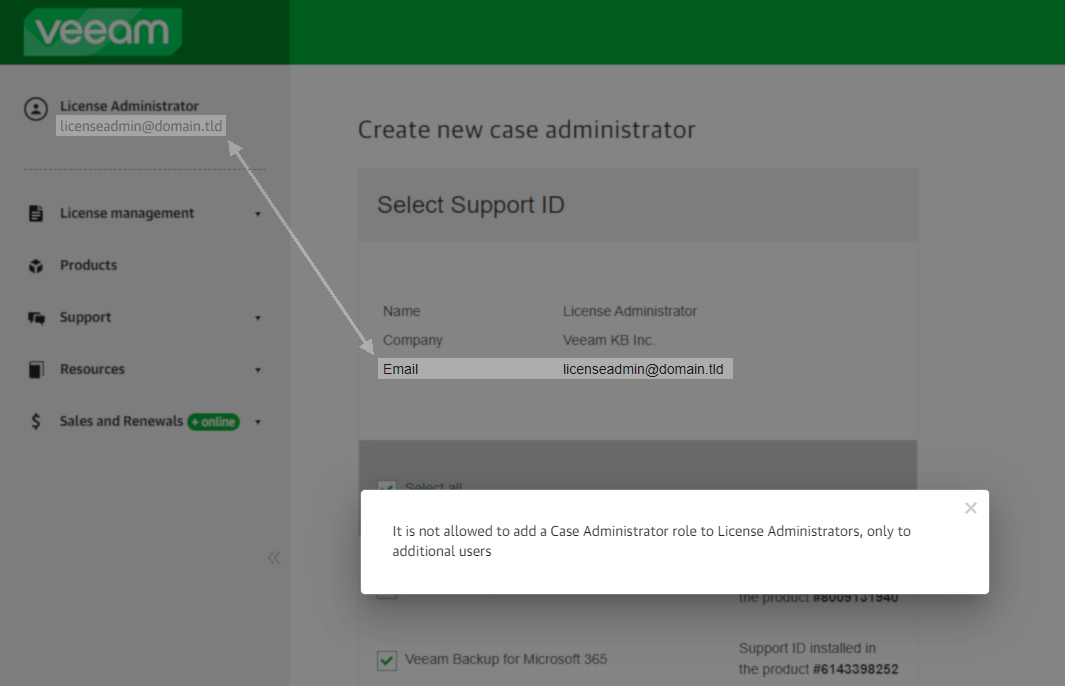
When attempting to finalize the creation of a Case Administrator within the Veeam My Account Portal, the following error occurs:
It is not allowed to add a Case Administrator role to License Administrators, only to additional users
Cause
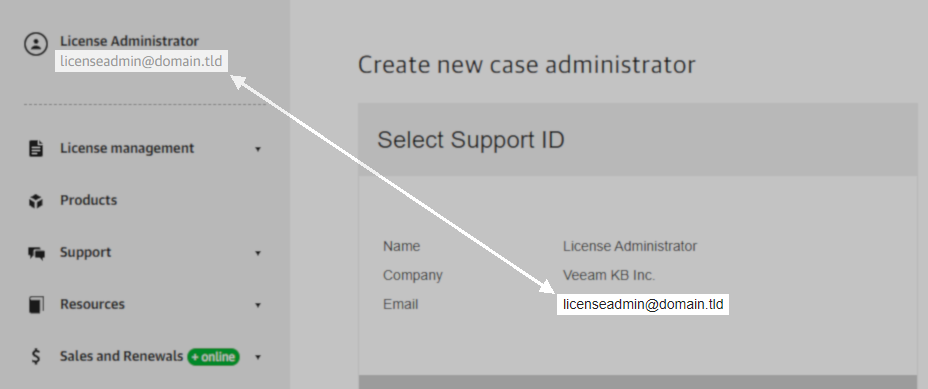
This error occurs when the email you are attempting to assign the role of Case Administrator to is the same as that of the License Administrator. It is not possible to assign the Case Administrator role to an email that already has the License Administrator role.
This scenario can be identified as shown below, where the email address used to log in to the My Account portal matches the email address that was specified when attempting to create a new case administrator.
Solution
Assigning the Case Administrator role to the email already set as the License Administrator is not necessary.
For more information about the License Administrator and Case Administrator roles, review KB2211.
If this KB article did not resolve your issue or you need further assistance with Veeam software, please create a Veeam Support Case.
To submit feedback regarding this article, please click this link: Send Article Feedback
To report a typo on this page, highlight the typo with your mouse and press CTRL + Enter.
Spelling error in text

KB Feedback/Suggestion
This form is only for KB Feedback/Suggestions, if you need help with the software open a support case