How to modify ProPartner Portal Roles
| KB ID: | 4423 |
| Published: | 2023-03-07 |
| Last Modified: | 2023-03-07 |


Purpose
This article documents how to assign internal VCSP employees a Pulse user role to allow them access to the VCSP Pulse portal within the Veeam ProPartner setup.
Note: Roles can only be assigned by the employee of the ProPartner holding the ProPartner manager role.
Solution
To adjust the ProPartner employee's roles, the ProPartner Manager should perform the following:
- Log in to ProPartner Portal using the account that has the ProPartner Manager role assigned.
If the ProPartner Manager role needs to be assigned/removed, please create a Licensing case. - Open the Partner Profile by clicking on the user name in the top-left of the ProPartner portal.
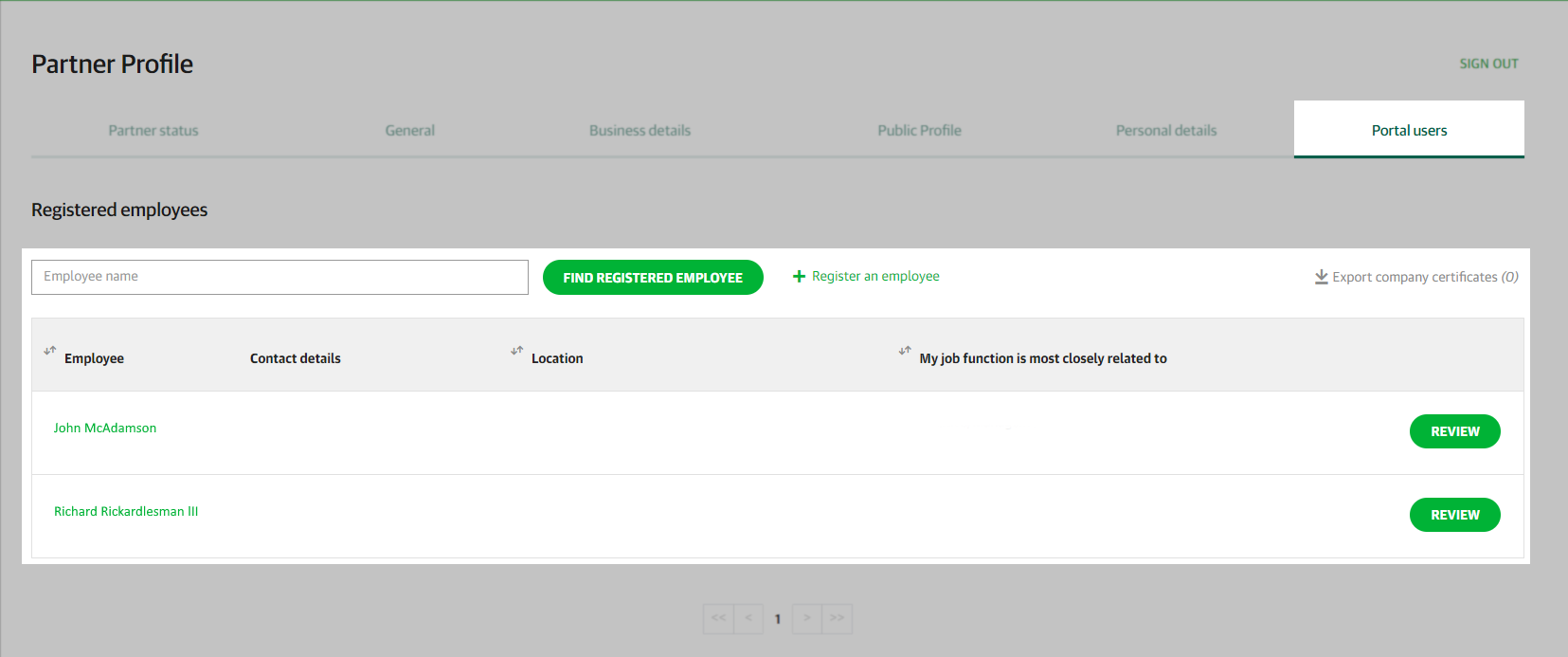
- Within the Partner Profile, switch to the Portal users tab.
- From the Registered employees list, click the name of the employee whose roles need to be adjusted.
If the employee is not listed, use the Register an employee option.
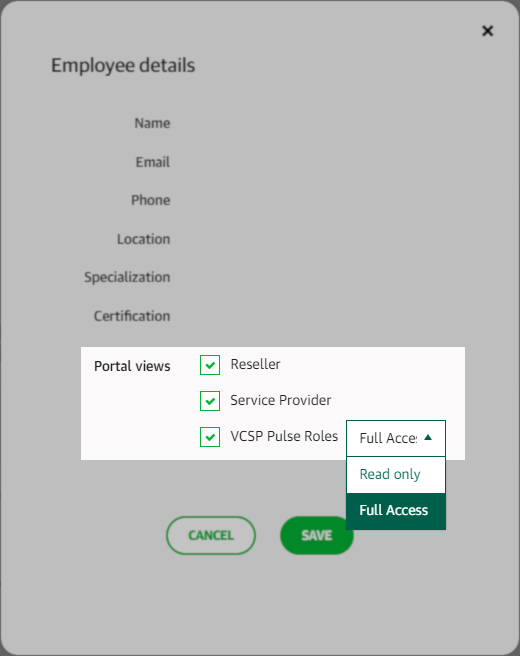
- Use the role selection checkboxes in the Employee details window that appears to assign/remove roles as needed.
- The employee will gain/lose access to the modified role when the checkbox is changed.
- Click Save to save changes and close the Employee details window.
If this KB article did not resolve your issue or you need further assistance with Veeam software, please create a Veeam Support Case.
To submit feedback regarding this article, please click this link: Send Article Feedback
To report a typo on this page, highlight the typo with your mouse and press CTRL + Enter.
Spelling error in text

KB Feedback/Suggestion
This form is only for KB Feedback/Suggestions, if you need help with the software open a support case