How to Set Custom VLAN ID in Recovery Media
| KB ID: | 4454 |
| Product: | Veeam Agent for Microsoft Windows |
| Published: | 2023-06-02 |
| Last Modified: | 2024-11-18 |


Purpose
This article documents how to configure the Veeam Agent for Microsoft Windows Recovery Media to use a specific VLAN ID.
Use Case:
- You need to access a repository located in a different VLAN than the original machine was using.
Solution
Because the Recovery Media is based on WinPE, which lacks tools to set the VLAN ID via PowerShell or a UI, modifications must be made manually via the registry.
- Boot from Recovery Media.
- Click the Tools tile.
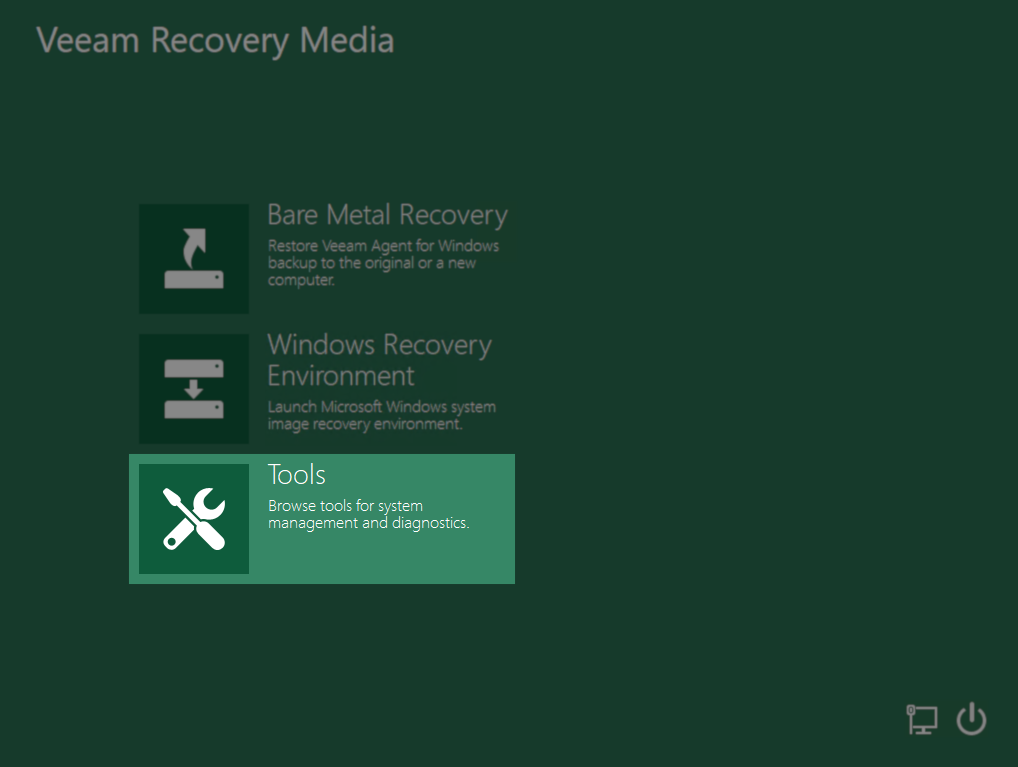
- Click the Command Prompt tile.

- Execute the command: regedit

- Navigate to the following registry key:
HKEY_LOCAL_MACHINE\SYSTEM\CurrentControlSet\Control\Class\ {4d36e972-e325-11ce-bfc1-08002be10318}
This GUID is the system-defined GUID for Network Adapters. - Within that key will be subkeys (e.g., 0000, 0001) for each NIC. Review each and identify the 000x subkey that belongs to the NIC that needs to have a VLAN ID assigned.
If you do not see the NIC, make sure that the NIC driver is installed (Tools > Load Driver). - Within the NIC's subkey, create a new String Value.
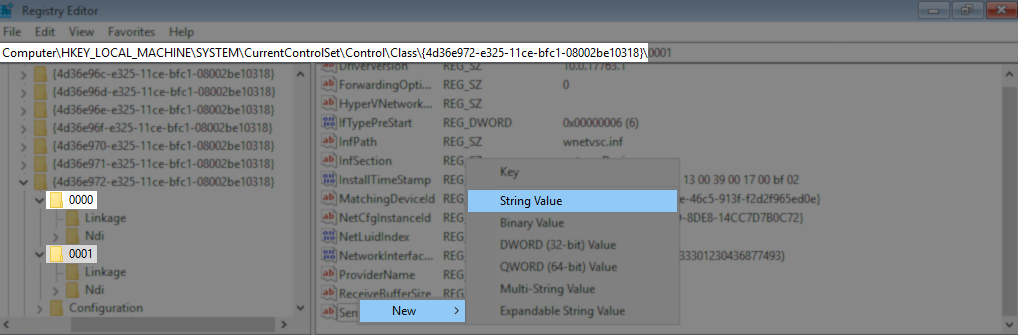
- Name the String Value: VlanID
- Set the 'Value data' to the VlanID.
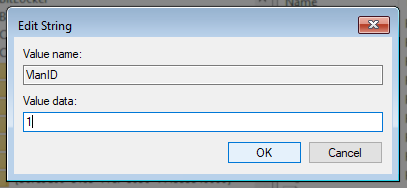
- Close the Registry Editor.
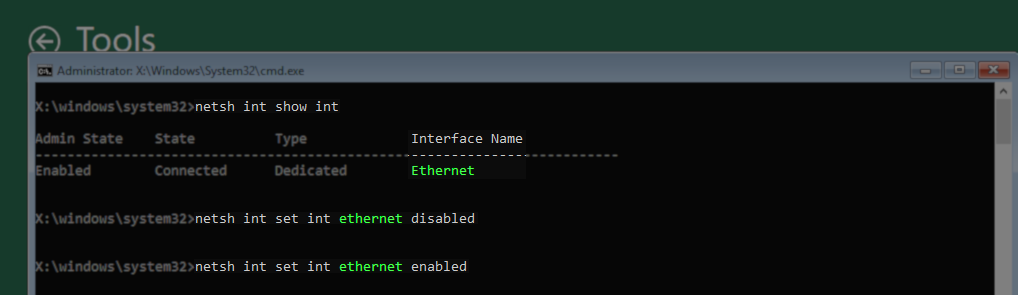
- Return to the Command Prompt and enter the following command to reinitialize the NIC:
Tip: Use 'netsh int show int' to list network interface names.netsh int set int <InterfaceName> disabled
netsh int set int <InterfaceName> enabled
More Information
NIC Teaming and Veeam Recovery Media
Per the Veeam Agent for Microsoft Windows User Guide:
NIC Teaming is not supported by Veeam Recovery Media due to Windows Recovery Environment limitations. To avoid network connection issues in Veeam Recovery Media, we recommend disabling NIC Teaming in the network switch configuration.
If this KB article did not resolve your issue or you need further assistance with Veeam software, please create a Veeam Support Case.
To submit feedback regarding this article, please click this link: Send Article Feedback
To report a typo on this page, highlight the typo with your mouse and press CTRL + Enter.
Spelling error in text

KB Feedback/Suggestion
This form is only for KB Feedback/Suggestions, if you need help with the software open a support case