SSH Connection Failure to Linux Machine Requiring Multiple Sequential AuthenticationMethods
| KB ID: | 4479 |
| Product: | Veeam Backup & Replication |
| Published: | 2023-08-03 |
| Last Modified: | 2023-08-03 |


Challenge
Connections to a Linux machine fail with the following errors:
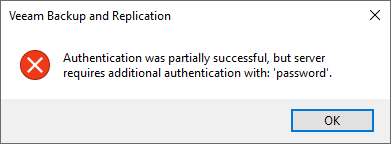
Authentication was partially successful, but server
requires additional authentication with: 'password'.
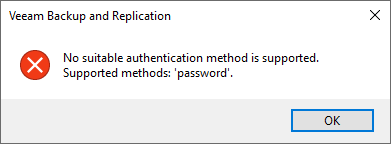
No suitable authentication method is supported.
Supported methods: 'password'.
Some tasks may not display these errors and instead behave as if the SSH connection failed. The error, however, is still written in the logs:
Warning      Failed to establish SSH connection.
Warning      No suitable authentication method found to complete authentication (password). (Renci.SshNet.Common.SshAuthenticationException)
Cause
This error occurs when the remote Linux machine's SSH service /etc/ssh/sshd_config has been configured to require two or more authentication methods in sequence.
For example, "AuthenticationMethods publickey,password" would require that all connections must provide first the publickey and then enter the account password.
Veeam Backup & Replication supports SSH authentication using username and password or publickey, but it does not support the use of both in sequence.
Solution
More Information
If this KB article did not resolve your issue or you need further assistance with Veeam software, please create a Veeam Support Case.
To submit feedback regarding this article, please click this link: Send Article Feedback
To report a typo on this page, highlight the typo with your mouse and press CTRL + Enter.
Spelling error in text

KB Feedback/Suggestion
This form is only for KB Feedback/Suggestions, if you need help with the software open a support case