403 Forbidden Message When Accessing Veeam Data Cloud App
| KB ID: | 4562 |
| Product: |
Veeam Data Cloud
for Microsoft 365 Veeam Data Cloud for Microsoft Azure |
| Published: | 2024-03-21 |
| Last Modified: | 2025-01-23 |

Get weekly article updates

Challenge
Attempting to load the Veeam Data Cloud app webpage fails with the error:
403 Forbidden
Microsoft-Azure-Application-Gateway/v2
Cause
The HTTP status code "403 forbidden—you don't have permission to access this resource" is displayed when a web server recognizes a user's request but is unable to allow additional access. This error typically occurs due to insufficient permissions or authentication credentials on the server side. Often, the 403 error is temporary.
Solution
Troubleshooting Steps
Perform the following steps, stopping when the page successfully loads.
- Make sure the webpage URL is correct.
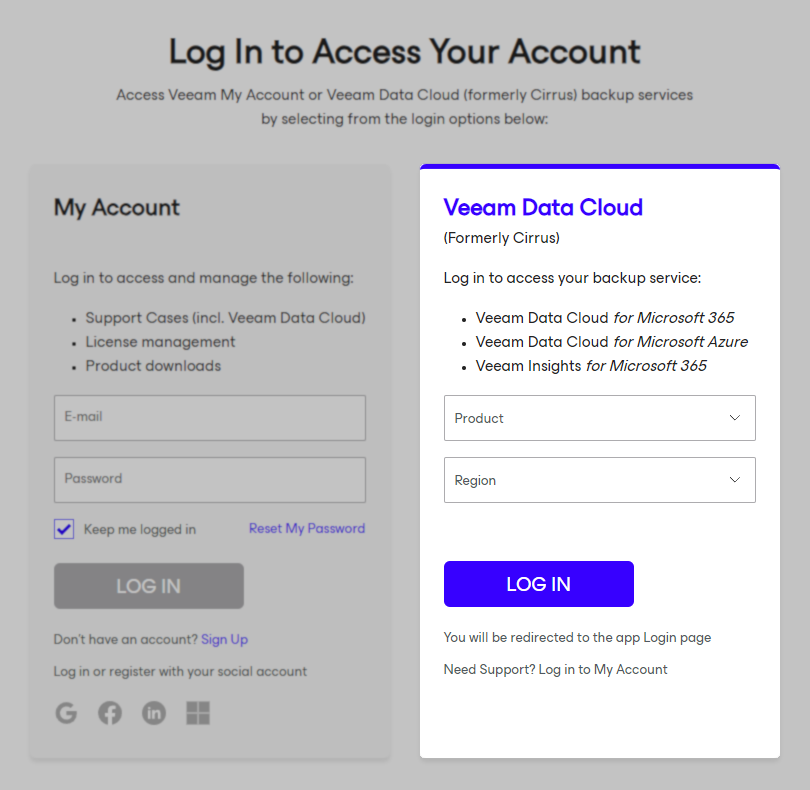
Visit login.veeam.com and select the Product and Region, then click Log In.
- While viewing the page, hold [Ctrl] and tap F5. This will force the page to refresh without using the local browser cache.
- Clear browser cookies and cache.
- Launch the browser in guest or safe mode to isolate whether the issue is caused by a saved browser setting or add-on.
If this KB article did not resolve your issue or you need further assistance with Veeam software, please create a Veeam Support Case.
To submit feedback regarding this article, please click this link: Send Article Feedback
To report a typo on this page, highlight the typo with your mouse and press CTRL + Enter.
