"Windows Script Host must be enabled for the duration of setup process"
| KB ID: | 4699 |
| Product: | Veeam Backup & Replication | 12.3 | 12.3.1 | 12.3.2 | 13 | 13.1 |
| Published: | 2024-12-16 |
| Last Modified: | 2024-12-16 |


Challenge
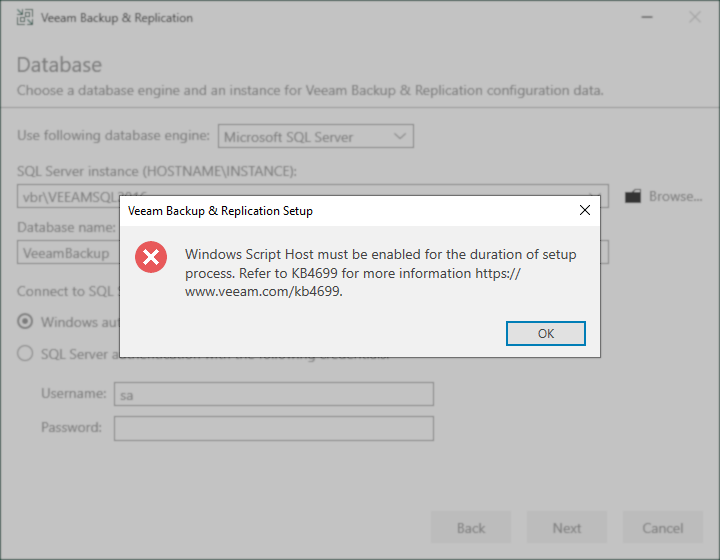
While attempting to Install or Upgrade Veeam Backup & Replication, the installer displays the message:
Windows Script Host must be enabled for the duration of setup
process, Refer to KB4699 for more information https://
www.veeam.com/kb4699.
Cause
This message is displayed when the Installer detects that the Windows Script Host has been disabled.
The disabling of the Windows Script Host is recommended as part of the Security & Compliance Analyzer and is disabled when using the script to automate the implementation of Security & Compliance Analyzer Recommendations from KB4525.
However, as documented in the Security & Compliance Analyzer documentation:
Before disabling Windows Script Host, make sure that this service is not used by the backup infrastructure components you plan to install on the backup server. If there are any (for example, PostgreSQL database), install these components first, then disable the service. To update these components, you need to enable the service temporarily.
Solution
- There is no need to close the installer; it can remain open with the error displayed during the following step.
- Enable the Windows Script Host. (Does not require a reboot.)
This can be done manually or by using the provided PowerShell command:- Delete the registry value named 'Enabled' which may present within either of the following registry keys:
HKEY_LOCAL_MACHINE\SOFTWARE\Microsoft\Windows Script Host\Settings\
HKEY_CURRENT_USER\Software\Microsoft\Windows Script Host\Settings\ - PowerShell script to delete the registry value from the two possible registry keys:
Note: If the registry value is not present as a user-level setting within HKCU, the script will throw an error that can be disregarded.
- Delete the registry value named 'Enabled' which may present within either of the following registry keys:
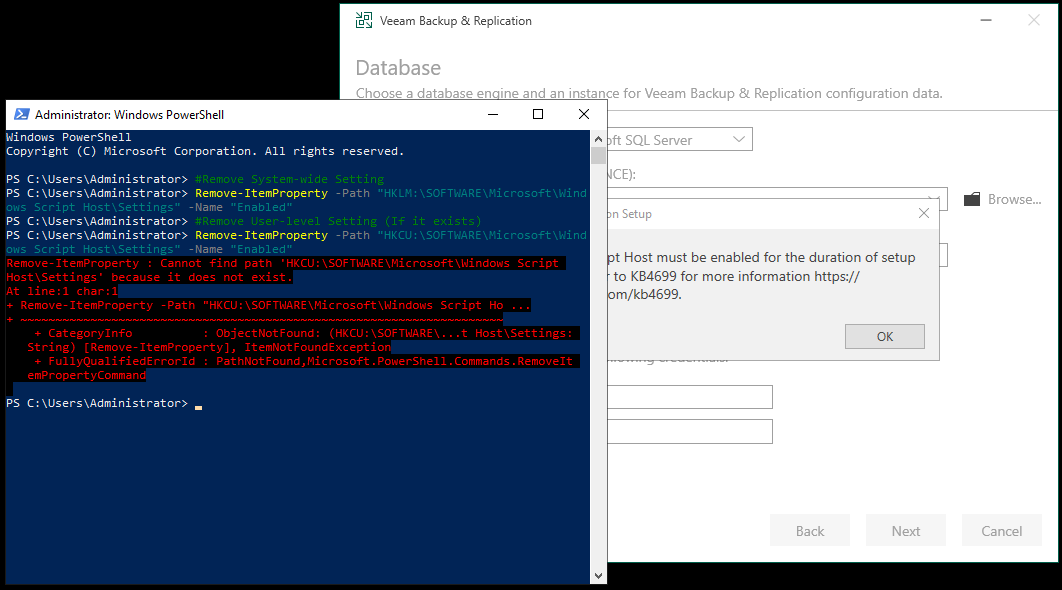
- Click "Ok" on the error about Windows Script Host and then click Next in the Veeam Backup & Replication installer.
If the installer was closed, rerun the Veeam Backup & Replication installer. - After the install or upgrade completes, you are welcome to disable Windows Script Host once more using the following script:
Note: This script will only recreate the registry value within HKCU if it previously existed there; otherwise, it will throw an error that can be disregarded.
If this KB article did not resolve your issue or you need further assistance with Veeam software, please create a Veeam Support Case.
To submit feedback regarding this article, please click this link: Send Article Feedback
To report a typo on this page, highlight the typo with your mouse and press CTRL + Enter.
Spelling error in text

KB Feedback/Suggestion
This form is only for KB Feedback/Suggestions, if you need help with the software open a support case