Backup of Powered-Off VM in Proxmox Fails When HA Status is Stopped
| KB ID: | 4715 |
| Product: |
Veeam Backup & Replication | 12.3 | 12.3.1 | 12.3.2 | 13 | 13.1 Veeam Plug-In for Proxmox VE |
| Published: | 2025-01-30 |
| Last Modified: | 2026-08-28 |

Get weekly article updates

Challenge
The backup of a powered-off VM within a Proxmox environment where High Availability (HA) is enabled but the HA status is Stopped, fails with the error:
Failed to perform backup: Failed to connect the NBD server to the hypervisor host.
Cause
The job fails because the High Availability (HA) status is set to "stopped." As documented in the Proxmox documentation, in the stopped state, "The CRM tries to keep the resource in stopped state, but it still tries to relocate the resources on node failures." This configuration prevents backups of powered-off virtual machines, resulting in errors.
Solution
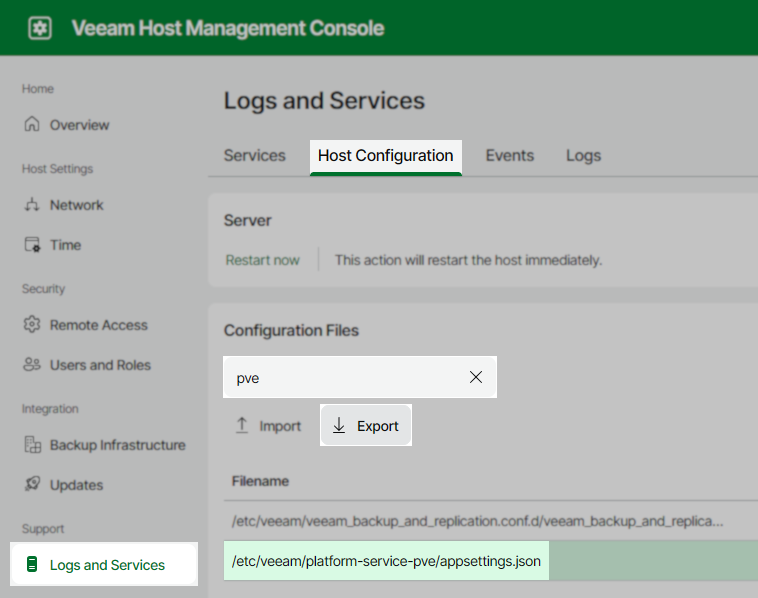
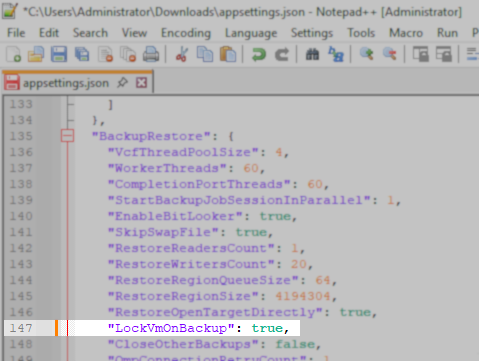
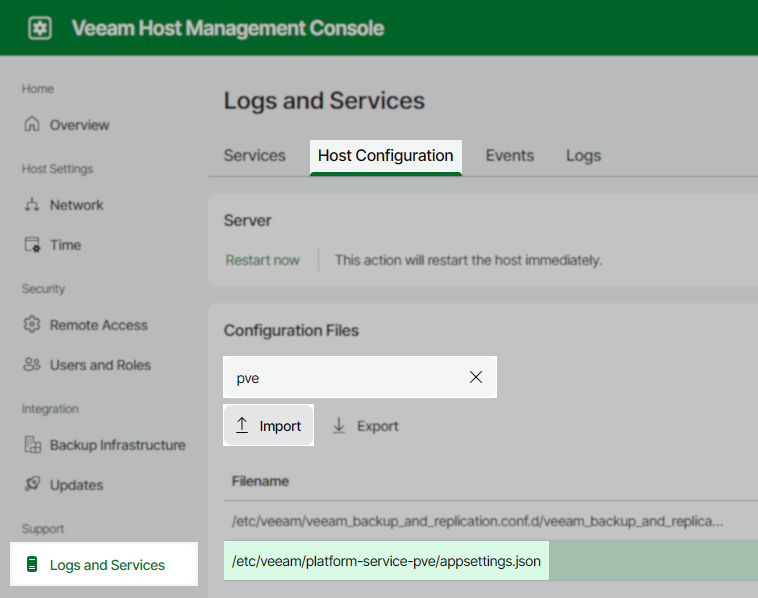
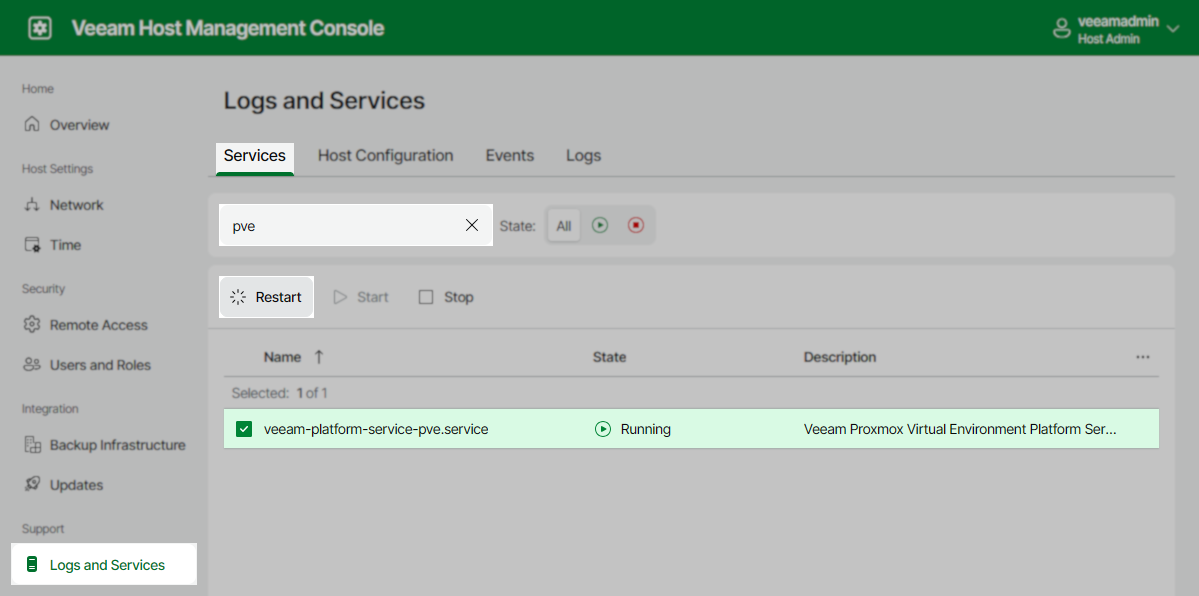
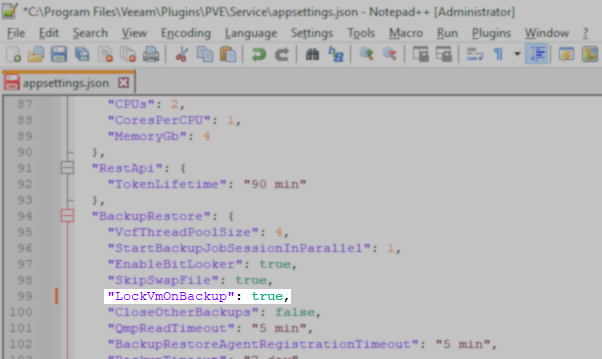
To resolve this issue and allow the job to complete for powered-off VMs, reconfigure the Veeam Plugin for Proxmox to lock VMs during backup, informing the CRM not to trigger a stop operation.
Note
In the event of any failures during the backup, the VM may remain locked. To resolve this issue, please follow the instructions provided here: How to unlock a VM if it doesn’t start.
If this KB article did not resolve your issue or you need further assistance with Veeam software, please create a Veeam Support Case.
To submit feedback regarding this article, please click this link: Send Article Feedback
To report a typo on this page, highlight the typo with your mouse and press CTRL + Enter.
