Windows 11 24H2 | Server 2025 - Recovery Media Issue
| KB ID: | 4726 |
| Product: | Veeam Agent for Microsoft Windows | 6.0 | 6.1 | 6.2 | 6.3 | 6.3.1 |
| Published: | 2025-03-25 |
| Last Modified: | 2025-05-29 |


Challenge
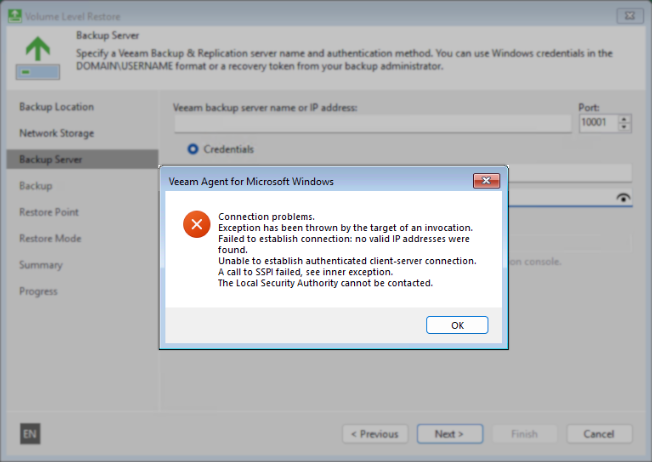
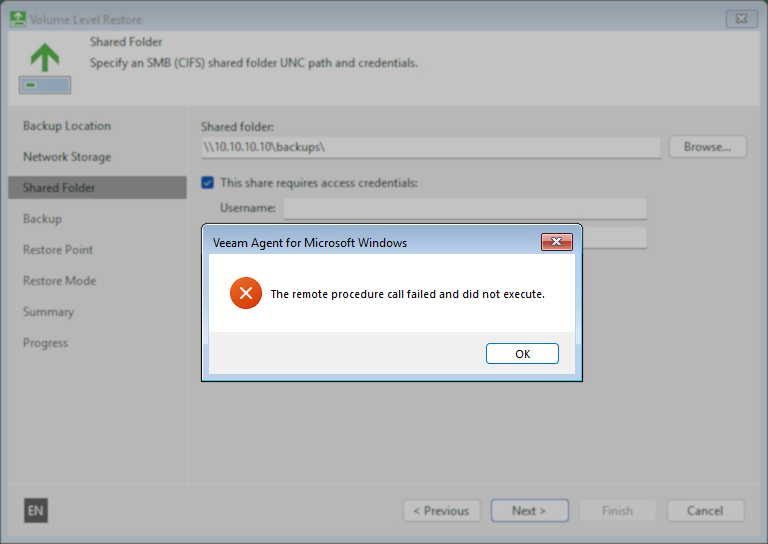
When Restoring from Veeam Recovery Media created from a machine running either Windows 11 24H2 (build 26100.3194) or higher or Server 2025 (build 26100.3194) or higher, the connection to the Veeam Backup Server or a network share fails with the following errors:
Connection problems.
Exception has been thrown by the target of an invocation.
Failed to establish connection: no valid IP addresses were
found.
Unable to establish authenticated client-server connection.
A call to SSPI failed, see inner exception.
The Local Security Authority cannot be contacted.
The remote procedure call failed and did not execute.
Cause
The underlying cause of this issue is unknown at this time and is under investigation by Veeam and Microsoft.
The issue appears to be related to a change within the February update (KB5051987) for Windows 11 24H2 and Server 2025.
Solution
Customers impacted by this issue are advised to consider the following workarounds:
- If the restore is from backups stored in a Veeam Backup & Replication repository, use the recovery token option to access the backups.
- Use Veeam Recovery Media generated from a machine running an older Windows 11 or Server 2025 build (26100.3037 or lower).
More Information
If this KB article did not resolve your issue or you need further assistance with Veeam software, please create a Veeam Support Case.
To submit feedback regarding this article, please click this link: Send Article Feedback
To report a typo on this page, highlight the typo with your mouse and press CTRL + Enter.
Spelling error in text

KB Feedback/Suggestion
This form is only for KB Feedback/Suggestions, if you need help with the software open a support case