Appliance Installation Stuck on "Configuring addons"
| KB ID: | 4782 |
| Product: | Veeam Backup & Replication | 13 |
| Published: | 2025-10-09 |
| Last Modified: | 2025-10-13 |


Challenge
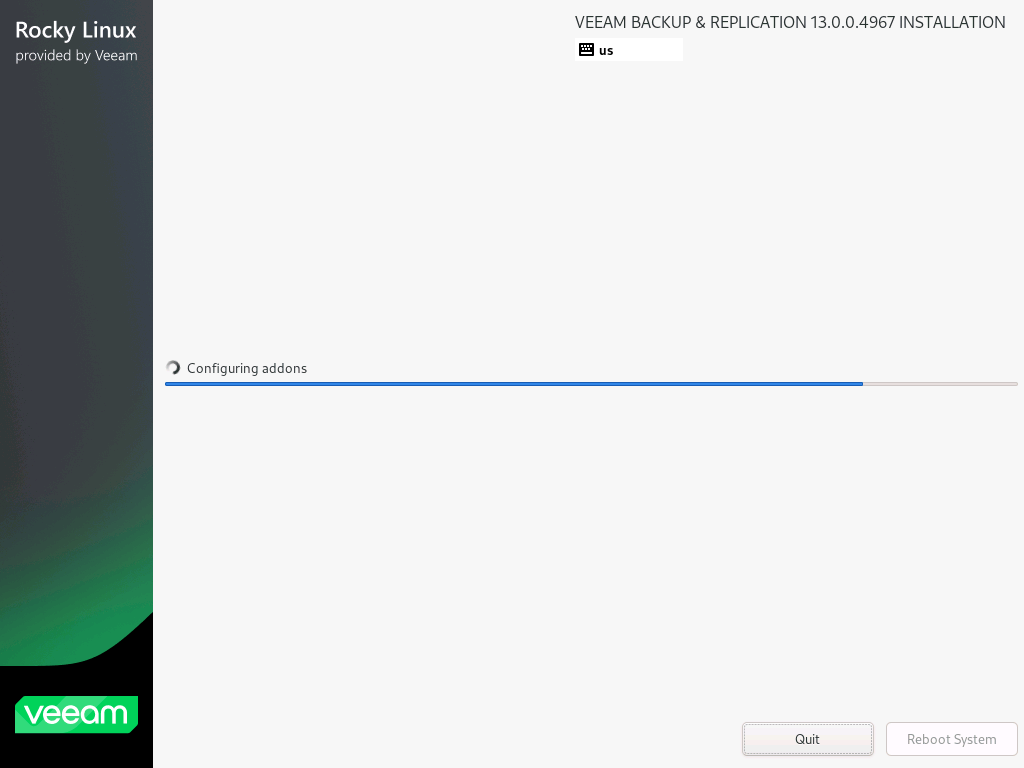
When this occurs, switching to tty1 (Ctrl+Alt+F1), then using Alt+Tab to switch to the log view, shows the following entries as the most recent task:
INF progress: Remediate the system
DBG installation: Task completed: Remediate the system (37/44) (2478.1 s)
Note: Return to the graphical installer on tty6 with (Ctrl+Alt+F6).

Solution
Option 1: Click Quit, then cancel the Quit
In some cases, it has been reported that the installation began to proceed as expected after the Quit button was pressed, then clicking No to cancel the quit operation.


Option 2: Restart the Installation Entirely
If clicking Quit and then No does not cause the installer to resume and finalize, the remaining option is to start the install over again.
If this KB article did not resolve your issue or you need further assistance with Veeam software, please create a Veeam Support Case.
To submit feedback regarding this article, please click this link: Send Article Feedback
To report a typo on this page, highlight the typo with your mouse and press CTRL + Enter.
Spelling error in text

KB Feedback/Suggestion
This form is only for KB Feedback/Suggestions, if you need help with the software open a support case