Failed to perform post-processing for plug-in. Error: The issuer certificate does not have a Basic Constraints extension.
| KB ID: | 4817 |
| Product: | Veeam Backup & Replication | 13 | 13.1 |
| Published: | 2026-01-22 |
| Last Modified: | 2026-01-22 |

Get weekly article updates

Challenge
After upgrading a Windows-based Veeam Backup & Replication deployment to version 13.0.1 or higher, the following error may occur:
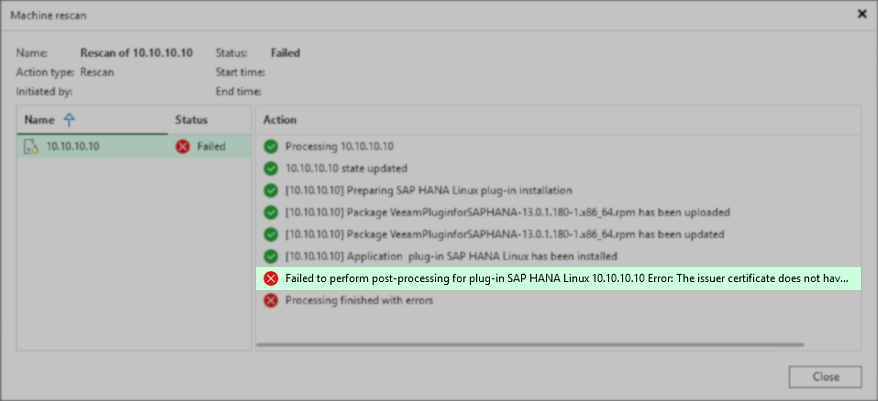
Failed to perform post-processing for plug-in $pluginName Linux $machine Error: The issuer certificate does not have a Basic Constraints extension.
Examples:
Failed to perform post-processing for plug-in RMAN Linux rman.domain.tld Error: The issuer certificate does not have a Basic Constraints extension.
Failed to perform post-processing for plug-in SAP HANA Linux 10.10.10.10 Error: The issuer certificate does not have a Basic Constraints extension.
Cause
This occurs when the Veeam Backup certificate in use by Veeam Backup & Replication is missing the Basic Constraints extension.
Solution
The resolution for this issue can be found in KB4687, in the section:
Issue 2: The Veeam Backup Server Certificate is missing the field "Basic Constraints".
Issue 2: The Veeam Backup Server Certificate is missing the field "Basic Constraints".
If this KB article did not resolve your issue or you need further assistance with Veeam software, please create a Veeam Support Case.
To submit feedback regarding this article, please click this link: Send Article Feedback
To report a typo on this page, highlight the typo with your mouse and press CTRL + Enter.
Spelling error in text

KB Feedback/Suggestion
This form is only for KB Feedback/Suggestions, if you need help with the software open a support case