Veeam ONE Upgrade Fails with "Win32 exception occurred while executing SQL script."

KB ID: 4823
Product: Veeam ONE | 13
Published: 2026-02-24
Last Modified: 2026-02-24
mailbox
Get weekly article updates
By subscribing, you are agreeing to have your personal information managed in accordance with the terms of Veeam's Privacy Notice.

Cheers for trusting us with the spot in your mailbox!

Now you’re less likely to miss what’s been brewing in our knowledge base with this weekly digest

error icon

Oops! Something went wrong.

Please, try again later.

Challenge

When upgrading Veeam ONE from version 12.3 to version 13, the following error occurs:

Win32 exception occurred while executing SQL script.
Error code: 0x80004004.
Error details: The SELECT permission was denied on the object
'sysjobs', database 'msdb', schema 'dbo'.
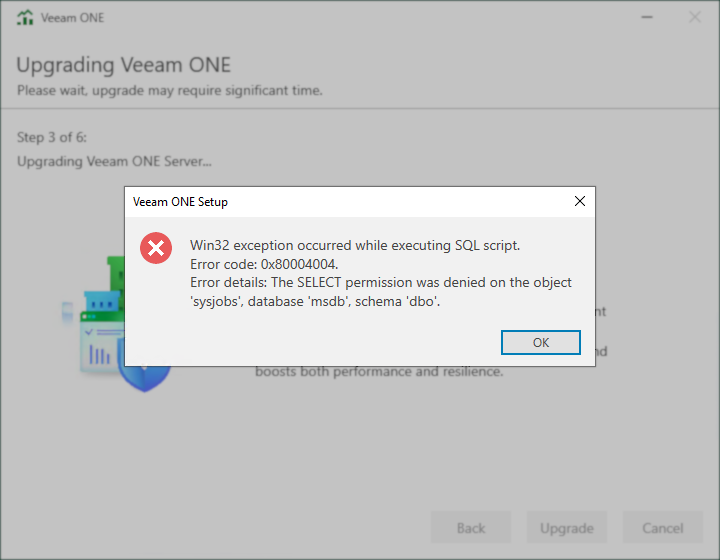
A Veeam ONE upgrade window is open, showing step 3 of 6 for upgrading Veeam ONE Server. A pop-up error dialog titled "Veeam ONE Setup" displays a red X icon and the message: "Win32 exception occurred while executing SQL script. Error code: 0x80004004. Error details: The SELECT permission was denied on the object 'sysjobs', database 'msdb', schema 'dbo'." An OK button is at the bottom right of the dialog.

Cause

This error occurs because the service account lacks permissions to the 'sysjobs' table in the 'msdb' database.

Access to this table is mandatory starting with Veeam ONE v13. Veeam ONE needs access to the 'sysjobs' table to ensure there are no outdated SQL Server Agent Jobs for the Veeam ONE database Indexes Maintenance task created by older versions of Veeam ONE.

Solution

To resolve this issue, ensure that the Veeam ONE service account has all required permissions as documented in the product user guide: Connection to Microsoft SQL Server - Veeam ONE User Guide.

If this KB article did not resolve your issue or you need further assistance with Veeam software, please create a Veeam Support Case.

To submit feedback regarding this article, please click this link: Send Article Feedback
To report a typo on this page, highlight the typo with your mouse and press CTRL + Enter.

Spelling error in text

Thank you!

Thank you!

Your feedback has been received and will be reviewed.

Oops! Something went wrong.

Please, try again later.

You have selected too large block!

Please try select less.

KB Feedback/Suggestion

This form is only for KB Feedback/Suggestions, if you need help with the software open a support case

By submitting, you are agreeing to have your personal information managed in accordance with the terms of Veeam's Privacy Notice.
Verify your email to continue your product download
We've sent a verification code to:
  • Incorrect verification code. Please try again.
An email with a verification code was just sent to
Didn't receive the code? Click to resend in sec
Didn't receive the code? Click to resend
Thank you!

Thank you!

Your feedback has been received and will be reviewed.

error icon

Oops! Something went wrong.

Please, try again later.