Veeam ONE SAML Identity Provider Setup Fails with: Cannot find the metadata entity ID
| KB ID: | 4938 |
| Product: | Veeam ONE | 13.1 |
| Last Modified: | 2026-11-19 |


Challenge
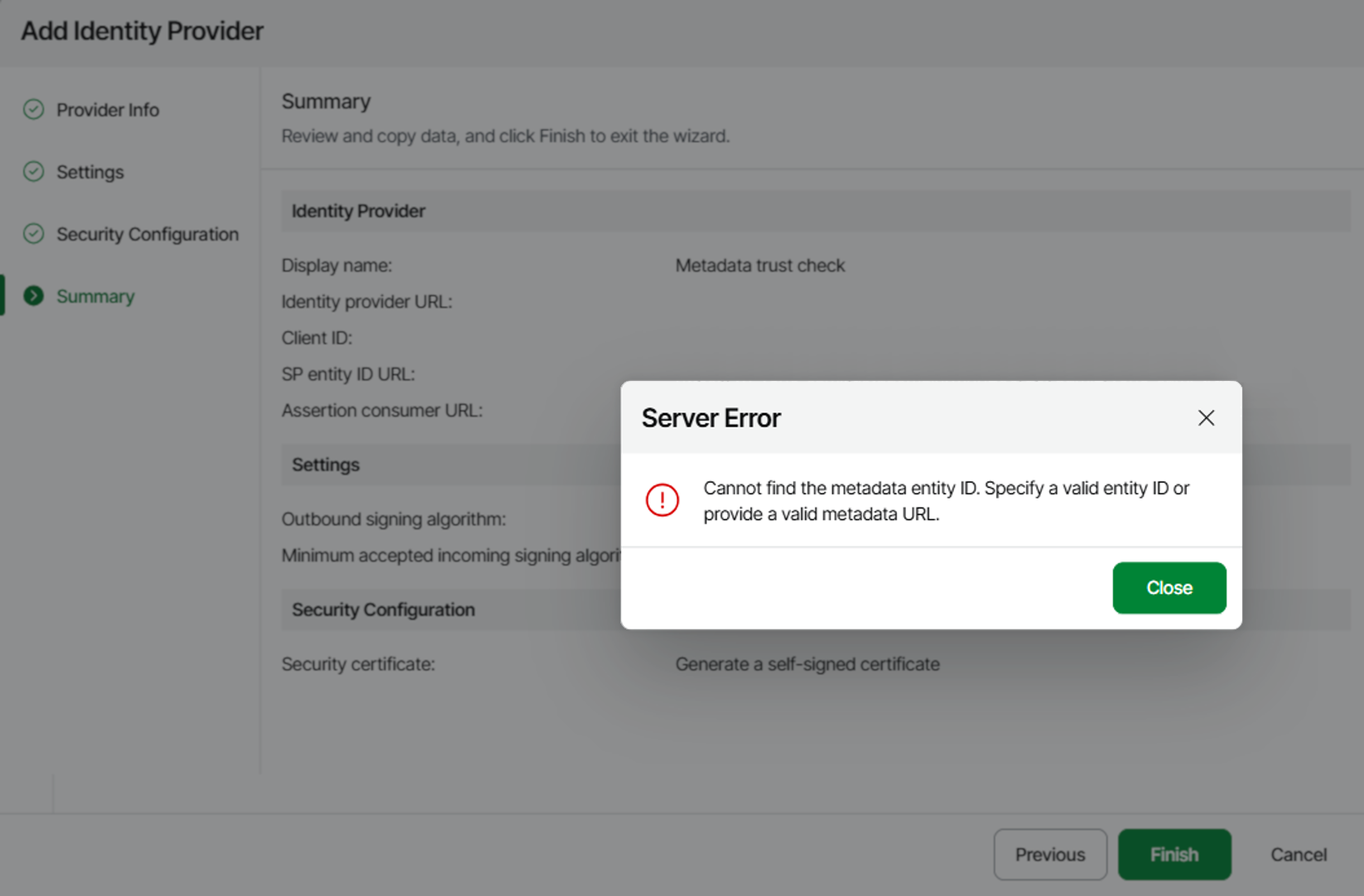
When Finish is clicked in the Add Identity Provider wizard in the Veeam ONE Web Client, the following error occurs:
Cannot find the metadata entity ID. Specify a valid entity ID or provide a valid metadata URL.
Cause
This issue occurs because the Veeam ONE server cannot read the federation metadata from the identity provider (IdP) URL entered in the wizard. The most common reason is that the Veeam ONE server does not trust the TLS certificate of that URL, for example when the IdP uses a self-signed certificate or a certificate issued by a private certification authority (CA).
When the certificate is not trusted, the C:\ProgramData\Veeam\Veeam ONE\Logs\Reporter\Veeam.Reporter.log file on the Veeam ONE server contains the following entries:
[INF] IdentityProviderIdentityProviderMetadataLoaderService : Untrusted server certificate ""CN=<IdP FQDN>"" is used
System.Security.Authentication.AuthenticationException: The remote certificate was rejected by the provided RemoteCertificateValidationCallback.
[ERR] ... An error occured while loading metadata callback <URL>
The same error also occurs when the metadata URL returns a redirect, because Veeam ONE does not follow redirects, and when the IdP returns an error response. In these cases, the same log file contains:
Failed to retrieve data from "<URL>" due to network error.
Solution
- On the Veeam ONE server, import the certificate of the CA that issued the IdP certificate into the Trusted Root Certification Authorities store of the local computer. If the IdP uses a self-signed certificate, import that certificate instead. If the IdP does not send its intermediate CA certificate, also import the intermediate certificate into the Intermediate Certification Authorities store.
- Make sure that the host name in the Identity provider URL matches the name in the certificate, and that the Veeam ONE server has network connectivity to that host and can resolve its name.
- Run the Add Identity Provider wizard again.
Note: Specifying the entity ID manually in the wizard is not a workaround. The wizard finishes, but Veeam ONE still cannot load the metadata, and the identity provider gets the Failed status.
More Information
If this KB article did not resolve your issue or you need further assistance with Veeam software, please create a Veeam Support Case.
To submit feedback regarding this article, please click this link: Send Article Feedback
To report a typo on this page, highlight the typo with your mouse and press CTRL + Enter.
