

Key Takeaways:
- RPO (Recovery Point Objective) defines the maximum acceptable data loss after an incident, measured backward from the moment of failure.
- RTO (Recovery Time Objective) defines the maximum acceptable downtime before systems must be restored, measured forward from the moment of failure.
- RPO drives backup frequency, while RTO drives system architecture and recovery strategy.
- Both metrics quantify risk tolerance for data loss and downtime and should be set per application based on criticality, compliance, and business impact.
- Best practices to optimize RPO/RTO include frequent backups, redundancy, testing, automation, and offsite/immutable storage. For workloads that require near‑zero data loss, Continuous Data Protection (CDP) enables real‑time replication of changes to ensure critical systems can be recovered almost instantly after an outage or disruption.
When the unexpected hits, your recovery speed comes down to two critical metrics: Recovery Point Objective (RPO) and Recovery Time Objective (RTO).
RPO is how much data you can afford to lose. RTO is how long you can afford to be offline. Together, they define your organization’s resilience thresholds: the point beyond which downtime or data loss becomes unacceptable.
Setting the right RPO and RTO for each workload means balancing risk tolerance, compliance requirements, and cost. Mission‑critical systems may need near‑zero objectives with continuous protection, while less critical workloads can tolerate longer intervals.
In this guide, you’ll learn what RPO and RTO mean, how they differ, and how to calculate them for your environment. We’ll also share best practices and show how Veeam’s data protection platform helps you hit aggressive recovery targets with application‑aware backups, immutable offsite storage, and orchestrated restores — so your business stays online, protected, and compliant.
RPO vs. RTO: Side‑by‑Side Comparison
| Metric | Definition | Measurement | Focus | Example | Veeam Advantage |
|---|---|---|---|---|---|
| RPO (Recovery Point Objective) | The maximum acceptable amount of data loss after an incident. | Measured in units of time before the disruption (minutes, hours, days). | Data protection: how often backups or replicas occur. | If RPO is 15 minutes, backups or replications must happen at least every 15 minutes. | Veeam Continuous Data Protection (CDP) enables near‑zero RPO for mission‑critical workloads. |
| RTO (Recovery Time Objective) | The maximum acceptable downtime before systems must be restored. | Measured in units of time after the disruption (minutes, hours). | Service restoration: how quickly systems are brought back online. | If RTO is 1 hour, recovery must be completed within 60 minutes of failure. | Veeam Instant Recovery and automated orchestration help achieve aggressive RTO targets. |
What does RPO stand for?
RPO stands for Recovery Point Objective — the maximum acceptable amount of data loss measured in time (how far back you can “rewind” to the last recoverable point).
Improving RPO reduces how much work, transaction data, and customer activity you could lose after an outage or cyber incident. This is especially important for high-change systems such as databases, SaaS data, and transactional applications. A lower RPO helps protect revenue, preserve customer trust, and maintain operational continuity.
What does RTO stand for?
RTO stands for Recovery Time Objective: The maximum acceptable amount of time a system or service can be down before business impact becomes unacceptable.
Improving RTO helps restore critical services faster after an outage or cyber incident. This reduces downtime costs and lowers SLA and reputational risk. It also helps teams maintain continuity for customer-facing and mission-critical operations.
Key Difference
- RTO focuses on downtime tolerance: how fast you can get operations back online.
- RPO focuses on data loss tolerance: how much data you can afford to lose.
Both metrics are essential for building a disaster recovery strategy. They work together to set measurable targets that guide:
- Backup frequency and type (full, incremental, continuous).
- Infrastructure design and technology choices.
- Business continuity planning and compliance readiness.
With Veeam Data Platform and Veeam Kasten for Kubernetes, organizations can achieve near‑zero RPOs with Continuous Data Protection (CDP) and aggressive RTOs with Instant Recovery and automated DR orchestration. Immutable backups and isolated recovery environments further protect against ransomware and ensure compliance.
When defining RPO and RTO, start with critical workloads first, such as customer‑facing applications and financial systems, and work down to less critical systems. This ensures recovery priorities align with business impact.
The Importance of RPO and RTO in Disaster Recovery
Recovery objectives are key metrics for building a disaster recovery strategy. They help quantify the level of data loss or disruption you’re willing to accept, so you can formulate a cost-effective and reliable backup and recovery system.
Stale backups or backups that take too long to restore are of little use to your organization. Knowing you can restore normal operations within a reasonable time offers more peace of mind.
Understanding the difference between RPO vs. RTO and the role each metric plays in formulating your disaster recovery plan is critical. Knowing how much, if any, data loss is acceptable and how long you can tolerate a service being unavailable helps inform your decision-making when it comes to backup solutions and your recovery workflow.
How to Calculate RPO
Recovery Point Objective (RPO) measures how much data your organization can afford to lose after an incident. Calculating RPO starts with understanding data‑loss tolerance for each workload and mapping that to backup frequency or replication policies.
Step‑by‑Step Process
- Identify Critical Workloads
- List applications, databases, and services that are essential to business operations.
- Include both production and supporting systems (e.g., authentication services).
- Determine Acceptable Data Loss for Each
- Ask: If this system fails, how much data could we lose without major impact?
- Consider compliance requirements, financial exposure, and customer impact.
- Measure Data Change Rates
- Understand how frequently data is updated for each workload.
- Highly transactional systems (e.g., e‑commerce) may require near‑zero RPO.
- Align Backup or Replication Frequency
- Match backup intervals to your acceptable data‑loss window.
- Example: If RPO is 15 minutes, use continuous replication or snapshots every 15 minutes.
- Factor in Recovery Validation
- Ensure backup data is verified, consistent, and recoverable, not just captured.
Example:
If your CRM updates customer records every minute, a 60‑minute backup interval means losing up to one hour of data if a failure occurs.
If your tolerance is only 15 minutes, you need a solution that captures and replicates data at least every 15 minutes, ideally continuously.
With Veeam Continuous Data Protection (CDP), you can achieve near‑zero RPO for mission‑critical workloads.
CDP captures every change in real time, ensuring your backups are always up‑to‑date. Combined with immutable backup repositories, Veeam helps you meet aggressive RPO targets while protecting against ransomware and corruption.
Always test your RPO in real‑world recovery drills. Theoretical numbers mean little if your actual restore point is older than expected.
How to Set RTO Targets
Recovery Time Objective (RTO) defines the maximum amount of time your systems can be offline before the business impact becomes unacceptable.
Setting realistic RTO targets requires balancing business requirements, technical capabilities, and budget, while prioritizing the workloads that matter most.
Step‑by‑Step Process
- Identify Business‑Critical Application Dependency Chain
- Which systems must be restored first to resume core operations?
- Examples: payment processing, ERP, customer portals.
- Assess Downtime Tolerance
- For each workload, determine how long it can be unavailable before revenue loss, compliance violations, or reputational harm occur.
- Mission‑critical systems often require minutes; less critical workloads may tolerate hours or days.
- Map to Recovery Technologies
- Match each RTO target to the recovery method that can meet it.
- Examples: Instant Recovery, replication failover, snapshot restores.
- Consider Infrastructure Constraints
- Network capacity, hardware performance, and storage speed all affect recovery times.
- Test recovery scenarios to verify targets are achievable.
- Document and Prioritize
- Rank workloads by RTO urgency to guide disaster recovery plans.
- Create a tiered recovery plan (e.g., Tier 1: <15 minutes, Tier 2: <4 hours, Tier 3: <24 hours).
Example:
If your e‑commerce site generates $50,000 in hourly sales, even 60 minutes of downtime could cause significant losses and customer dissatisfaction.
Setting an RTO of 15 minutes means you must have infrastructure and processes in place to restore that site within that timeframe.
Veeam Instant Recovery technology can restore entire VMs, databases, or NAS shares directly from backup, often in minutes, meeting aggressive RTO targets without waiting for full data movement.
When paired with automated recovery orchestration and advanced replication, Veeam enables businesses to achieve tiered RTOs across workloads, ensuring critical services are back online fast.
Real-World RPO and RTO Scenarios
RPO and RTO targets depend on how a workload generates revenue, supports critical operations, and manages regulatory risk. Here are three practical examples that show how recovery objectives change by industry.
E-commerce (checkout, orders, and inventory)
E-commerce environments are highly transactional, so even small gaps in protection can mean lost orders or inventory mismatches. A common target is RPO: 5 minutes and RTO: 15–30 minutes for checkout and the order database.
If you miss those objectives, you may face lost transactions, customer churn, and time-consuming reconciliation. Meeting tighter targets typically requires continuous replication/CDP for transactional data, plus a recovery process that can restore services in the right dependency order.
Healthcare (EHR/EMR, scheduling, and imaging access)
Healthcare systems support patient care and clinical operations, where downtime can quickly force manual workflows and increase risk. Many organizations aim for RPO: 1–4 hours and RTO: 1–4 hours for core clinical systems (with tighter targets for the most time-sensitive services).
Missing targets can create patient safety exposure, delayed care, and audit/compliance risk depending on the system and jurisdiction. A resilient approach often combines
Financial services (payments, trading, and customer portals)
Financial services often operate under strict SLAs and regulatory expectations, so availability and data integrity are tightly linked to business trust.
Targets are often RPO: Near-zero to 1 minute and RTO: 15 minutes for the most critical transaction systems. If objectives aren’t met, impacts include failed transactions, reconciliation issues, SLA penalties, and regulatory escalation. Achieving these outcomes usually requires instant failover/replication for Tier-1 systems and orchestrated recovery to reduce manual steps during high-pressure incidents.
Example Targets by Application Tier
Not all workloads require the same recovery objectives. Grouping applications into tiers helps align RPO and RTO targets with business impact, compliance needs, and cost considerations.
This tiered approach ensures disaster recovery efforts focus first on the systems that matter most.
| Tier 1 – Mission Critical | Example Targets: RTO: Minutes to near‑zero RPO: Seconds to minutes | Rationale: These workloads cannot afford downtime or data loss. Requires Continuous Data Protection (CDP), instant failover, and orchestrated recovery testing to validate readiness. |
| Tier 2 – Business Important | Example Targets: RTO: Under 4 hours RPO: 1–4 hours | Rationale: Important internal systems where moderate downtime is tolerable. Requires frequent incremental backups to minimize loss. Incremental backups reduce storage overhead while meeting tighter recovery points |
| Tier 3 – Standard | Example Targets: RTO: 4–24 hours RPO: 12–24 hours | Rationale: Lower‑priority workloads where longer recovery times are acceptable. Daily snapshots ensure point‑in‑time protection without over‑committing resources. |
Balancing Recovery Objectives Against Cost and Complexity
The core tradeoff is straightforward: The more aggressive your RTO and RPO, the higher the cost, which leads to the greater the operational overhead. This shouldn’t deter you from setting tight objectives where they’re needed, but it should shape how you plan and invest.
|
Two Drivers That Determine Cost and Complexity |
|
| Backup frequency + storage volume | Shorter RPOs require capturing changes more frequently. That can increase storage demands, network transfers, and compute loads, especially for high-change databases and SaaS exports. It may also require higher-performance storage to keep up with the added backup frequency. |
| Infrastructure + readiness for fast recovery |
Shorter RTOs often require replication capacity, standby infrastructure, faster storage, automation/orchestration, and frequent recovery testing, all of which add cost and process maturity requirements. |
A practical way to manage this during business continuity planning is to align investment with the application tiers that you defined above:
| Application tier | Typical objective profile | Investment level (rule of thumb) |
| Tier 1 (mission critical) | Near‑zero to minutes RPO/minutes RTO | High (replication/CDP + automation + frequent testing) |
| Tier 2 (business important) | Hour-level RPO/under‑4‑hours RTO | Moderate (frequent incrementals + proven restores) |
| Tier 3 (standard) | Daily RPO/same-day RTO | Standard (cost-efficient backups + periodic validation) |
Over-investing in aggressive targets for low-criticality workloads wastes budget without proportional benefit, while under-investing in Tier 1 services is where outages and data loss become existential. The most cost-effective approach is to right-size objectives to actual business impact, then revisit them as applications, dependencies, and compliance requirements change.
Best Practices for Optimizing RPO and RTO
Achieving aggressive RTO and RPO targets requires a smart mix of technology, process, and ongoing validation. To optimize RPO and RTO, apply the following best practices:
Frequent Backups
To achieve environments with incredibly low RPOs, Veeam’s Continuous Data Protection technology and other application-aware backups or incremental backups can be utilized for frequent snapshots. For less critical applications, set an appropriate backup frequency. Automate the backup process, including testing the integrity of the copy, for peace of mind.
Frequent full backups carry a significant overhead in terms of storage costs. Incremental backups reduce the cost by recording what changed between each backup.
Keep multiple backups on different types of media. Ideally, you should also have an immutable off-site backup to protect against data loss from malware or ransomware attacks.
Redundancy and Failover
Minimize downtime with redundancy and failover for critical services. This practice isn’t a substitute for backups, but it can protect against application failures or outages that would otherwise interrupt service.
Using certain RAID arrays can offer a layer of redundancy, which can reduce the risk of data loss and allows you to respond to hardware failures. Again, this is simply an extra layer of protection and not a replacement for backups in your business continuity plan.
Even when data and workloads are replicated across redundant cloud environments, challenges remain, particularly the risk of data corruption or encryption caused by ransomware. Replication alone ensures availability, but it can also replicate compromised data if threats go undetected. To address this, organizations need a combination of real-time protection and immutable recovery points.
What to consider:
- Recognize replication limits: Replication preserves availability but can also copy corrupted or encrypted data.
- Maintain multiple recovery points: Keep several restore versions to ensure access to clean data.
- Use immutable: Prevent modification or deletion of critical recovery data.
Use immutable or protected storage: Prevent modification or deletion of critical recovery data.
Testing & Validation
Evaluating RPO vs. RTO priorities and setting objectives is just the beginning. To have confidence in your organization’s ability to meet those objectives, any backup and recovery practices must be tested regularly.
There are many best practices for testing recovery objectives, but the most important practice is to actually perform those tests. Investing in the resources and time required to complete the testing process is essential. Also keep in mind that adequate testing can require storage, compute, networking, and time.
Consider the following when planning recovery tests:
- The best testing schedule to meet SLA requirements
- The time required to recover the data or workload to an operational state
- Storage requirements for data recovery
- Storage and compute requirements for critical workloads
- Automation and orchestration tools to ensure tests can be customized and performed without errors
Priority Based Recovery
Consider which workloads are mission critical and prioritize these when developing a recovery strategy. Running critical applications in virtual machines can help hasten the recovery process. For example, recovering customer data or financial records would be a higher priority than restoring a database of internal training materials.
Automation
Automation allows backups to be made without human intervention. Scheduled backups reduce the risk of data loss. Modern data protection tools support automated testing and orchestration, giving peace of mind that backups are error-free and recoverable.
Don’t treat having automatic backups as a chance to get complacent. Review your backup processes regularly to confirm they cover all business-critical data.
Offsite Storage
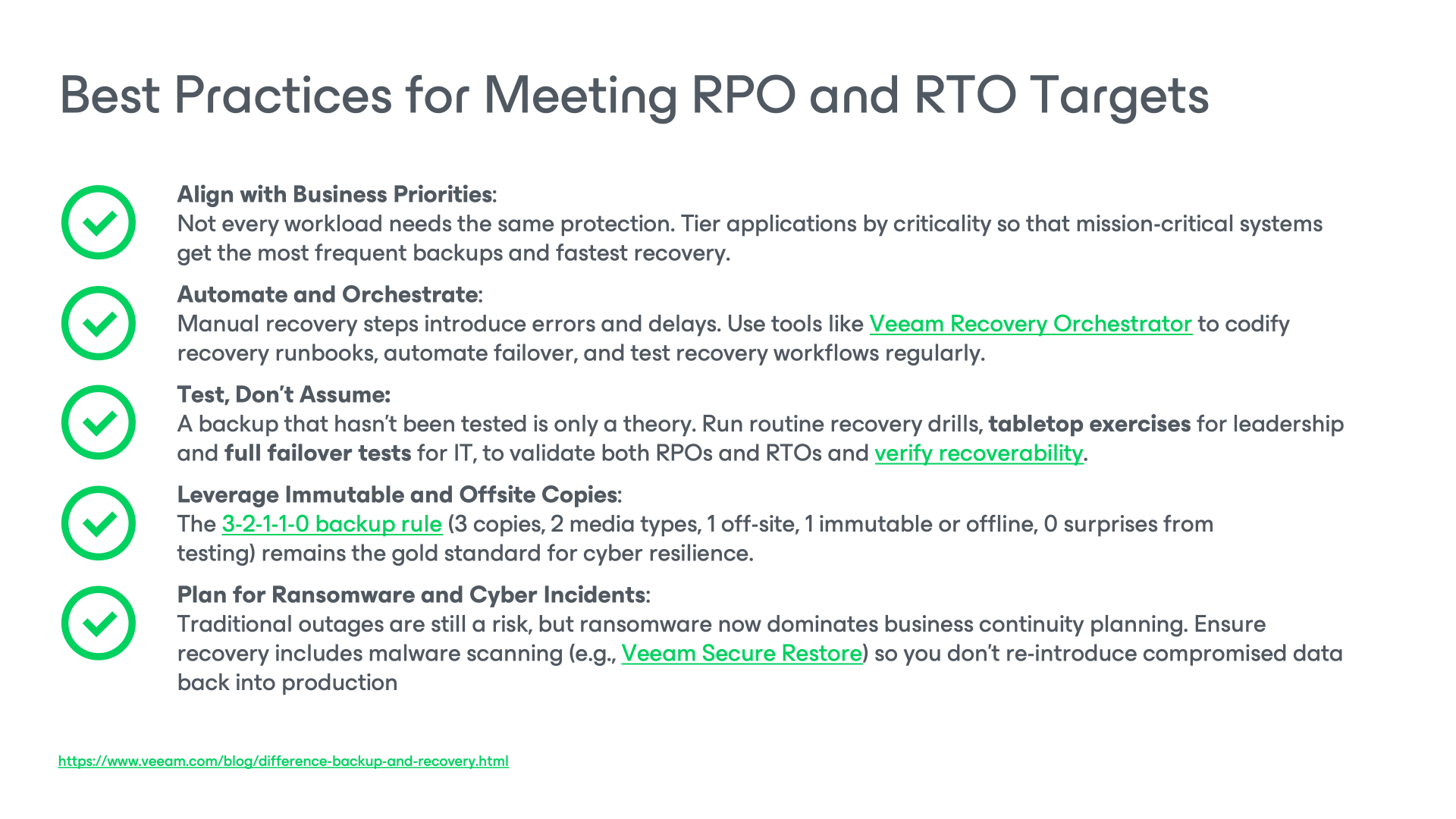
Follow the 3-2-1 backup rule:
- There should be three copies of the data
- On at least two different media
- With one copy being off-site
This ensures the data is protected not only against accidental deletion or corruption but also against loss through catastrophic events, such as fires or floods, which could destroy an on-site copy held on removable or NAS storage.
Ongoing Monitoring and Analytics
With any IT solution, monitoring and analytics offer insight into the performance of your infrastructure. For backup and recovery solutions, there are many metrics that can be monitored:
- Testing backups to ensure they’re completed without errors
- Infrastructure monitoring to identify issues that could affect backup success
- Analysis of usage trends to prevent future issues with backup storage capacity
For more information on improving business continuity, see our detailed recovery objectives best practices guide.
How Veeam Helps You Hit Your Targets
Meeting aggressive RPO and RTO goals requires the right mix of technology and process. And Veeam delivers both.
Whether you need to recover in minutes, protect data continuously, or prove readiness to auditors, Veeam’s platform maps feature to outcome so you can hit your recovery objectives every time.
| Veeam Feature | Outcome |
|---|---|
| Instant Recovery | Restore VMs, databases, and NAS shares directly from backup in minutes to meet aggressive RTOs. |
| Continuous Data Protection (CDP) | Achieve near‑zero RPO for Tier 1 workloads with real‑time change capture. |
| Disaster Recovery | Automate failover, testing, and documentation to ensure predictable recovery. |
| Immutable Backups | Protect restore points from ransomware, accidental deletion, and tampering. |
| Monitoring and Analytics | Track success rates, RTA vs SLA compliance, and capacity trends to keep targets on track. |
Always keep best practices in mind and engage with stakeholders across the organization to ensure your disaster recovery strategy meets business needs. Automating the process of taking frequent backups and testing them is essential. It’s also useful to take other precautions, such as having redundancy for mission-critical applications. Consider Veeam’s data protection solutions, including ones tailored to the needs of regulated industries.
Contact Veeam today to schedule a consultation or try a demo of Veeam’s data protection platform.
FAQS:
RTO measures downtime tolerance: how quickly systems must be restored.
RPO measures data loss tolerance: how much data you can afford to lose.
MTTR (Mean Time to Recovery) is the actual average time it takes to recover from incidents.
Think of RTO and RPO as targets, and MTTR as the real-world measurement of your recovery performance.
Review RPO and RTO targets at least quarterly or whenever you introduce new workloads, change compliance requirements, or experience significant business growth. Regular review ensures your recovery objectives remain achievable and aligned with current priorities.
Near‑zero RTO and RPO require advanced recovery and protection technologies:
Instant Recovery: restores workloads directly from backup in minutes.
Continuous Data Protection (CDP) which captures changes in real time for near‑zero RPO.
Disaster Recovery Orchestrator automates failover and testing.
Immutable backups ensure clean recovery points protected from ransomware.
Define RPO as the maximum acceptable data loss in time, and RTO as the maximum acceptable downtime (based on business impact). Then test a real recovery end-to-end (including dependencies) and adjust targets to what’s both required and achievable.
A common Tier 1 starting point is RPO: Near-zero to minutes and RTO: Minutes to under 1 hour, but the right targets depend on SLA/regulatory requirements and downtime cost. Tier 1 usually requires replication/CDP, automation, and frequent recovery testing to hit those numbers consistently.
Zero RPO means no data loss (every write is protected), which typically requires synchronous replication/continuous protection and architecture that can fail over without losing committed transactions (often with latency/distance constraints). Many teams opt for near-zero RPO because it’s more practical across regions and clouds.
Set targets at the service level (app + data + dependencies), then choose a recovery pattern that matches: automation/IaC (Infrastructure as Code) and runbooks to improve RTO, and replication/CDP or frequent backups to improve RPO. Validate in the real recovery location/account and factor in cloud constraints like identity/KMS, DNS cutover, bandwidth, and API throttling.
Set RTO/RPO based on user impact and change rate (mail, OneDrive/SharePoint, Teams, and often identity objects like Entra ID). In SaaS, RPO is driven by backup/export cadence and API limits, while RTO depends on restore method.
If identity, DNS, network, secrets/KMS, or databases aren’t available, the app may restore but still be unusable, effectively extending downtime beyond your stated RTO. Map dependencies, define a recovery order, and test “service usable” (login → app → data → integrations), not just “servers restored.”
Translate them into outcomes: RTO = how long we can be down, RPO = how much data we can lose. Present two-to-three tiers with plain-language consequences (revenue, SLA penalties, and operational disruption) and the cost/complexity tradeoff of tighter objectives.
