- Veeam Support Knowledge Base
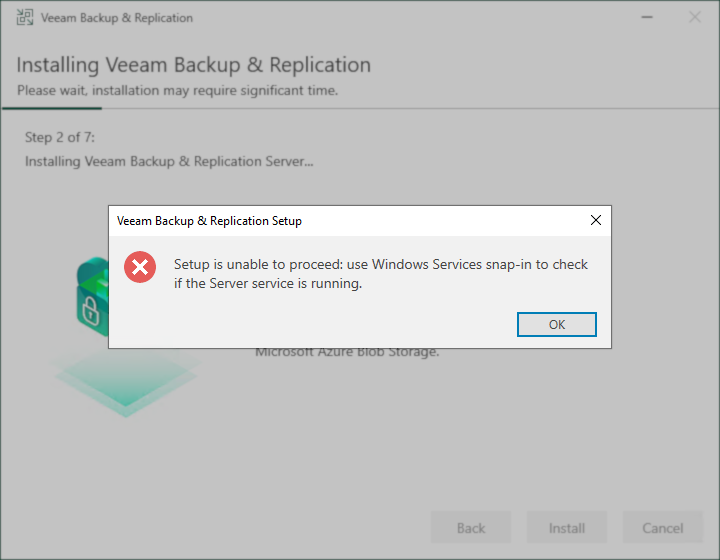
- Setup is unable to proceed: use Windows Services snap-in to check if the Server service is running.
Setup is unable to proceed: use Windows Services snap-in to check if the Server service is running.
| KB ID: | 1865 |
| Product: | Veeam Backup & Replication | 10 | 11 | 12 | 12.1 | 12.2 | 12.3 | 12.3.1 | 12.3.2 | 13 | 13.1 |
| Published: | 2014-04-14 |
| Last Modified: | 2024-03-27 |

Cheers for trusting us with the spot in your mailbox!
Now you’re less likely to miss what’s been brewing in our knowledge base with this weekly digest

Oops! Something went wrong.
Please, try again later.
Challenge
The Veeam Backup & Replication installer throws the error:
Setup is unable to proceed: use Windows Services snap-in to check if the Server service is running.
C:\ProgramData\Veeam\Setup\Temp\Catalog.log
MSI (s) (90!AC) [15:55:52:608]: Doing action: VmaCheckServerSvcStatus
Action start 15:55:52: VmaCheckServerSvcStatus.
MSI (s) (90:98) [15:55:52:627]: Invoking remote custom action. DLL: C:\Windows\Installer\MSI2B1C.tmp, Entrypoint: _VmaCheckServerSvcStatus@4
***Veeam***  Open service. Service name: 'LanmanServer'. Display name: 'Server'.
***Veeam***  Getting service status...
***Veeam***  Service is not running.
Action ended 15:55:52: VmaCheckServerSvcStatus. Return value 1.
Setup is unable to proceed: use Windows Services snap-in to check if the Server service is running.
MSI (s) (90!AC) [11:35:01:097]: Product: Veeam Backup Catalog -- Setup is unable to proceed: use Windows Services snap-in to check if the Server service is running.
Cause
Solution
If this KB article did not resolve your issue or you need further assistance with Veeam software, please create a Veeam Support Case.
To submit feedback regarding this article, please click this link: Send Article Feedback
To report a typo on this page, highlight the typo with your mouse and press CTRL + Enter.
Spelling error in text

Thank you!
Your feedback has been received and will be reviewed.
Oops! Something went wrong.
Please, try again later.
You have selected too large block!
Please try select less.
KB Feedback/Suggestion
This form is only for KB Feedback/Suggestions, if you need help with the software open a support case
Thank you!
Your feedback has been received and will be reviewed.
Oops! Something went wrong.
Please, try again later.