- Veeam Support Knowledge Base
- Veeam Backup & Replication — Cannot find any supported licenses for current product version.
Veeam Backup & Replication — Cannot find any supported licenses for current product version.
| KB ID: | 3209 |
| Product: | Veeam Backup & Replication | 12 | 12.1 | 12.2 | 12.3 | 12.3.1 | 12.3.2 | 13 | 13.1 |
| Published: | 2020-06-22 |
| Last Modified: | 2026-01-20 |

Cheers for trusting us with the spot in your mailbox!
Now you’re less likely to miss what’s been brewing in our knowledge base with this weekly digest

Oops! Something went wrong.
Please, try again later.
Challenge
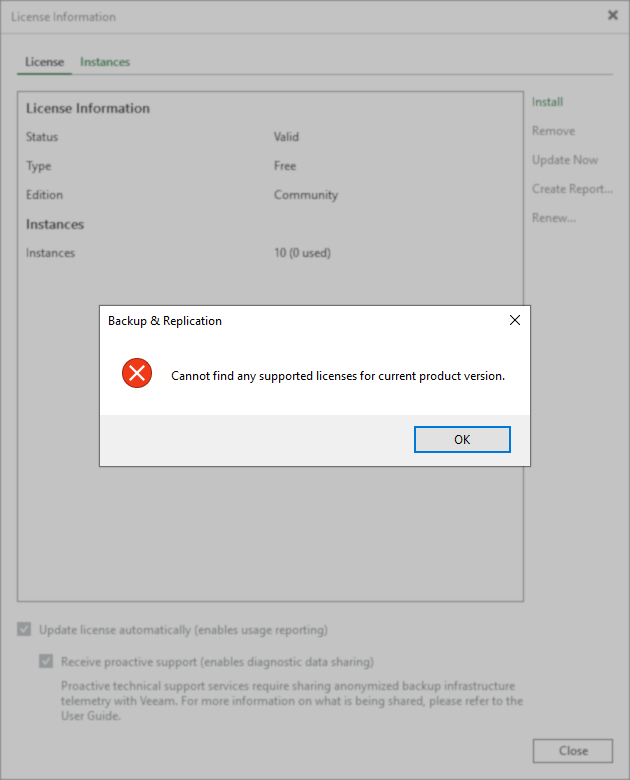
When attempting to install a license into Veeam Backup & Replication, the following error occurs:
Cannot find any supported licenses for current product version.
Cause
This error most often occurs when the license file being installed is for an older version of Veeam Backup & Replication.
Note: In some cases, a valid license may report this error, and rebooting the Veeam Backup Server has been shown to resolve this issue.
Solution
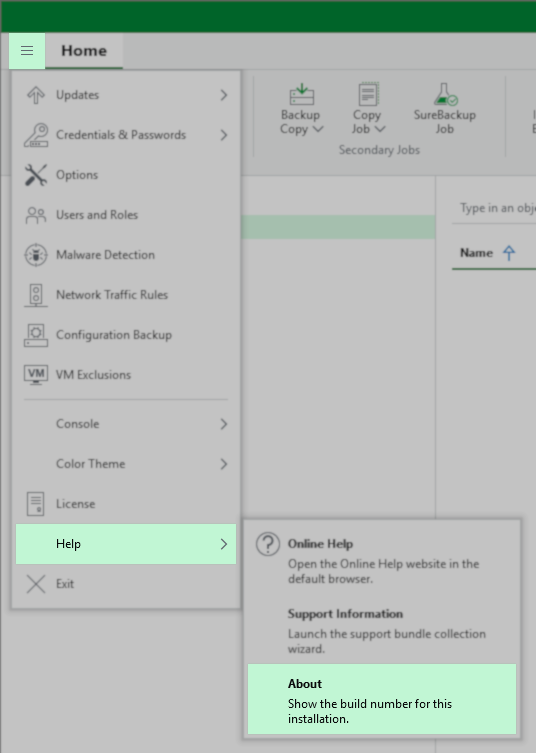
- Check which version of Veeam Backup & Replication is installed. This information can be found in the Veeam Backup & Replication Console's Main Menu (≡) under Help > About.
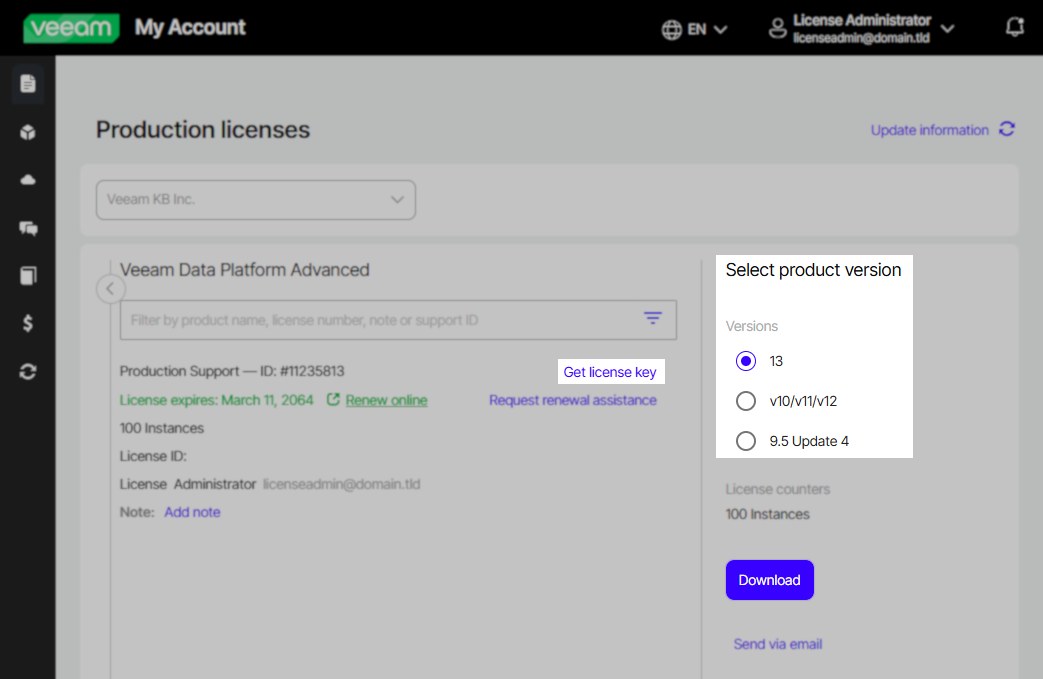
- Log in to the My Account portal using the License Administrator account.
- Download a version-appropriate license from the Production Licenses page.
- Install the downloaded license into Veeam Backup & Replication.
If you continue to encounter the error while using a license that matches the installed version of Veeam Backup & Replication, please restart the Backup Server and try again.
If you have issues or questions about this process, please create a Licensing Support case.
If this KB article did not resolve your issue or you need further assistance with Veeam software, please create a Veeam Support Case.
To submit feedback regarding this article, please click this link: Send Article Feedback
To report a typo on this page, highlight the typo with your mouse and press CTRL + Enter.
Spelling error in text

Thank you!
Your feedback has been received and will be reviewed.
Oops! Something went wrong.
Please, try again later.
You have selected too large block!
Please try select less.
KB Feedback/Suggestion
This form is only for KB Feedback/Suggestions, if you need help with the software open a support case
Thank you!
Your feedback has been received and will be reviewed.
Oops! Something went wrong.
Please, try again later.