- Veeam Support Knowledge Base
- Managed Veeam Backup Agents are offline after Veeam Service Provider Console upgrade
Veeam Management Agents are offline after Veeam Service Provider Console upgrade
| KB ID: | 4130 |
| Product: | Veeam Service Provider Console | 8.0 | 8.1 | 9 | 9.1 | 9.2 | 9.3 |
| Published: | 2021-03-16 |
| Last Modified: | 2025-12-04 |

Get weekly article updates
Cheers for trusting us with the spot in your mailbox!
Now you’re less likely to miss what’s been brewing in our knowledge base with this weekly digest

Oops! Something went wrong.
Please, try again later.
Challenge
After upgrading Veeam Service Provider Console, all Veeam Management Agents are listed as offline.
Cause
This may be caused by an incorrect security certificate configuration, which leads to the disconnection of the management agent on the Veeam Cloud Connect server after the upgrade. See the More Information section for details on properly installing security certificates for Veeam Service Provider Console.
Solution
In the Veeam Service Provider Console Web UI, verify the status of Veeam Cloud Connect servers in the Configuration > Catalog > Veeam Cloud Connect > Servers section (VSPC v8: Configuration > Cloud Connect Servers). If the status is not Active, perform the following steps:
- Log in to the machine running Veeam Cloud Connect.
- Start Agent Configurator with the shortcut or by running the executable C:\Program Files\Veeam\Availability Console\CommunicationAgent\Veeam.MBP.AgentConfigurator.exe.
- Click the Agent Configurator icon in the system tray to open the Agent Configurator UI.
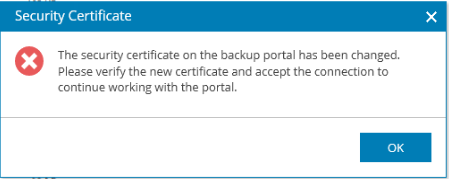
- If you see a notification that the security certificate on the backup portal has been changed, click OK.
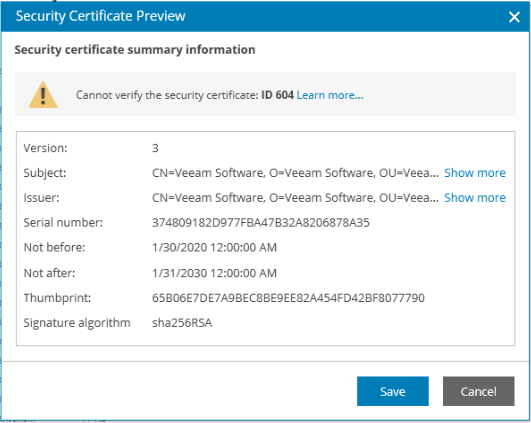
- A Security Certificate Preview window will appear. Review the certificate details and click Save if the certificate data is valid:
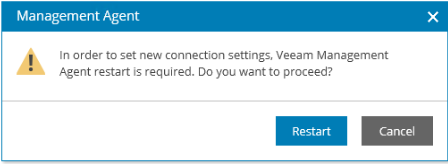
- In the Management Agent window, click Restart.
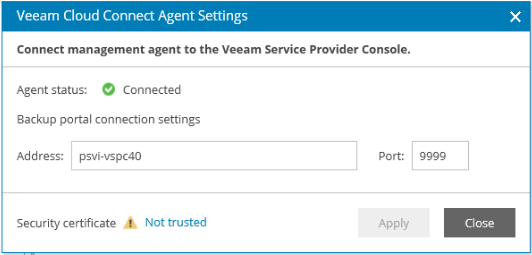
- Make sure the Agent status is Connected:
More Information
For more information, see Veeam Service Provider Console -Service Providers: Installing Security Certificates
If this KB article did not resolve your issue or you need further assistance with Veeam software, please create a Veeam Support Case.
To submit feedback regarding this article, please click this link: Send Article Feedback
To report a typo on this page, highlight the typo with your mouse and press CTRL + Enter.
