- Veeam Support Knowledge Base
- SureBackup of VM with NLB fails with "IP addresses were not resolved" or "cannot detect IP address"
SureBackup of VM with NLB fails with "IP addresses were not resolved" or "cannot detect IP address"
| KB ID: | 4246 |
| Product: | Veeam Backup & Replication | 9.5 | 10 | 11 | 12 | 12.1 | 12.2 | 12.3 | 12.3.1 | 12.3.2 | 13 | 13.1 |
| Published: | 2021-12-10 |
| Last Modified: | 2021-12-10 |

Cheers for trusting us with the spot in your mailbox!
Now you’re less likely to miss what’s been brewing in our knowledge base with this weekly digest

Oops! Something went wrong.
Please, try again later.
Challenge
Cannot detect IP address. Ping test will be skipped
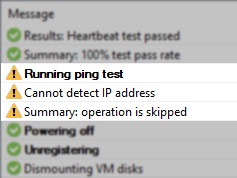
IP addresses were not resolvedSolution
Review the NLB configuration with your network administrator team to determine if the NLB Operation Mode can be changed to Multicast mode.
If it is not possible to reconfigure the NLB to use Multicast, review the workaround options below.
Workaround
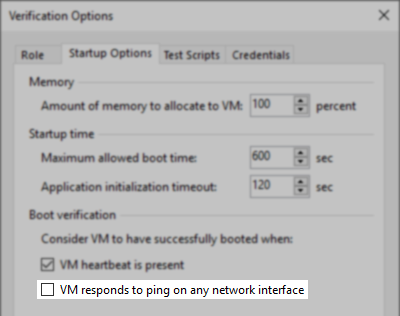
Disable the Ping Test option for the VM(s) have NLB operating in Unicast mode.
- In the Application Group
- In the SureBackup Job
If this KB article did not resolve your issue or you need further assistance with Veeam software, please create a Veeam Support Case.
To submit feedback regarding this article, please click this link: Send Article Feedback
To report a typo on this page, highlight the typo with your mouse and press CTRL + Enter.
