Veeam's VSS Operations With SMB 3.0 Impacted by Windows June 14, 2022 Update
| KB ID: | 4333 |
| Product: | Veeam Backup & Replication |
| Published: | 2022-06-29 |
| Last Modified: | 2022-06-29 |


Challenge
After installing the Windows June 14,2022 update (KB5014702/KB5014746) on a Windows file server hosting SMB 3.0 shares, the follow Veeam Backup & Replication operations may be impacted:
- If those SMB 3.0 shares are added to Veeam Backup & Replication with the "Backup from Microsoft VSS snapshot" option enabled, the NAS Backup job(s) protecting those SMB 3.0 shares may fail with the following error:
Failed to create a VSS snapshot Error: Failed to add volume [\\SMB3FS\SHARE1\] to the VSS snapshot set
The given shadow copy provider does not support shadow copying the specified volume.
--tr:Failed to add volumes to the snapshot set.
--tr:Failed to perform pre-backup tasks.
- If those SMB 3.0 shares are used to store VMs for a Hyper-V host running Server 2012R2, the Backup job(s) for the VMs stored on those SMB 3.0 shares may fail with the following error:
Failed to create snapshot (Fileshare Provider) (mode: Crash consistent) Details: Failed to add volume [\\SMB3FS\VOLUME1\] to the VSS snapshot set
The given shadow copy provider does not support shadow copying the specified volume.
--tr:Failed to add volumes to the snapshot set.
--tr:Failed to perform pre-backup tasks.
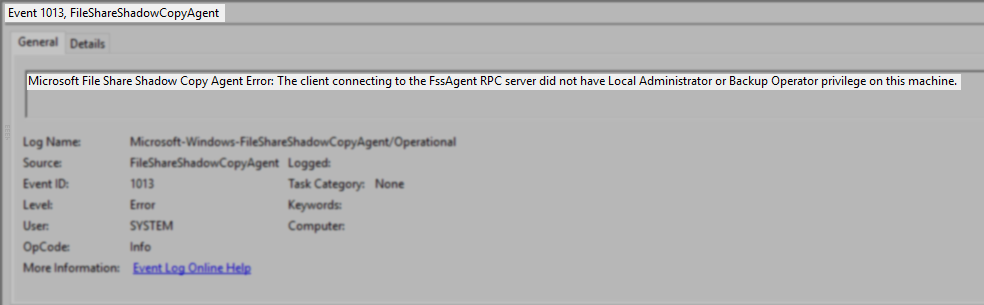
When either type of job fails the following error will be found in the Windows Event Logs of the File Server hosting the SMB3.0 shares:
Microsoft File Share Shadow Copy Agent Error: The client connecting to the FssAgent RPC server did not have Local Administrator or Backup Operator privilege on this machine.
Solution
NAS Backup Job Failure
Review the following article from Microsoft:
Specifically:
- Ensure that the June 14, 2022 update is installed on the following servers:
- File Server hosting the SMB 3.0 shares.
- The Veeam Backup Server.
- All Backup Proxies used by the NAS Backup job.
- Check the share permissions within Veeam Backup & Replication to ensure that Veeam has been configured to use a domain account that is a member of the Local Administrator or Backup Operator group on the File Server hosting the SMB 3.0 Shares.
Hyper-V 2012R2 VM Backup Job Failure
Review the following article from Microsoft:
Specifically:
- Ensure that the June 14, 2022 update is installed on the following servers:
- File Server hosting the SMB 3.0 shares.
- Any Hyper-V Server 2012R2 host using those shares to store VMs.
- The Veeam Backup Server.
- On every Hyper-V host that uses the SMB 3.0 shares as VM storage, update the Veeam Hyper-V Integration Service to change the Log On As from 'Local System account' to a domain account that meets the following requirements:
- The domain account is a member of the Local Administrator group on the Hyper-V host.
and - The domain account is a member of the Local Administrator or Backup Operator group on the File Server hosting the SMB 3.0 Shares.
- The domain account is a member of the Local Administrator group on the Hyper-V host.
If this KB article did not resolve your issue or you need further assistance with Veeam software, please create a Veeam Support Case.
To submit feedback regarding this article, please click this link: Send Article Feedback
To report a typo on this page, highlight the typo with your mouse and press CTRL + Enter.
Spelling error in text

KB Feedback/Suggestion
This form is only for KB Feedback/Suggestions, if you need help with the software open a support case