Error When Adding Veeam Backup for Microsoft 365 to Veeam ONE
| KB ID: | 4418 |
| Product: | Veeam ONE | 12 |
| Published: | 2023-02-23 |
| Last Modified: | 2023-02-28 |


Challenge
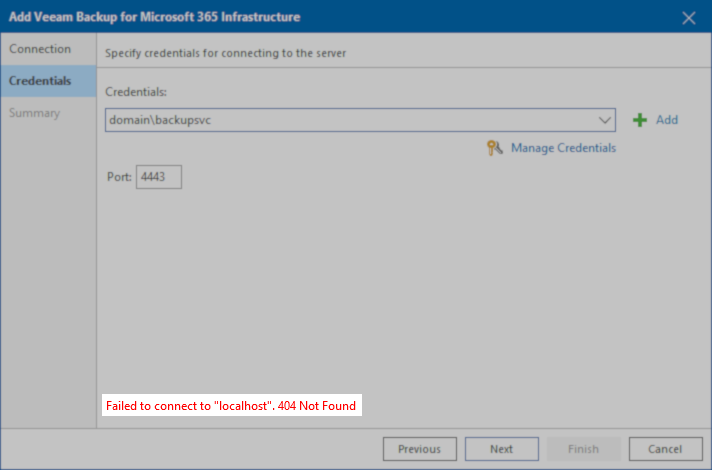
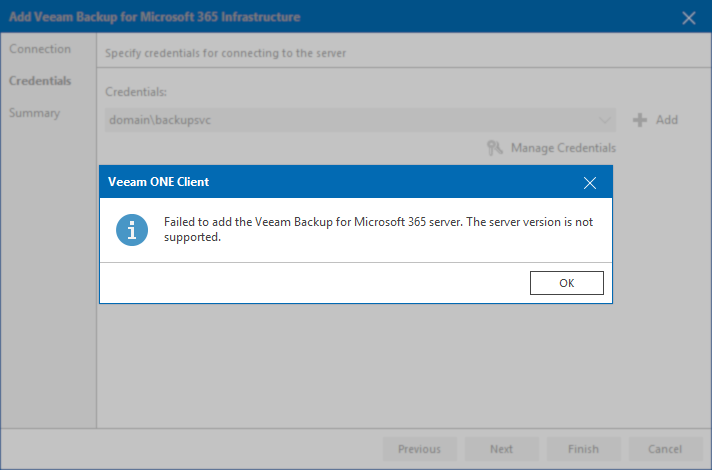
When attempting to add Veeam Backup for Microsoft 365 to Veeam ONE, either of the following error occurs:
-
Failed to connect to “localhost”.404 Not Found
-
Failed to add the Veeam Backup for Microsoft 365 server. The server version is not supported.
Cause
Both errors occur for the same reason, the version of Veeam Backup for Microsoft 365 installed is not supported for integration with Veeam ONE.
As documented in the Veeam ONE User Guide > Integration with Veeam Backup for Microsoft 365:
Veeam ONE offers monitoring and reporting capabilities for Veeam Backup for Microsoft 365 version 7 and later builds.
Solution
If this KB article did not resolve your issue or you need further assistance with Veeam software, please create a Veeam Support Case.
To submit feedback regarding this article, please click this link: Send Article Feedback
To report a typo on this page, highlight the typo with your mouse and press CTRL + Enter.
Spelling error in text

KB Feedback/Suggestion
This form is only for KB Feedback/Suggestions, if you need help with the software open a support case