Veeam Backup & Replication Install Fails with: "A later version of Veeam Explorer for Microsoft Exchange is already installed."
| KB ID: | 4639 |
| Product: |
Veeam Backup & Replication | 12.1 | 12.2 | 12.3 Veeam Backup for Microsoft 365 | 8 |
| Published: | 2024-09-03 |
| Last Modified: | 2024-12-05 |


Challenge
When attempting to install Veeam Backup & Replication version 12.1, 12.2, or 12.3 on a machine where Veeam Backup for Microsoft 365 version 8 is already installed, the Veeam Backup & Replication install fails with the error:
A later version of Veeam Explorer for Microsoft Exchange is already installed.
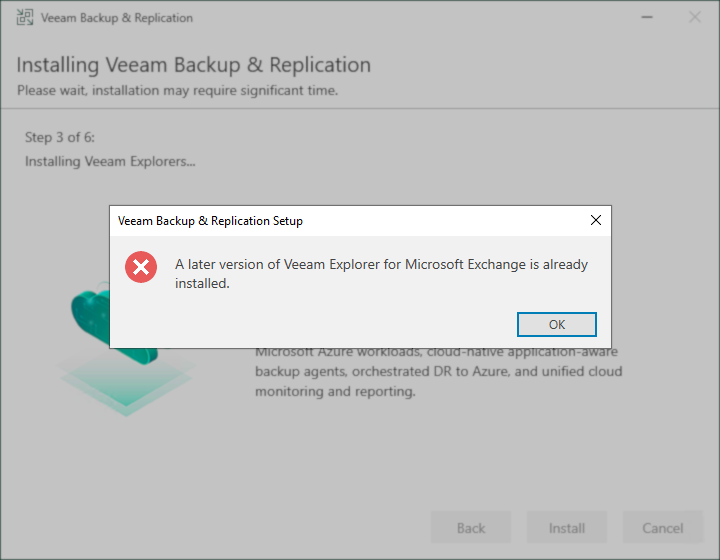
Cause
This error occurs because the Veeam Explorer for Microsoft Exchange package deployed by Veeam Backup for Microsoft 365 version 8 is newer than the one used by Veeam Backup & Replication.
Note: The issue related to all three Veeam Explorer tools that Veeam Backup for Microsoft 365 v8 deploys, but the error shows Veeam Explorer for Microsoft Exchange as that is the first Veeam Explorer that Veeam Backup & Replication attempts to install.
Solution
Options:
- Resolution — If you've already attempted to install Veeam Backup & Replication.
- Prevention — If you have not installed Veeam Backup & Replication or Veeam Backup for Microsoft 365.
Resolution
If you've tried to install Veeam Backup & Replication and it has already failed, resolve the issue by following these steps:
- Run the Veeam Backup & Replication Installer again.
- When prompted whether to Repair or Remove, select Remove.
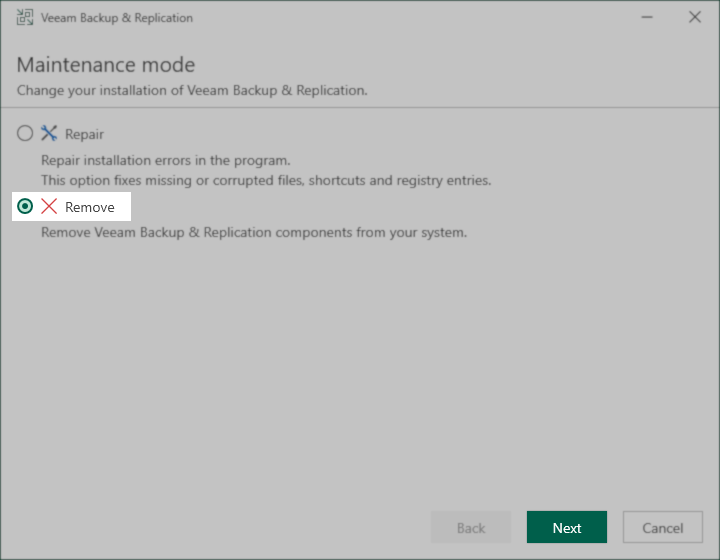
- When prompted to select which components to uninstall, ensure that all are selected, and then click Remove.
- After the Uninstall is complete, open an Administrative PowerShell console (Win+X, tap A) and run the following PowerShell command to ensure that the conflicting Veeam Explorer packages were removed:
Note: Getting the error "No package found for 'Veeam Explorer for Microsoft*'." is acceptable and means all conflicting packages were removed by the Veeam Backup & Replication uninstaller.
- Relaunch the Veeam Backup & Replication installer again, and proceed through the install process.
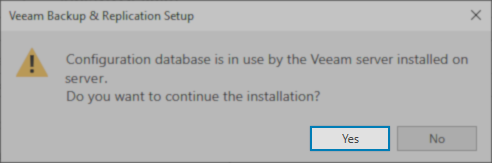
- If prompted about the configuration database being used by a Veeam server installed on the same machine, select Yes.
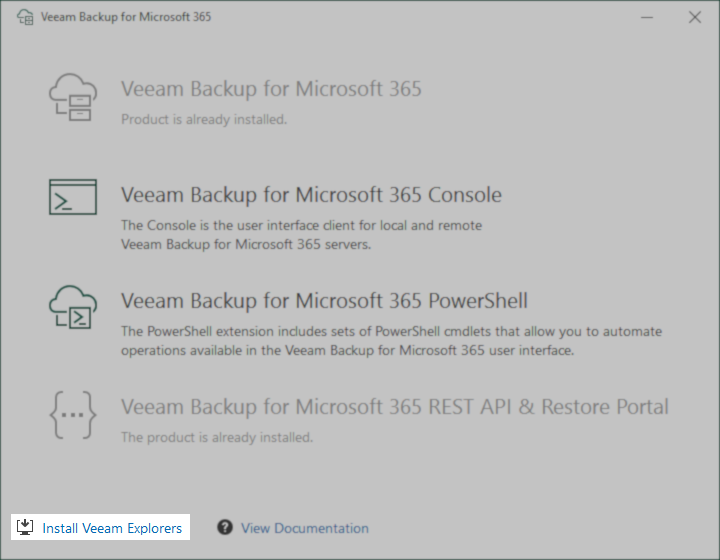
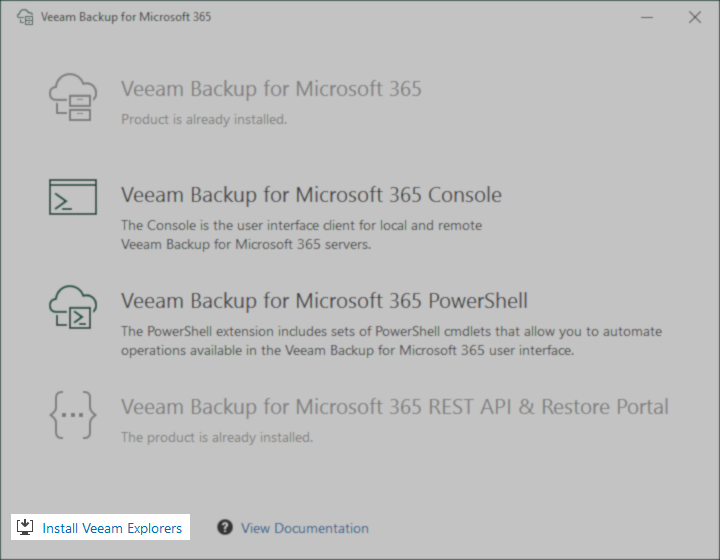
- After the installation of Veeam Backup & Replication completes, launch the Veeam Backup for Microsoft 365 installer and click the Install Veeam Explorers link in the bottom-left corner.
Prevention
Review the following scenarios and follow the respective instructions.
If neither Veeam Backup for Microsoft 365 nor Veeam Backup & Replication is currently installed:
- Install Veeam Backup & Replication first.
- Then, install Veeam Backup for Microsoft 365.
(Review: KB4638: Deploying Veeam Backup for Microsoft 365 Using Existing Veeam Backup & Replication PostgreSQL Instance)
If Veeam Backup for Microsoft 365 is installed, but Veeam Backup & Replication is not installed yet:
- Open an Administrative PowerShell console (Win+X, tap A) and run the following PowerShell command to uninstall the conflicting programs before installing Veeam Backup & Replication:
- Install Veeam Backup & Replication.
- After the installation of Veeam Backup & Replication completes, launch the Veeam Backup for Microsoft 365 installer and click the Install Veeam Explorers link in the bottom-left corner.
If this KB article did not resolve your issue or you need further assistance with Veeam software, please create a Veeam Support Case.
To submit feedback regarding this article, please click this link: Send Article Feedback
To report a typo on this page, highlight the typo with your mouse and press CTRL + Enter.
Spelling error in text

KB Feedback/Suggestion
This form is only for KB Feedback/Suggestions, if you need help with the software open a support case