How to Collect Logs from Veeam Appliance Installer
| KB ID: | 4783 |
| Product: | Veeam Backup & Replication | 13 |
| Published: | 2025-10-17 |
| Last Modified: | 2026-08-25 |


Purpose
This article documents how to collect logs from the installer for the Software Appliances included with Veeam Backup & Replication 13 (Veeam Software Appliance, Veeam Infrastructure Appliance, and Veeam Hardened Repository Appliance).
This procedure may be required if an installation-related issue occurs. Since these issues arise during the installation phase, and the system is not fully operational, specific manual steps must be followed to facilitate log collection.
Solution
The procedure documented in this article creates a log bundle and transfers it to a destination Linux machine. You must have a secondary Linux machine available for the machine where the installation occurred to send the log bundle to via SSH.
This procedure will also require knowledge of working with Linux operating systems, working with SSH, and networking configuration.
Note: All steps below are to be performed on the machine where the Installer was running.
Part 1: Switch to the Console
- Switch to tty2 using the following key combination:
Ctrl+Alt+F2
Note: F2 as in the Function Key labeled F2.
Part 2: Verify Network Connectivity
- Within the tty2 terminal, check the machine's IP address with the following command:
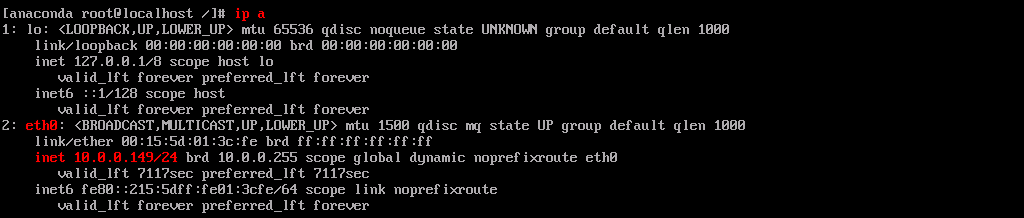
If no IP address is assigned to eth0, use the following commands to assign an IP address and network gateway:
- Set IP address:
ip addr add x.x.x.x/cidr dev eth0
Example
ip addr add 10.0.0.149/24 dev eth0 - Add a default gateway route:
route add default gw x.x.x.x eth0
Example
route add default gw 10.0.0.1 eth0
- Using the following command, test ssh connectivity to the destination Linux machine where logs will be sent:


Part 3: Export Logs to Remote Linux Machine
- Use the following command to generate the log bundle and push it to the remote linux machine:
Example
/run/install/repo/support-scripts/support-scripts/hardware_collection.sh -d 10.0.0.165:/home/backupsvc/ -u backupsvc
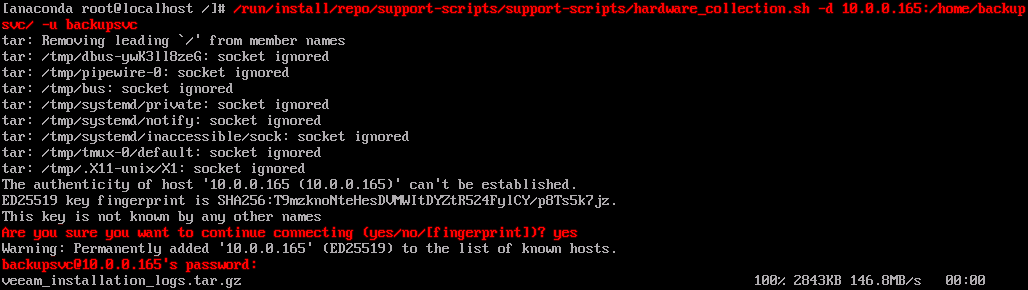
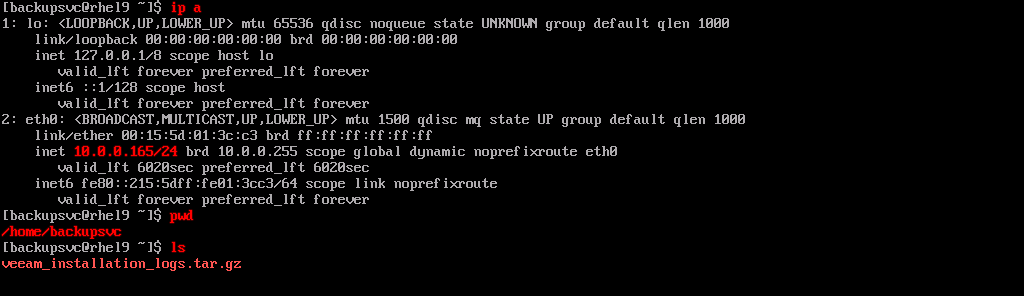
- With the log bundle now created and exported, attach it to the support case.
If this KB article did not resolve your issue or you need further assistance with Veeam software, please create a Veeam Support Case.
To submit feedback regarding this article, please click this link: Send Article Feedback
To report a typo on this page, highlight the typo with your mouse and press CTRL + Enter.
