Veeam Agent for Microsoft Windows Service Fails to Start After Upgrading .NET Components

KB ID: 4826
Product: Veeam Agent for Microsoft Windows | 13
Published: 2026-03-02
Last Modified: 2026-03-02
mailbox
Get weekly article updates
By subscribing, you are agreeing to have your personal information managed in accordance with the terms of Veeam's Privacy Notice.

Cheers for trusting us with the spot in your mailbox!

Now you’re less likely to miss what’s been brewing in our knowledge base with this weekly digest

error icon

Oops! Something went wrong.

Please, try again later.

Challenge

After upgrading .NET components on a machine where Veeam Agent for Microsoft Windows is installed, the "Veeam Agent for Microsoft Windows" service fails to start.

Windows could not start the Veeam Agent for Microsoft
Windows service on Local Computer.
Error 1053: The service did not respond to the start or control
request in a timely fashion.
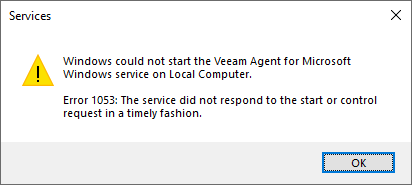
A Windows Services dialog box with a yellow warning icon states: "Windows could not start the Veeam Agent for Microsoft Windows service on Local Computer. Error 1053: The service did not respond to the start or control request in a timely fashion." An OK button is at the bottom right.
Below are other associated event logs:
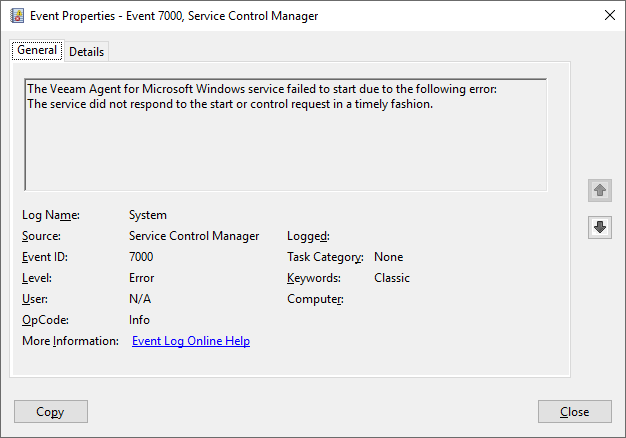
The "Event Properties - Event 7000, Service Control Manager" window is open. The message states: "The Veeam Agent for Microsoft Windows service failed to start due to the following error: The service did not respond to the start or control request in a timely fashion." Event ID is 7000, source is Service Control Manager, and log name is System.
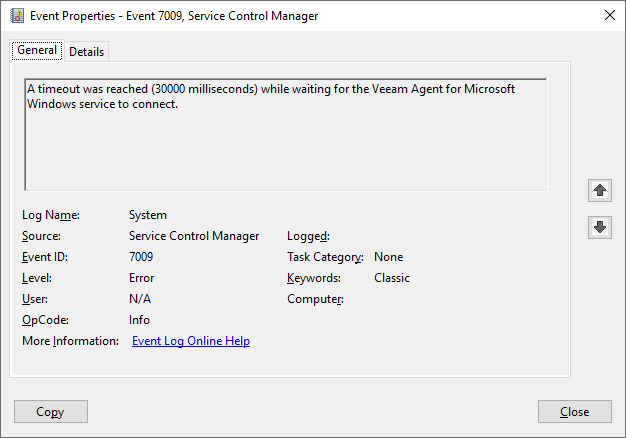
The "Event Properties - Event 7009, Service Control Manager" window is open. The message states: "A timeout was reached (30000 milliseconds) while waiting for the Veeam Agent for Microsoft Windows service to connect." Event ID is 7009, source is Service Control Manager, and log name is System.
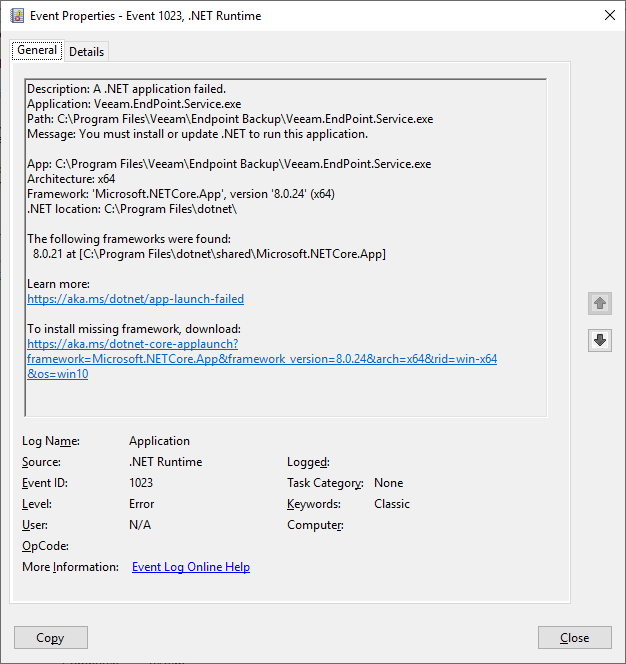
The "Event Properties - Event 1023, .NET Runtime" window is open. The message describes a .NET application failure: "Application: Veeam.EndPoint.Service.exe. Message: You must install or update .NET to run this application." It specifies a missing or outdated .NETCore.App framework (version '8.0.24'), provides a link for more information, and a download link for the missing framework. Event ID is 1023, source is .NET Runtime, and log name is Application.

Cause

This situation occurs when a mismatch between .NET components is created by failing to upgrade all .NET components to the same version.

As noted in the Veeam Agent for Microsoft Windows User Guide:

If you already have ASP.NET Core Runtime and NET Desktop Runtime version 8.0.21 or later on your computer, new packages will not be installed. However, make sure that both products have the same version; otherwise Veeam Agent operations will fail.

Solution

Check Installed .NET Runtimes

Use the following command to check which versions of the .net runtime components are installed:

dotnet --list-runtimes
Result: Mismatched .NET Runtime Versions

If .NET Runtime components are running different versions, update the older ones so all versions match. Then start the Veeam Agent for Microsoft Windows service. The issue should then be resolved. If not, create a case with Veeam Technical Support.

A Windows PowerShell window shows the output of the command dotnet --list-runtimes. The installed .NET runtimes are: Microsoft.AspNetCore.App 8.0.24, Microsoft.NETCore.App 8.0.21, and Microsoft.WindowsDesktop.App 8.0.21. The version numbers are highlighted in different colors, indicating a version mismatch.
Example of mismatched .net runtime components.
Result: Matching .NET Runtime Versions

If all .NET Runtime components are the same version, as shown in the example below, but the "Veeam Agent for Microsoft Windows" service won't start, create a case with Veeam Technical Support.

A Windows PowerShell window shows the output of the command dotnet --list-runtimes. The installed .NET runtimes are: Microsoft.AspNetCore.App 8.0.24, Microsoft.NETCore.App 8.0.24, and Microsoft.WindowsDesktop.App 8.0.24. All version numbers match, highlighted in green.
Example of matching .net runtime components.

If this KB article did not resolve your issue or you need further assistance with Veeam software, please create a Veeam Support Case.

To submit feedback regarding this article, please click this link: Send Article Feedback
To report a typo on this page, highlight the typo with your mouse and press CTRL + Enter.

Spelling error in text

Thank you!

Thank you!

Your feedback has been received and will be reviewed.

Oops! Something went wrong.

Please, try again later.

You have selected too large block!

Please try select less.

KB Feedback/Suggestion

This form is only for KB Feedback/Suggestions, if you need help with the software open a support case

By submitting, you are agreeing to have your personal information managed in accordance with the terms of Veeam's Privacy Notice.
Verify your email to continue your product download
We've sent a verification code to:
  • Incorrect verification code. Please try again.
An email with a verification code was just sent to
Didn't receive the code? Click to resend in sec
Didn't receive the code? Click to resend
Thank you!

Thank you!

Your feedback has been received and will be reviewed.

error icon

Oops! Something went wrong.

Please, try again later.