Proxmox VE Worker VM Deployment Fails When Default Local Storage Is Disabled
| KB ID: | 4906 |
| Product: | Veeam Plug-In for Proxmox VE |
| Published: | 2026-08-31 |
| Last Modified: | 2026-08-31 |


Challenge
When attempting to deploy or test a worker VM, the operation fails with the following errors:
Failed to deploy the worker VM: Cannot access a closed Stream.
Worker <VM Name> test failed: Cannot access a closed Stream.
This may also occur after an upgrade, when the existing worker VM is recreated and the redeployment fails.
Cause
This issue occurs because the storage that Veeam Backup & Replication is configured to use for worker VM deployment does not provide the ISO image and Snippets content types.
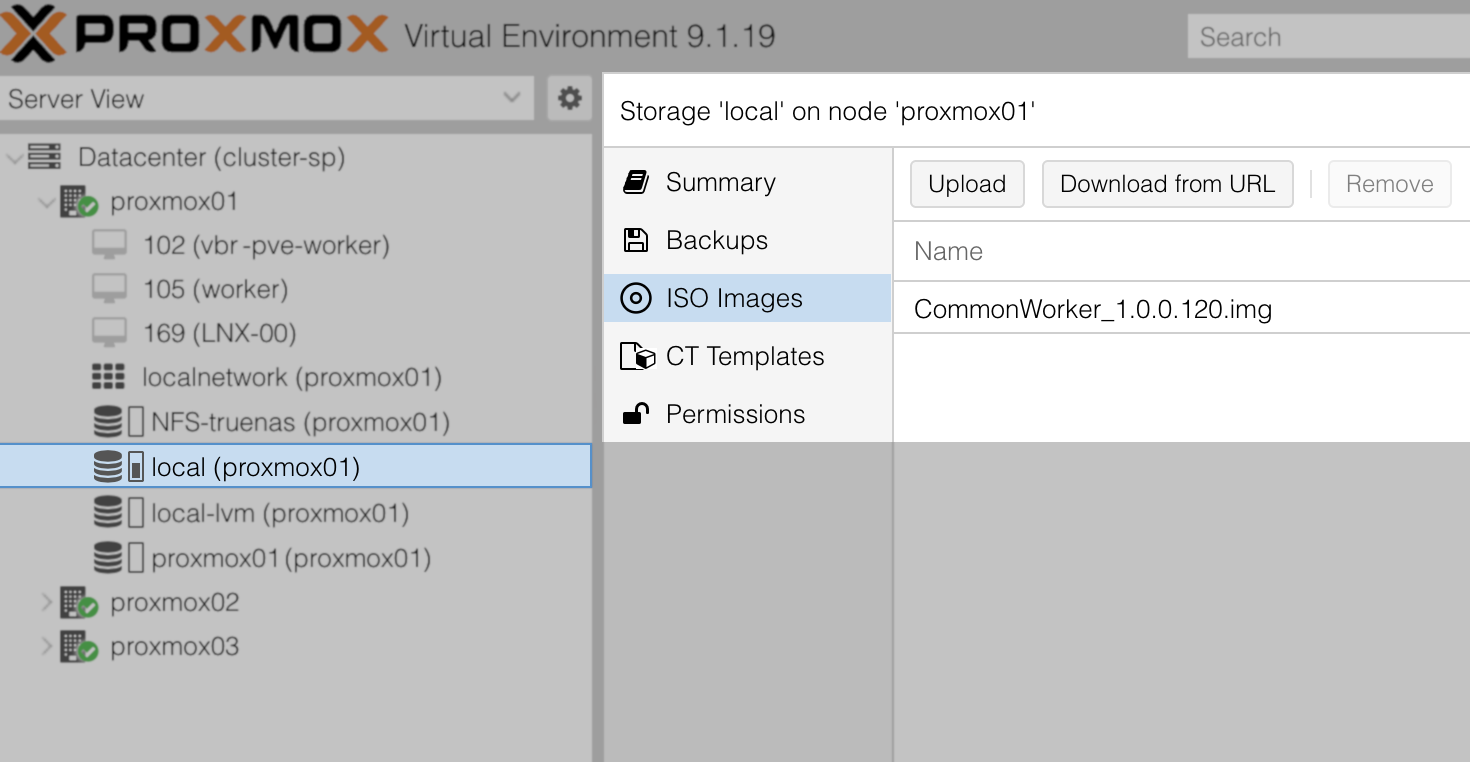
During deployment, the worker image is written to the ISO image directory of that storage, and the worker's cloud-init configuration is written to its snippets directory. By default, Veeam Backup & Replication uses the Proxmox VE local storage, which on a default installation carries both content types. This storage is separate from the storage where the worker VM's disks are mounted, so selecting a different storage for worker VMs does not remove the requirement.
Solution
A worker VM can only be deployed to a host that provides file-level storage with the ISO image and Snippets content types enabled. The storage must also support snapshots. LVM storage that uses the Snapshots as Volume Chains (SAVC) mechanism cannot be used for worker files.
If the default local storage was disabled unintentionally, enable it on the affected Proxmox VE nodes, then test each existing worker VM before a job is run. If the default storage cannot be used in the environment, configure an alternative as described below.
Configuring an Alternative File-Level Storage
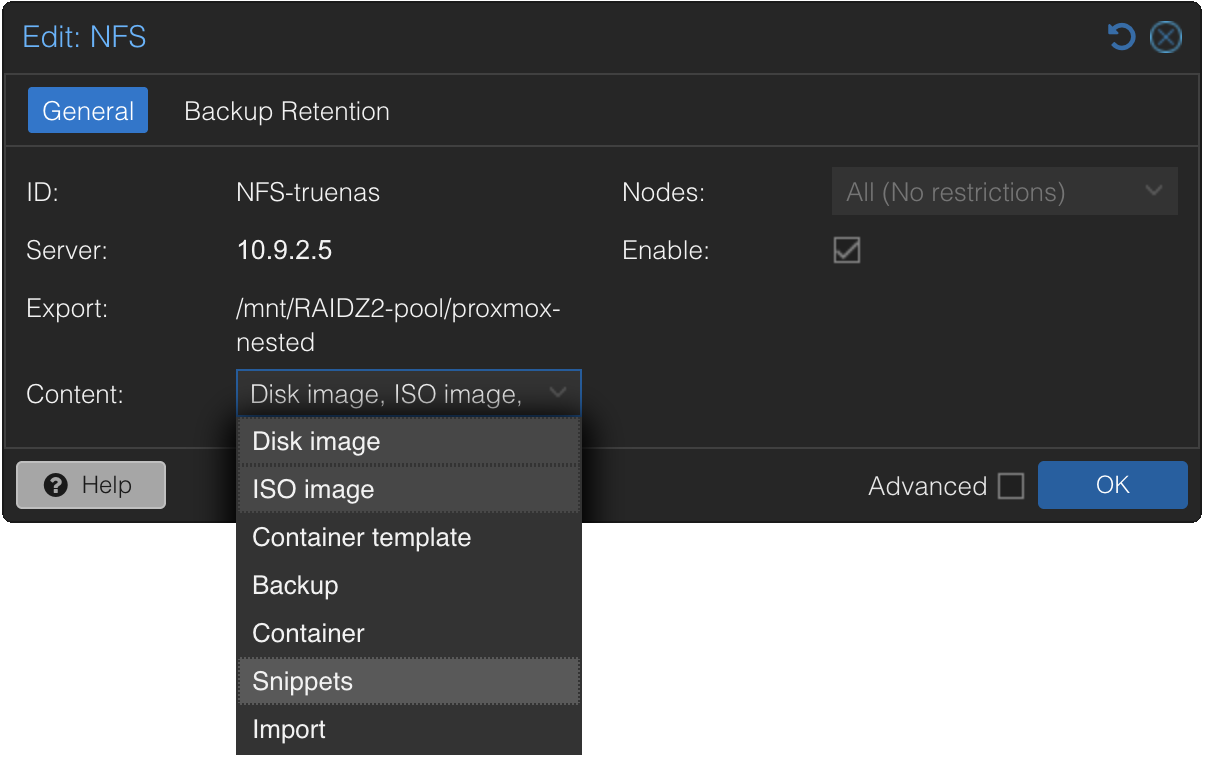
- In the Proxmox VE web interface, identify a file-level storage that is available on every node where a worker VM will be deployed. Confirm that both the ISO image and Snippets content types are enabled on it, and note the storage ID.
In the example below, the storage ID isNFS-truenas.
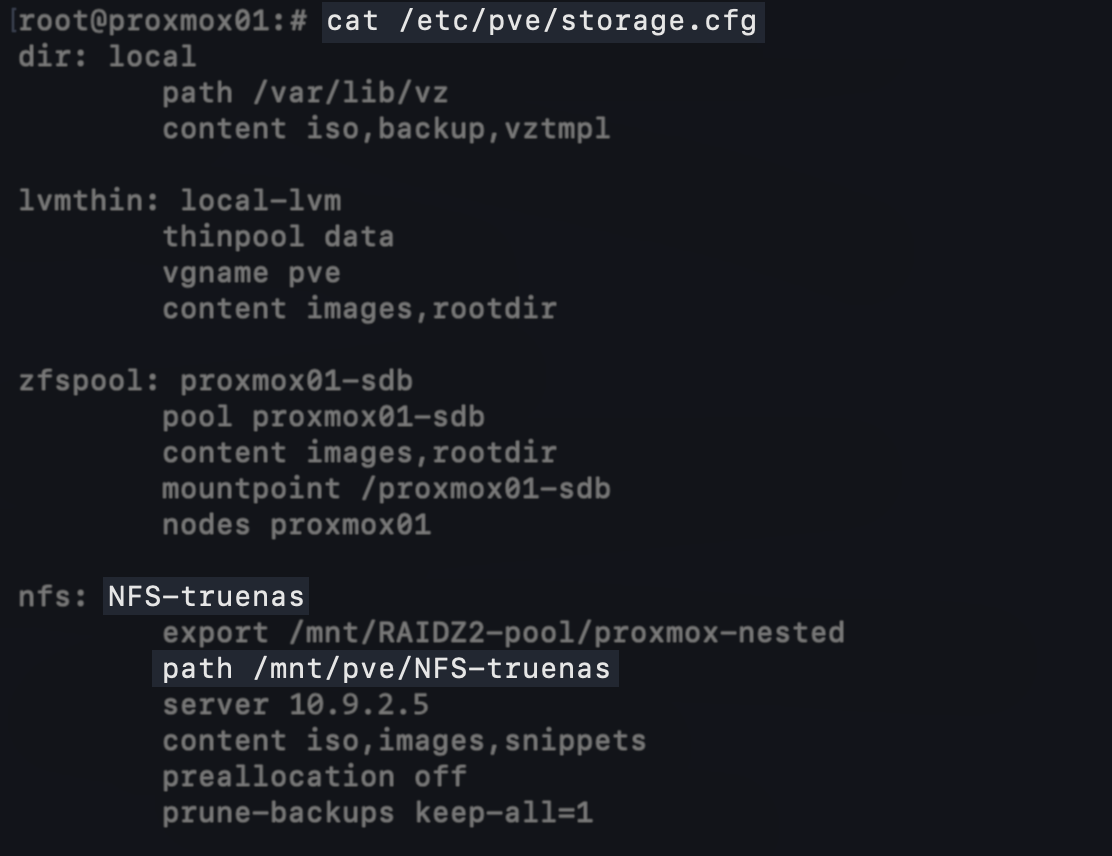
- On the Proxmox VE host, review the storage definition in
/etc/pve/storage.cfgto determine itspathvalue, for example:nfs: NFS-truenas export /mnt/RAIDZ2-pool/proxmox-nested path /mnt/pve/NFS-truenas server 10.9.2.5 content iso,images,snippets preallocation off prune-backups keep-all=1
- Confirm that the expected directories exist at that path. In a multi-node cluster, confirm this on every node where a worker VM will be deployed.
# ls /mnt/pve/NFS-truenas
images  snippets  template

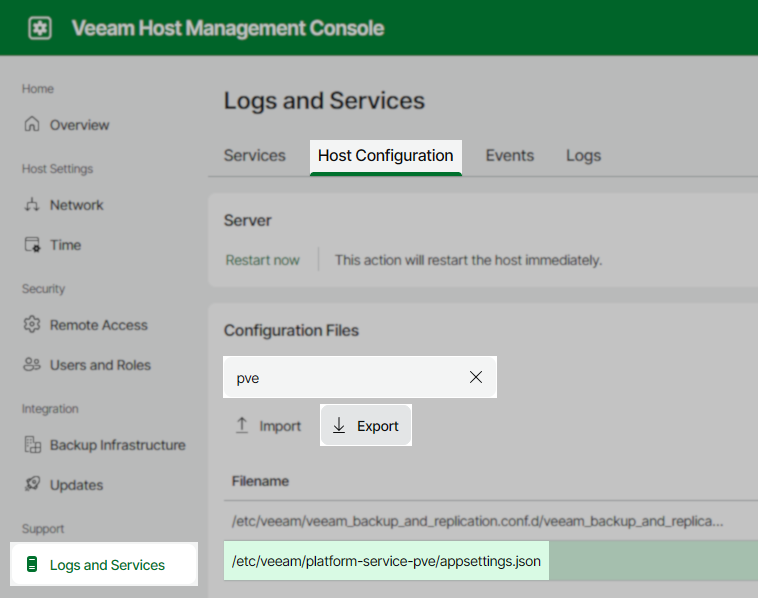
- Update the plug-in configuration to use the storage identified in step 1. The steps differ by deployment type:
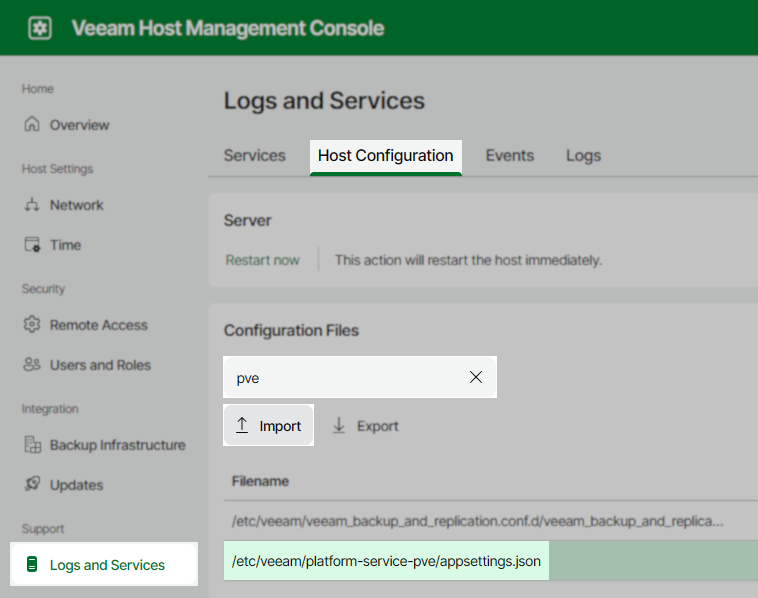
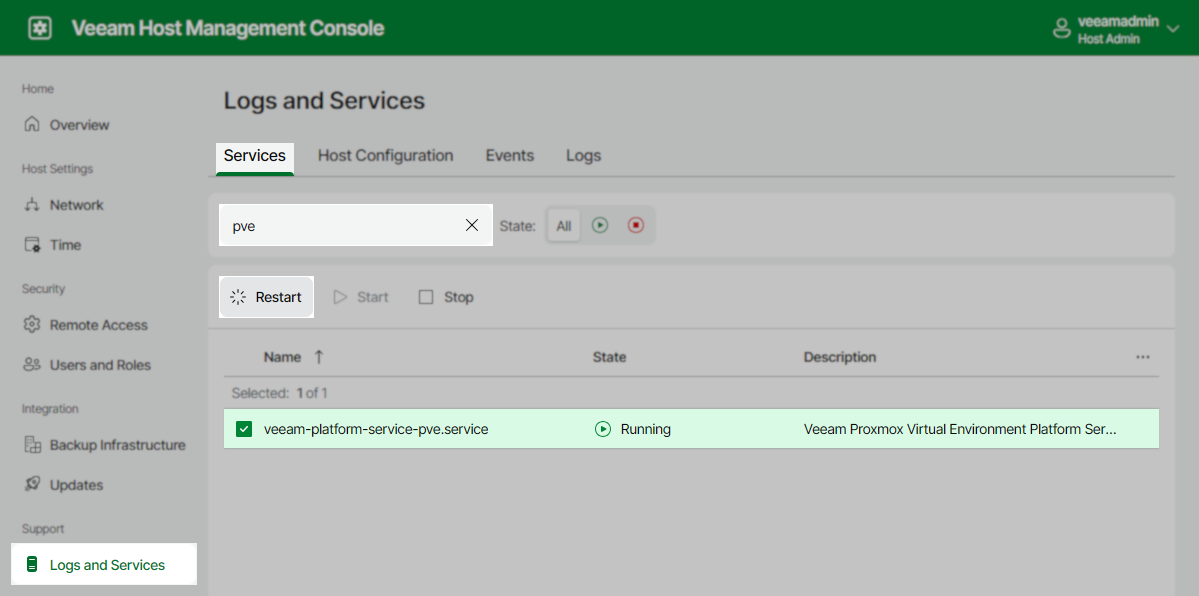
If the Proxmox VE host is added to Veeam Backup & Replication using a non-root account with granular sudo permissions, the sudoers entries that reference /var/lib/vz must also be updated to the storage path from step 2. If they are not updated, worker deployment continues to fail.
See KB4701: Granular sudo Permissions for Veeam Plug-in for Proxmox VE.
If this KB article did not resolve your issue or you need further assistance with Veeam software, please create a Veeam Support Case.
To submit feedback regarding this article, please click this link: Send Article Feedback
To report a typo on this page, highlight the typo with your mouse and press CTRL + Enter.
