My Account Portal "Recovery email for case contact" Guide
| KB ID: | 4308 |
| Published: | 2022-05-11 |
| Last Modified: | 2025-10-27 |


Purpose
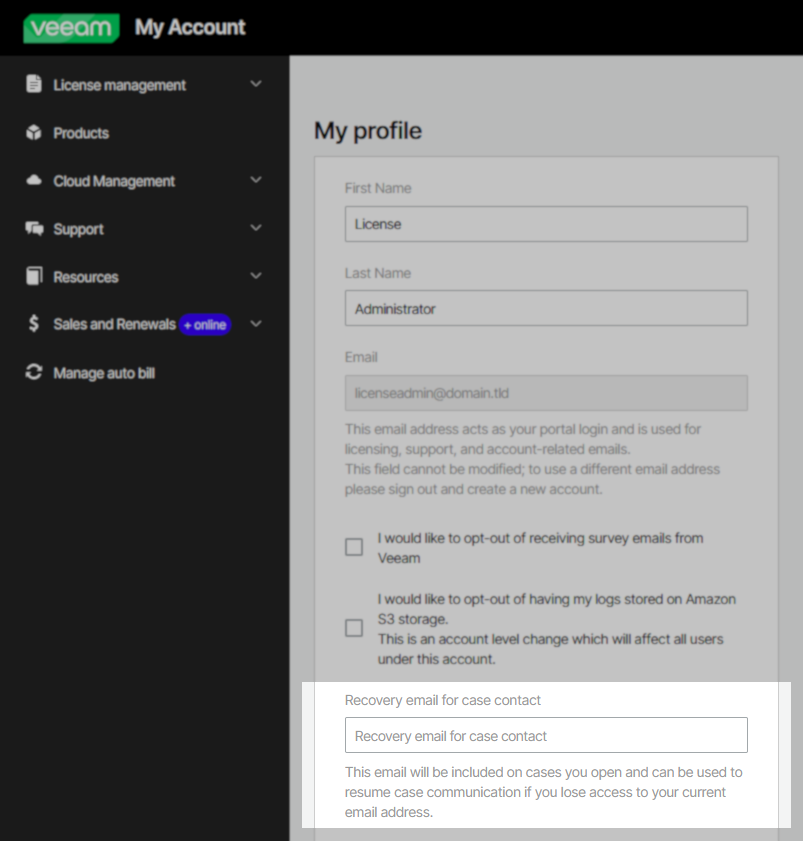
The Recovery email for case contact is a feature within the My Account portal that allows each customer to assign an additional email address which will be CC'd on all emails sent by Veeam Support from a case. This additional email address does not have to be associated with the customer's company email domain and can be a third-party free email address.
Note: The Recovery email for case contact cannot be used as an alternate email address to login into the My Account portal, nor can it be used to recover access to a My Account portal account. That functionality is available using the "attach social account" feature, which allows a customer to sign in to their Veeam My Account using their social account credentials.
Solution
A Recovery email for case contact can be:
- Assigned within the account settings and apply to all active and future cases.
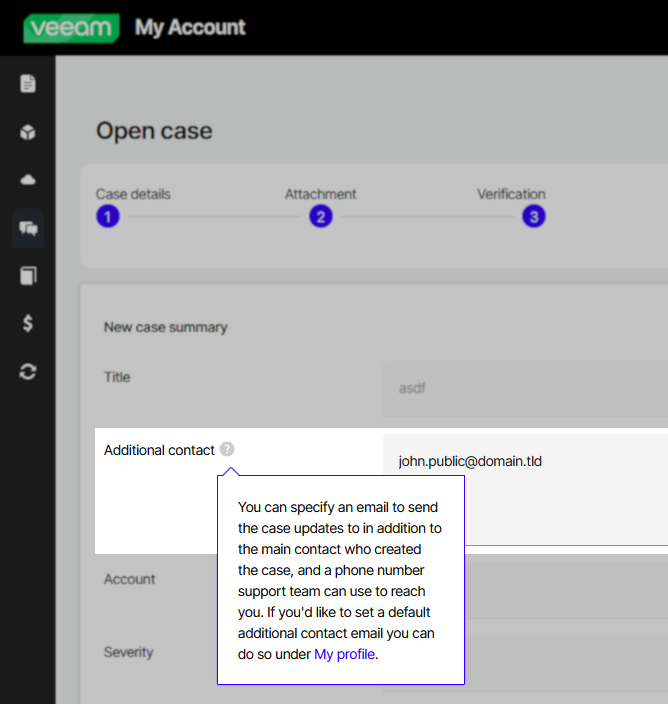
- Assigned individually during initial case creation.
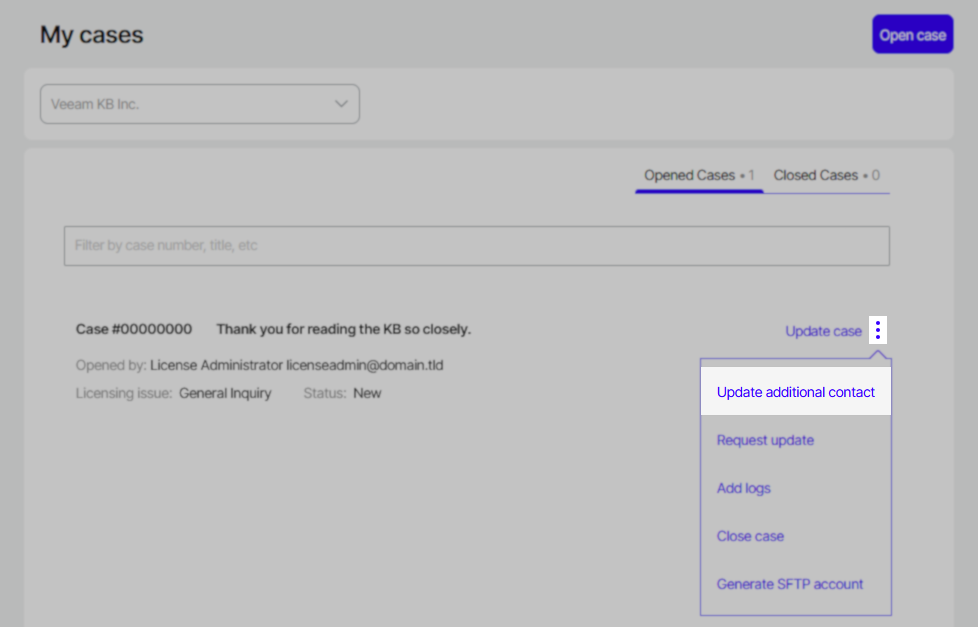
- Assigned individually to an existing case.
Considerations and Limitations
- Only a single email address may be specified as the "Recovery email for case contact" or "Additional contact."
- When the "Additional Contact" input box is submitted, the text will be parsed, and only the first email detected will be added as the "Additional Contact" for that case.
- Customers can remove the additional contact assigned to a case using the "Update additional contact" and update it with a blank field.
Related Articles
- Veeam Account Sign In FAQ
- How to Create a Veeam Account
- Veeam My Account Portal - MFA Guide
- My Account Portal "Recovery email for case contact" Guide
- My Account Portal - Role Management FAQ
- How to Create a Veeam Support Case
- My Account Portal: "No licenses can be found for your account"
- How to Attach Files to a Veeam Support Case
- How to Attach a File Larger Than 5GB to a Support Case
- How to Generate an SFTP Account for a Support Case
- How to Contact Veeam Support Management
- Support Partners Case Management
If this KB article did not resolve your issue or you need further assistance with Veeam software, please create a Veeam Support Case.
To submit feedback regarding this article, please click this link: Send Article Feedback
To report a typo on this page, highlight the typo with your mouse and press CTRL + Enter.
Spelling error in text

KB Feedback/Suggestion
This form is only for KB Feedback/Suggestions, if you need help with the software open a support case